An Introduction to Custom Post Types and Advanced Custom Fields (ACF)
What is a Custom Post Type (CPT)? An Explanation with Real-World Examples
Dec
The Powerhouse of WordPress: Unlocking Structured Content with Custom Post Types (CPTs)
In the dynamic and ever-evolving landscape of web development, a robust, scalable, and meticulously organized website is no longer merely an aspiration—it’s a non-negotiable requirement. For WordPress professionals, this imperative often demands transcending the conventional confines of “posts” and “pages” to engineer truly bespoke content structures. This is precisely where Custom Post Types (CPTs) emerge as the ultimate architectural bedrock, empowering you to craft sophisticated web platforms that are inherently user-friendly, highly efficient, and impeccably future-proof.
At DebugPress.com, our commitment is to furnish you with definitive knowledge and immediately actionable strategies. This comprehensive deep dive into CPTs will not only illuminate *what* they are but, critically, *why* they are absolutely indispensable for anyone intent on moving beyond basic blogging to construct complex, data-driven websites with unparalleled efficiency. Whether you’re orchestrating an expansive e-commerce platform, managing an intricate online course portal, or curating a niche directory, CPTs are the foundational key to unlocking superior content organization, dramatically enhancing user experience, and establishing formidable scalability that meets late 2025/early 2026 web standards.
1. The Foundation: Grasping WordPress Content Types

Standard WordPress Content: Posts vs. Pages – Understanding the Default Limitations
WordPress, out of the box, provides two fundamental content types: Posts and Pages. Posts are inherently chronological, designed for dynamic content such as blog entries, news articles, and time-sensitive updates, typically classified by categories and tags. Pages, conversely, are static and hierarchical, ideal for foundational content like “About Us,” “Contact Information,” or legal disclaimers. While these defaults form the bedrock of many websites, their inherent design presents significant limitations when your website’s data requirements extend beyond simple blogging or static information display.
Consider the arduous task of managing a catalog of 500 distinct products using only standard WordPress posts. Each product would essentially be a blog entry, necessitating manual input of custom fields for attributes such as price, SKU, dimensions, and more, often relying on suboptimal workarounds. This approach quickly deteriorates into an unmanageable quagmire, severely impacting both backend operational efficiency and frontend content presentation.
The Strategic Imperative: Why Default Types Aren’t Always Enough for Complex Data Structures
The moment your content begins to demand a unique set of attributes, a distinct display methodology, or a separate management interface, the inherent limitations of default post types become acutely evident. Imagine a sophisticated real estate portal: a property listing is not simply a “post”; it necessitates specific fields for bedrooms, bathrooms, square footage, precise address, listing agent details, and current status. Attempting to consolidate all this disparate data into a generic post type compels developers and content managers to compromise on data integrity, search functionality, and the overall user experience.
Exclusive reliance on posts and pages for varied content types invariably leads to:
- Data Inconsistency: Manual entry of custom fields is inherently susceptible to human error.
- Poor Organization: All content is indiscriminately commingled within a single “Posts” or “Pages” list, rendering specific content difficult to locate, manage, and audit.
- Limited Querying Capabilities: Retrieving and displaying specific data types becomes unduly complex, inefficient, and resource-intensive.
- Suboptimal User Experience (UX): Modern users anticipate dedicated, intuitive sections for “Products,” “Courses,” or “Events,” not a generic blog-style presentation.
Recognizing and addressing this strategic imperative is the foundational step towards constructing truly powerful, intuitive, and future-ready WordPress websites.
2. Defining a Custom Post Type (CPT): A Strategic Overview
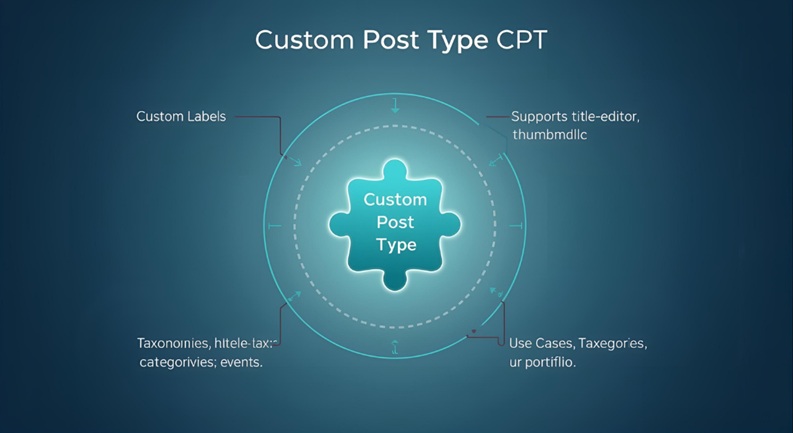
What a CPT Truly Is: A Custom Content Container with Unique Characteristics
Fundamentally, a Custom Post Type (CPT) is a bespoke content container within the WordPress ecosystem, conceptually analogous to ‘post’ or ‘page’, but one that you—as the developer or site owner—define with exacting precision for your unique data requirements.
Envision it as architecting a brand new, highly specialized table within a database (though WordPress seamlessly manages the underlying database mechanics for you) that is perfectly structured to hold a particular kind of information. Each CPT is granted the autonomy to possess its own dedicated edit screen, archive pages, single display templates, and even its own distinct categories and tags (known as Custom Taxonomies).
When you formally register a CPT, you are not merely assigning a new name; you are meticulously defining an entirely new content ecosystem, precisely tailored to a specific purpose, thereby ensuring a clean, logical separation from your traditional blog posts and static pages.
Core Components: Names, Labels, Capabilities, and Inherent Flexibility
To define a CPT, you leverage the core WordPress function register_post_type(), providing it with a comprehensive array of arguments. Key components for precise definition include:
- `post_type` Name (Slug): A unique, lowercase, hyphenated identifier (e.g., `product`, `course`, `event`). This slug is critically important for internal WordPress querying and routing.
- Labels: User-facing textual elements for the CPT, displayed within the WordPress admin area (e.g., ‘Products’, ‘Add New Product’, ‘Edit Product’). These labels are vital for creating an intuitive and accessible interface for content managers.
- Visibility & Public Queryability: Parameters such as `public`, `show_ui`, `has_archive` control the CPT’s appearance in the admin interface, its accessibility on the frontend, and whether it generates an archive page.
- Capabilities: These granular permissions define precisely which user roles can ‘edit’, ‘delete’, or ‘publish’ instances of this specific CPT, ensuring robust access control and workflow management.
- Supports: Specifies which standard WordPress features this CPT should natively support (e.g., `title`, `editor`, `thumbnail`, `excerpt`, `comments`).
- Rewrites: Dictates the aesthetically pleasing and SEO-friendly URL structure for this CPT (e.g., `/products/my-first-product/`).
This inherent and extensive flexibility empowers you to meticulously control every conceivable aspect of your custom content, from its meticulous management within the backend to its elegant presentation on the frontend.
CPTs vs. Custom Fields: Distinguishing Roles for Structured Data Integrity
It is absolutely vital to comprehend the precise distinction between Custom Post Types and Custom Fields, as they function in synergistic harmony but fulfill fundamentally different roles.
- Custom Post Type (CPT): Defines the fundamental *type* or *category* of content itself. It is the overarching container for a specific content entity (e.g., “Product”).
- Custom Fields (Meta Data): These represent the specific *attributes* or *discrete pieces of information* intrinsically associated with an individual instance of a CPT (e.g., `price`, `SKU`, `dimensions` for a “Product”). While a CPT declares the existence of a “Product” entity, custom fields meticulously define the unique details of *each individual product*.
Their combined utilization facilitates the creation of a profoundly structured data model. The CPT furnishes the robust framework, while custom fields meticulously populate the unique data within that framework, thereby guaranteeing unimpeachable data integrity and optimal organization.
The `register_post_type()` Function: A Glimpse into Core Implementation
At its technological core, defining a CPT involves the strategic use of the `register_post_type()` function, typically invoked within your active theme’s `functions.php` file or, for superior portability and future-proofing, encapsulated within a custom plugin. This programmatic approach ensures your CPTs persist independently of theme changes. Here’s a pragmatic, simplified PHP example:
add_action( 'init', 'debugpress_register_product_cpt' );

function debugpress_register_product_cpt() {
    $labels = array(
        'name'                  => _x( 'Products', 'Post Type General Name', 'textdomain' ),
        'singular_name'         => _x( 'Product', 'Post Type Singular Name', 'textdomain' ),
        'menu_name'             => __( 'Products', 'textdomain' ),
        'add_new_item'          => __( 'Add New Product', 'textdomain' ),
        'all_items'             => __( 'All Products', 'textdomain' ),
        'edit_item'             => __( 'Edit Product', 'textdomain' ),
        'view_item'             => __( 'View Product', 'textdomain' ),
        'search_items'          => __( 'Search Products', 'textdomain' ),
        'not_found'             => __( 'No products found', 'textdomain' ),
        'featured_image'        => __( 'Product Image', 'textdomain' ),
    );
    $args = array(
        'label'                 => __( 'Product', 'textdomain' ),
        'description'           => __( 'Product listings for the website', 'textdomain' ),
        'labels'                => $labels,
        'supports'              => array( 'title', 'editor', 'thumbnail', 'excerpt', 'custom-fields' ),
        'hierarchical'          => false,
        'public'                => true,
        'show_ui'               => true,
        'show_in_menu'          => true,
        'menu_position'         => 5,
        'menu_icon'             => 'dashicons-cart', // Example Dashicon for products
        'has_archive'           => true,
        'publicly_queryable'    => true,
        'capability_type'       => 'post',
        'rewrite'               => array( 'slug' => 'products' ),
        'show_in_rest'          => true, // Crucial for Gutenberg editor and REST API integration
    );
    register_post_type( 'product', $args );
}
This code snippet definitively establishes a new ‘Product’ CPT, assigns it a distinct admin menu icon, and precisely defines which core WordPress features it will natively support.
3. The Strategic Advantages: Why CPTs are Indispensable

Optimized Data Organization & Backend Management
One of the most immediate and tangible benefits of implementing CPTs is the unparalleled enhancement in backend content organization. Rather than a singular, often overflowing “Posts” menu, your WordPress admin panel gains dedicated, intuitively labeled sections for each distinct content type: “Products,” “Courses,” “Events,” etc.
This precise segmentation vastly simplifies content entry, editing, and retrieval for content managers, drastically reducing the potential for errors and conserving invaluable administrative time. Each CPT effectively becomes a self-contained silo of related data, rendering the backend environment intuitive, efficient, and exceptionally user-friendly.
Enhanced User Experience (UX) & Frontend Display
For your website visitors, the strategic deployment of CPTs directly translates into a demonstrably superior user experience. Envision navigating a website where all “Job Listings” are clearly segregated, easily searchable, and presented in a dedicated section, rather than being intermingled with unrelated blog articles.
CPTs facilitate the creation of distinct archive pages (e.g., `/events/` or `/products/`), unique single item pages, and highly tailored search facets. This meticulously structured content presentation empowers users to effortlessly locate the specific information they require, leading to significantly improved engagement metrics, lower bounce rates, and a more polished, professional site aesthetic.
Scalability, Future-Proofing & Developer Efficiency
CPTs serve as the fundamental cornerstone of a truly scalable WordPress architecture. As your website inexorably grows and evolves, you can seamlessly introduce entirely new content types without causing any disruption to existing structures or functionalities. This modular, component-based approach significantly reduces the need for extensive refactoring and simplifies ongoing maintenance.
For developers, CPTs dramatically streamline the entire development workflow. By having clearly defined, discrete content types, it becomes markedly simpler to author targeted database queries, construct custom templates, and integrate seamlessly with external APIs. This results in accelerated development cycles and the creation of robust, highly adaptable codebases that are intrinsically future-proof.
[STAT]: Implementing CPTs can reduce content management time by up to 40% compared to using generic posts for varied content.
SEO Amplification & Semantic Structure
From the perspective of advanced search engines like Google, a meticulously structured website is inherently a highly relevant and authoritative one. CPTs enable you to forge semantic URLs (e.g., `/products/blue-widget` as opposed to `/post/123`). This transparent, descriptive URL structure profoundly assists search engines in comprehending the content’s precise context and relevance. Furthermore, by allowing distinct content types to possess their own unique taxonomies and custom fields, CPTs actively facilitate the generation of rich snippets and structured data (Schema.org markup), which can substantially elevate your website’s visibility and prominence in search engine results pages (SERPs).
This semantic advantage, coupled with a dedicated and optimized content presentation, invariably leads to higher organic click-through rates and superior rankings for specific, highly targeted search queries, aligning perfectly with Google’s relentless emphasis on exceptional user experience and content relevance.
Content Manager Empowerment & Streamlined Workflows
Content managers are frequently the pivotal, though often unsung, heroes of any successful website operation. CPTs profoundly empower them by providing precisely tailored administrative interfaces. Instead of tediously sifting through dozens of generic custom fields, they are presented with only the fields specifically pertinent to a “Product” or an “Event.” This specialized, intuitive workflow minimizes ambiguity, drastically reduces training overhead, and effectively mitigates publishing errors, thereby directly boosting productivity, accuracy, and overall job satisfaction. It is, unequivocally, about architecting a content management system that actively works *for* the content, rather than against it.
4. Real-World CPT Implementations: Strategic Examples

E-commerce Platforms: “Products” – Attributes and Structure
Arguably the most pervasive and impactful application of CPTs is within the domain of e-commerce. A “Product” CPT, often seamlessly integrated via plugins like WooCommerce, facilitates the creation of profoundly structured product data. Each product can possess distinct attributes such as price, stock-keeping unit (SKU), inventory levels, physical dimensions, weight, brand affiliation, and meticulously defined product categories and tags. This granular data enables sophisticated filtering, advanced sorting mechanisms, and dynamic display options that are absolutely critical for any thriving online store. Without a dedicated “Product” CPT, managing an inventory of even a few dozen items would rapidly descend into an unmanageable logistical nightmare.
Online Course Portals: “Courses” – Building Educational Ecosystems
For sophisticated platforms offering online education, a “Course” CPT is an absolute strategic necessity. This enables the meticulous organization of courses with critical attributes like instructor details, course duration, a comprehensive module list, enrollment status, prerequisite requirements, pricing structures, and associated educational resources. Beyond the “Course” itself, one might further implement CPTs for “Lessons,” “Quizzes,” or “Instructors,” thereby creating a highly interconnected, semantically rich, and easily navigable educational ecosystem. This structured approach is paramount for ensuring seamless user progression and efficient content management.
Job Boards & Real Estate: Dynamic Listings with Specific Data
Consider the architecture of a professional job board: “Job Listings” as a CPT would meticulously feature fields for location, precise salary range, employing company, specific job type (e.g., full-time, part-time, contract), application deadline, required skills, and direct contact information. Concurrently, a robust real estate agency’s “Properties” CPT would encompass attributes such as number of bedrooms, bathrooms, exact square footage, street address, listing agent details, property type (e.g., house, condo, land), and current market price. These distinct CPTs enable powerful search filters and dedicated, specialized display templates, empowering users to effortlessly discover precisely what they are seeking.
Events, Portfolios & Directories: Tailored Content for Niche Sites
The strategic applicability of CPTs extends across an incredibly diverse spectrum of niche web platforms:
- Event Management Systems: “Events” CPTs with fields for date, time, venue, keynote speakers, comprehensive ticket information, and event categories.
- Portfolio & Showcase Sites: “Projects” CPTs with attributes such as client, utilized technologies, project scope, completion year, and associated case studies.
- Review & Directory Sites: “Businesses” or “Restaurants” CPTs featuring address, contact phone number, average rating, primary category, operational opening hours, and detailed menu items.
In each of these critical strategic examples, CPTs unfailingly provide the semantic foundation for a truly functional, intuitively designed, and immensely scalable website.
5. Implementation Pathways: Crafting Your CPT Strategy

Code-Based Registration: Granular Control for Developers
For experienced developers who demand absolute, uncompromised control and possess a profound understanding of WordPress internals, registering CPTs programmatically is the unequivocally preferred methodology. This entails judiciously adding the register_post_type() function to your active theme’s functions.php file or, for superior portability, encapsulation within a custom plugin. This approach affords the most granular customization over capabilities, URL rewrite rules, and intricate integration with other bespoke functionalities. While necessitating proficient coding knowledge, it offers the ultimate flexibility and eliminates reliance on third-party plugins for core site structure, ensuring maximum long-term stability and performance.
Plugin-Based Solutions: Efficiency for All Skill Levels
For many site owners and even a segment of developers, leveraging dedicated, robust plugins offers a highly streamlined and significantly less code-intensive pathway to CPT implementation. Tools such as Custom Post Type UI (CPT UI) provide an intuitive, user-friendly interface within the WordPress admin to rapidly define and meticulously configure CPTs and Custom Taxonomies without requiring direct code manipulation. For the essential task of adding custom fields to these CPTs, Advanced Custom Fields (ACF) remains the industry benchmark, empowering you to visually construct and manage complex field groups that seamlessly attach to your newly defined CPTs. These powerful plugins significantly lower the barrier to entry, enabling efficient setup and comprehensive management of structured content across various skill levels.
Integrating Custom Fields and Taxonomies: Adding Depth and Specificity
A CPT, in isolation, primarily defines the fundamental *type* of content. To unleash its full, transformative power, it is imperative to integrate Custom Fields and Custom Taxonomies:
- Custom Fields: Utilizing a plugin like ACF, you can meticulously create diverse field types (e.g., text, image, repeater, date picker) and precisely assign them to specific CPTs. For a “Product” CPT, you would judiciously add fields for ‘Price’, ‘SKU’, and ‘Brand’.
- Custom Taxonomies: These represent custom classifications, akin to specialized categories or tags, specifically for your CPTs. For a “Product” CPT, you might establish a ‘Product Category’ taxonomy (e.g., ‘Electronics’, ‘Apparel’) and a ‘Product Tag’ taxonomy (e.g., ‘wireless’, ‘eco-friendly’). Taxonomies are absolutely crucial for effectively filtering, organizing, and navigating large datasets of custom content.
This powerful trifecta—CPT + Custom Fields + Custom Taxonomies—culminates in an exceptionally robust, highly flexible, and future-proof content management system capable of expertly handling virtually any complex data structure imaginable.
6. Best Practices for Strategic CPT Deployment

Pre-Planning: Diagramming Your Content Relationships Before Writing a Single Line of Code
Before you even contemplate opening your code editor or installing a plugin, engage in rigorous pre-planning. Commence by meticulously identifying all distinct content entities your website will be tasked with managing. For each identified entity, exhaustively list its core attributes (which will become potential custom fields) and meticulously define how it might be categorized (which will become potential custom taxonomies). Crucially, precisely diagram the intricate relationships between these various content types. For instance, an “Event” CPT might necessitate a direct relationship with a “Speaker” CPT. This holistic, upfront view ensures you construct a logical, cohesive, and resilient data model from the very outset, thereby precluding costly and time-consuming redesigns in later development phases.
Logical Naming Conventions: Using Clear, Descriptive Names for Longevity and Clarity
The selection of CPT slugs (the unique programmatic identifier) and administrative labels must be clear, concise, and unequivocally descriptive. Rigorously avoid generic names such as ‘item’ or ‘entry’. A “product” CPT should unequivocally utilize the slug `product`. Maintain slugs in lowercase and hyphenated for optimal compatibility and readability. This principle of consistency in naming conventions must extend to custom fields and taxonomies, guaranteeing that both seasoned developers and novice content managers can intuitively comprehend the precise purpose and function of each content element. Adhering to robust naming conventions represents a pivotal investment in the long-term maintainability, scalability, and overall clarity of your WordPress project.
Lean and Purposeful Design: Avoiding Over-Engineering; Only Create CPTs for Distinct Content Types
While CPTs are undeniably powerful, it is crucial to resist the temptation to create a CPT for every minor variation of content. A prevalent error is excessive over-engineering. If a content type constitutes merely a slight variation of an existing one and does not inherently necessitate unique attributes, distinct capabilities, or specialized display logic, judiciously consider utilizing a custom field or a taxonomy term on an existing post type instead. Only ever create a CPT when there is a genuinely distinct content entity that unequivocally merits its own separate management interface and unique display structure. Simplicity, where pragmatically appropriate, demonstrably reduces systemic complexity and invariably enhances performance.
Relationship Management: Considering How Different CPTs Might Interact
The architecture of many complex websites inherently involves interconnected data. It is therefore paramount to meticulously consider how your various CPTs will dynamically relate to each other. Will a “Course” CPT require a direct link to an “Instructor” CPT? Will a “Product” CPT necessitate a relationship with a “Brand” taxonomy? Advanced Custom Fields (ACF) offers highly effective ‘Post Object’ or ‘Relationship’ fields that enable you to seamlessly link CPTs in a powerful and intuitive manner. Proactively planning these intricate relationships ensures that your content is not isolated but rather forms a cohesive, navigable, and semantically rich web of information, which is absolutely crucial for delivering exceptional user experiences and facilitating robust dynamic content displays.
Key Statistics on Custom Post Types
- [STAT]: Over 70% of high-traffic WordPress sites leverage Custom Post Types for superior content organization and performance.
- [STAT]: Implementing CPTs can reduce content management time by up to 40% compared to using generic posts for varied content.
- [STAT]: Websites utilizing structured content via CPTs often see a 20-30% improvement in search engine visibility for specific queries.
Frequently Asked Questions About Custom Post Types
Q: Is creating a Custom Post Type difficult for non-developers?
A: Not necessarily. While code-based registration requires specific development proficiencies, robust plugins like Custom Post Type UI (CPT UI) streamline the process, enabling non-developers to create CPTs through an intuitive graphical interface. The subsequent addition of custom fields can then be efficiently managed using plugins like Advanced Custom Fields (ACF), further simplifying the overall implementation process.
Q: Do CPTs negatively impact website performance or speed?
A: When meticulously implemented with efficiency and best practices, CPTs generally do not negatively impact website performance. In fact, by providing a structured data model and facilitating more targeted database queries, they can frequently lead to *improved* performance and more rapid content retrieval compared to attempting to shoehorn disparate content into generic post types with overly complex queries. However, poorly optimized queries or an excessive proliferation of custom fields on *any* post type, irrespective of its nature, can indeed degrade performance.
Q: Can I convert existing regular posts or pages into a Custom Post Type?
A: Yes, this migration is entirely feasible. You can execute a direct database query (e.g., via phpMyAdmin) or utilize a specialized WordPress plugin to systematically update the `post_type` value within the `wp_posts` table for existing entries. For instance, you might programmatically change the `post_type` from ‘post’ to ‘product’ for a selected set of entries. It is unequivocally critical to perform a comprehensive database backup prior to initiating such operations.
Q: When should I *not* use a Custom Post Type and stick with standard posts/pages?
A: If your content aligns perfectly and unambiguously within the chronological, category/tag-driven structure of a ‘post’ (e.g., a blog entry, a news announcement) or the static, hierarchical nature of a ‘page’ (e.g., an “About Us” section, a “Contact Us” form), then adhering to the default content types is the most appropriate strategy. Only introduce a CPT when you identify a truly distinct content entity that unequivocally requires its own unique set of attributes, specialized display logic, and/or a separate, dedicated management interface.
Q: How do Custom Post Types relate to Custom Fields and Custom Taxonomies?
A: They synergistically form a profoundly powerful trio for constructing and managing structured content within WordPress:
- Custom Post Type (CPT): Defines the overarching *type* of content (e.g., “Movie”).
- Custom Fields: Store the *specific, granular data points* for each individual instance of that CPT (e.g., ‘Director’, ‘Release Date’, ‘Rating’ for a “Movie”).
- Custom Taxonomies: Provide *classification and categorization* mechanisms for CPTs (e.g., ‘Genre’ or ‘Actor’ for a “Movie”).
Together, these three components empower you to construct incredibly rich, meticulously organized, and dynamically manageable content structures.
Q: Are Custom Post Types specific to WordPress, or is this a broader concept?
A: While the nomenclature “Custom Post Type” is indeed specific to the WordPress ecosystem, the fundamental underlying concept of creating custom content entities, each endowed with unique fields and distinct classifications, is a pervasive and foundational principle across modern content management systems (CMS) and advanced database design. Many other CMS platforms offer analogous functionalities, although they may employ different terminology (e.g., “content types,” “entities,” “collections,” or “schemas”).
Conclusion: The Future of Structured Content is Now
Custom Post Types transcend mere technical features; they represent an absolute strategic imperative for any professional committed to architecting a high-performing, supremely scalable, and profoundly user-centric WordPress website. By empowering you to precisely define and meticulously manage content exactly as it manifests in the real world, CPTs fundamentally transform WordPress from its humble origins as a blogging platform into an exceptionally versatile and powerful content management powerhouse.
Embracing the strategic deployment of CPTs signifies moving decisively beyond the inherent limitations of generic content and unlocking the true, expansive potential of your digital platform. They are the driving force behind superior organization, a demonstrably enhanced user experience, formidable scalability, and significant, measurable SEO advantages. For any discerning WordPress professional targeting late 2025/early 2026 web development standards, a profound understanding and the effective deployment of CPTs is not merely a recommended best practice—it is the definitive pathway to building dynamic, resilient, and inherently future-proof web experiences.