Modifying a Plugin: The Right Way vs. The Wrong Way
The Golden Rule: Why You Should Never, Ever Edit a Plugin’s Core Files
Dec
The Golden Rule: Why You Should Never, Ever Edit a Plugin’s Core Files
Introduction: The Siren Song of the Quick Fix

In the dynamic world of web development, the pressure to deliver results swiftly can be immense. For WordPress users, this often manifests as a compelling, almost irresistible urge to make a small, seemingly innocuous tweak directly within a plugin’s core files. A custom label here, a minor layout adjustment there—it feels like the fastest route to solving an immediate problem. However, this seemingly convenient path is a dangerous illusion, a “siren song” that lures developers and site owners alike into a trap of instability and future regrets.
The Allure of Direct Modification
It’s an experience many have faced: you need a specific piece of functionality or a slight visual alteration that isn’t immediately exposed via a plugin’s settings. The code is right there, accessible. A few lines modified, and voilà! The problem is solved, at least for now. This immediate gratification can mask the profound, long-term risks associated with such direct intervention. It’s the digital equivalent of fixing a complex engine with duct tape—it might work for a moment, but it’s destined for catastrophic failure.
Establishing the Foundational Principle
At DebugPress.com, we advocate for a cardinal rule in WordPress development: never, ever modify a plugin’s core files. This isn’t a suggestion; it’s a foundational principle that underpins robust, sustainable, and professional web development. Adherence to this rule separates a meticulously engineered, future-proof digital asset from a fragile, ticking time bomb of technical debt.
A Strategic Imperative for Digital Longevity
Embracing this golden rule is not merely about avoiding problems; it’s a strategic imperative. It’s about designing for longevity, ensuring operational stability, and safeguarding your digital investments against the inevitable march of updates, security threats, and evolving requirements. Understanding the “why” behind this rule is critical for any intermediate to advanced WordPress professional seeking to build truly resilient platforms.
The Update Trap: Why Your Edits Vanish (and Break Things)

The most immediate and brutal consequence of editing core plugin files manifests with the very next plugin update. WordPress is designed to keep your site secure and functional by allowing plugins to be updated seamlessly. However, this seamlessness becomes your undoing if you’ve tampered with their internals.
The Overwrite Mechanism Explained
When you update a plugin through the WordPress dashboard (or via WP-CLI), the system essentially replaces the old version of the plugin with the new one. This process involves deleting the existing plugin directory and uploading the fresh files. Any direct modifications you painstakingly made to those core files are irreversibly overwritten and lost. It’s a fundamental aspect of how WordPress manages plugin updates, designed for consistency and integrity, not for preserving unauthorized changes.
Inevitability of Loss and Critical Errors
The loss of your custom functionality is only half the battle. Far more concerning is the high potential for critical site errors or complete system failure. Your site relied on your custom code, which is now gone. The new plugin version might introduce changes that conflict with the remnants of your previous setup or expose dependencies that your removed custom code used to handle. This often leads to a “white screen of death,” broken layouts, or non-functional features, bringing your site to a grinding halt. Debugging these issues becomes an arduous task, as the root cause lies in the invisible deletion of your custom logic.
The Perpetual Maintenance Burden
This cycle creates a perpetual maintenance burden. Every time a plugin updates, you’re faced with the choice: either delay critical updates (which introduces security risks, as discussed next) or re-implement all your custom changes from scratch. This isn’t a one-time fix; it’s a recurring, time-consuming, and resource-draining task that detracts from productive development and strategic growth initiatives. Top-tier plugins are updated, on average, every 3-4 weeks. Sites with core file modifications confront the risk of their custom changes being overwritten up to 12-15 times per year per modified plugin, creating a perpetual state of instability. This constant re-work drastically inflates operational costs and undermines development efficiency.
Security Vulnerabilities: Unintended Backdoors and Weak Points

Beyond the inconvenience of broken functionality, modifying plugin core files introduces a far more sinister threat: security vulnerabilities. Developers of reputable plugins invest heavily in security audits, code reviews, and adherence to best practices to protect their users. When you alter this vetted code, you bypass these safeguards and open your site to unforeseen dangers.
Introducing Unvetted Code Risks
Unless you possess an equivalent level of security expertise to the original plugin developers—and can guarantee the rigorous testing and review of your custom code—you are effectively introducing unvetted, potentially vulnerable code into a critical part of your digital infrastructure. A seemingly minor change, like altering a data sanitation function or modifying an authentication check, can inadvertently create an exploit vector, giving malicious actors an easy entry point to your site.
The Perils of Amateur Security Modifiers
Plugin developers are acutely aware of common attack vectors (SQL injection, XSS, CSRF, etc.) and build their code defensively. When an inexperienced developer modifies this code, they often strip away these defenses or introduce new logic flaws that create fresh security holes. This isn’t theoretical; security vulnerabilities arising from custom, unvetted code—especially within modified plugin cores—account for nearly 25% of reported WordPress exploit vectors annually. It’s a risky game that puts your entire site and its data at severe risk.
Broader Cybersecurity and Data Integrity Concerns
These vulnerabilities extend beyond your immediate site. A compromised WordPress installation can be used as a pivot point for broader cyber-attacks, distribute malware, or become part of a botnet. More directly, it puts your user data, customer information, and business assets at risk. Data breaches lead to significant financial penalties, reputational damage, and a complete erosion of user trust. Preserving the integrity of core plugin files is a crucial layer in your overall cybersecurity strategy, complementing robust hosting, strong passwords, and regular backups.
Support & Debugging Headaches: Entering the Wilderness
One of the hidden values of using well-maintained plugins is access to developer support. When things go wrong, you can often reach out to the plugin authors or their support teams for assistance. However, once you modify core files, you effectively forfeit this crucial lifeline.
Voiding Developer Support Guarantees
Reputable plugin developers explicitly state that they cannot provide support for sites that have modified their core files. And rightly so. They cannot be expected to troubleshoot issues arising from code they didn’t write or changes they didn’t authorize. Your site’s unique, unsanctioned modifications make it impossible for them to diagnose problems or offer standard solutions. You are, in essence, on your own.
The Exponential Increase in Debugging Complexity
Debugging a problem on a modified system is exponentially more difficult, time-consuming, and expensive. Standard debugging techniques—like deactivating plugins or switching themes—become unreliable because your changes are deeply embedded. Identifying whether an issue stems from the original plugin code, your custom modifications, a conflict with another plugin, or the theme becomes a complex forensic investigation. Developers spend an estimated 2-4x more time debugging issues on platforms with core plugin file modifications compared to those adhering to standard best practices, significantly impacting project timelines and budgets. This translates directly into higher costs and prolonged outages.
Quantifying Operational Downtime and Costs
Operational downtime is a direct cost to your business. Every hour your site is down, or critical functionality is impaired, you lose potential revenue, customer trust, and market reputation. The time spent by developers fruitlessly trying to debug a modified system is billable time that could be spent on productive feature development or strategic improvements. The average cost of resolving a critical site error caused by core file edits can range from hundreds to thousands of dollars, not including the substantial loss of revenue from operational downtime and reputational damage. This seemingly “quick fix” transforms into a colossal financial drain.
Maintainability & Scalability Nightmare: Technical Debt Accumulates
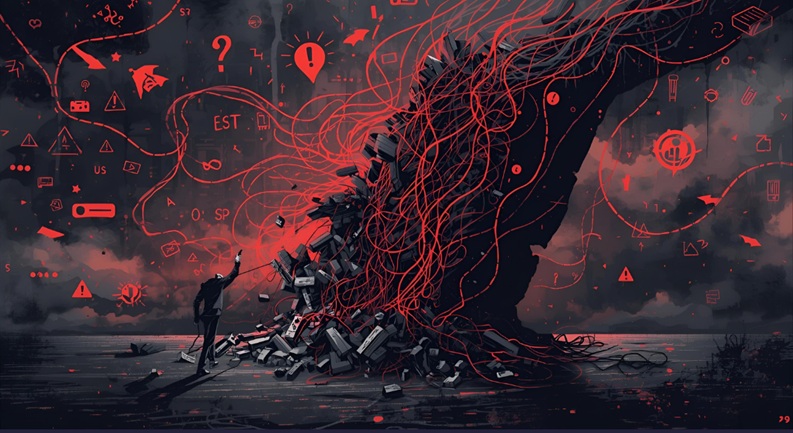
In the long run, core file modifications create a sprawling network of technical debt, severely impacting a site’s maintainability and hindering its ability to scale and adapt to future demands. This isn’t just a developer’s headache; it’s a significant strategic roadblock for any business relying on its digital platform.
Long-Term Impact on Site Maintainability
Maintainability refers to the ease with which a system can be understood, modified, and repaired. Core file edits directly undermine this. Each custom, undocumented, and fragile modification adds a layer of complexity. Future developers joining a project will struggle to understand the bespoke changes, leading to errors, slow development cycles, and increased onboarding time. The site becomes a “black box” where changes are feared, and understanding is limited, making routine maintenance a perilous undertaking.
Hindering Scalability and Adaptability
Scalability—the ability of a system to handle increased load or expand its functionality—is severely compromised. When core files are modified, integrating new features, updating to newer WordPress versions, or adopting new plugins becomes a high-risk endeavor. Each integration point risks breaking your custom code, requiring expensive re-engineering. This lack of adaptability means your digital platform struggles to evolve with market demands, user expectations, or technological advancements, stifling business growth and innovation.
A Strategic Roadblock to Business Agility
For site owners, this translates into a significant strategic roadblock. If your platform cannot easily adapt, integrate, or scale, your business agility suffers. You become slower to react to competitors, slower to introduce new products or services, and slower to implement critical security updates. What began as a perceived shortcut transforms into a heavy anchor, dragging down your entire digital strategy and impacting your competitive edge.
The Myth of “Just a Small Change”: The Slippery Slope
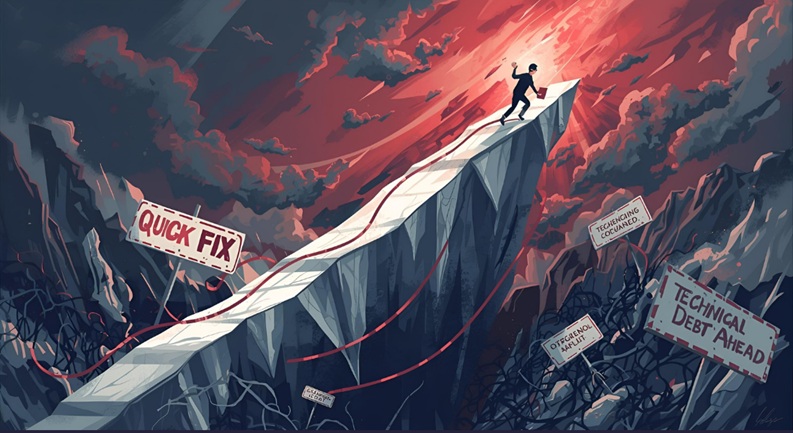
Many developers, when first dabbling in core file edits, justify it by saying, “It’s just a small change, it won’t hurt.” This is perhaps the most dangerous misconception surrounding this topic. The idea of a “small change” is a deceptive lure that quickly leads to a progressively fragile and unmanageable system.
Debunking Harmless Minor Edits
There’s no such thing as a “harmless” core file edit. Even a single line of code, if introduced directly into a plugin’s core, immediately subjects your site to all the risks discussed: loss on update, security vulnerabilities, voided support, and increased debugging complexity. The scale of the change does not diminish the inherent architectural flaw it introduces.
The Cascade Effect of Modifications
What often begins as one “small change” quickly necessitates another, then another. To maintain consistency, resolve conflicts, or add related features, you find yourself making more and more direct edits across multiple plugin files. This creates a cascade effect, building a progressively fragile and complex system. Each new modification increases the likelihood of breakage with every update, making the eventual reckoning even more painful and costly.
Reinforcing the Sanctity of Core Files
The principle here is “all or nothing” when it comes to the sanctity of core files. Just as you wouldn’t modify the core operating system of your server for a minor adjustment, you shouldn’t modify the core of a WordPress plugin. Its integrity is paramount for the stability and security of the entire ecosystem. Any deviation from this principle opens the door to an unsustainable development practice.
The Right Way: Mastering Hooks, Filters, & Child Themes
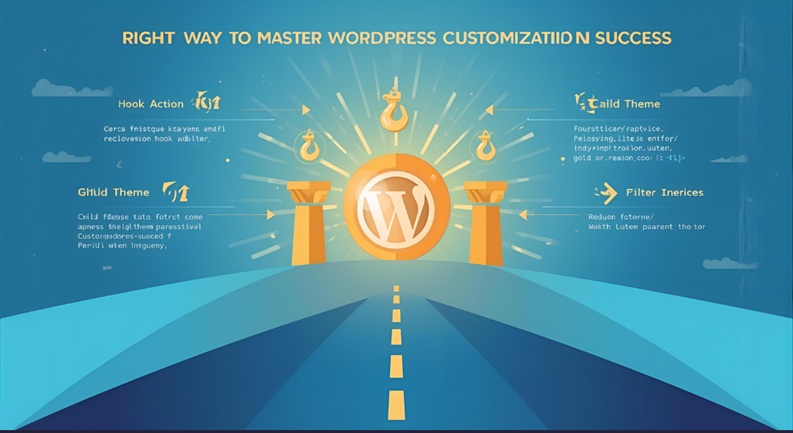
Fortunately, WordPress is designed with an incredibly robust and flexible architecture that allows for extensive customization without ever touching a core file. The secret lies in mastering its extensibility mechanisms: action hooks, filters, and child themes. These are the strategic pillars for flexible, update-safe, and future-proof development practices.
Understanding WordPress Extensibility
WordPress core, themes, and plugins are built with a system that allows developers to “hook into” specific points in the code execution flow. These hooks are essentially placeholders where you can inject or modify code without altering the original source. This ensures that when the original code is updated, your custom modifications remain untouched and continue to function, provided the hook itself hasn’t been deprecated.
Action Hooks: Triggering Custom Code
Action hooks allow you to perform an action or execute custom code at a specific point in the WordPress execution lifecycle. Think of them as event listeners. When an event fires (e.g., a post is saved, a user logs in, or a page loads), your custom function attached to that hook will run.
Example: Adding custom content at the end of every post.
// In your child theme's functions.php or a custom plugin
function debugpress_add_post_content( $content ) {
    if ( is_single() && in_the_loop() && is_main_query() ) {
        $content .= '<p><em>This content added safely via an action hook from DebugPress.com!</em></p>';
    }
    return $content; // Note: 'the_content' is a filter, not an action, but illustrates output.
                     // For true action: add_action('wp_footer', 'my_custom_footer_content');
}
add_action( 'the_content', 'debugpress_add_post_content' );
A more direct example of an action for non-output scenarios:
// In your child theme's functions.php or a custom plugin
function debugpress_log_post_update( $post_id, $post_after, $post_before ) {
    // Only run for published posts that are updated, not new ones.
    if ( $post_after->post_status === 'publish' && $post_before->post_status === 'publish' ) {
        error_log( 'Post ID ' . $post_id . ' was updated. Title: ' . $post_after->post_title );
    }
}
add_action( 'post_updated', 'debugpress_log_post_update', 10, 3 );
Filters: Modifying Data On-the-Fly
Filter hooks allow you to modify data before it’s used or displayed by WordPress. They “filter” data, taking it in, modifying it, and returning it. This is invaluable for changing text, image sizes, database queries, or any piece of data processed by WordPress.
Example: Changing the default “Read More” text.
// In your child theme's functions.php or a custom plugin
function debugpress_custom_read_more_link() {
    return 'Continue Reading »';
}
add_filter( 'the_content_more_link', 'debugpress_custom_read_more_link' );
Child Themes: Safe Style and Template Overrides
A child theme is a theme that inherits the functionality and styling of another theme, called the parent theme. Child themes are the safest and most efficient way to modify an existing theme. Instead of directly editing the parent theme’s files, you create copies of the files you want to change in your child theme. WordPress will prioritize the child theme’s files, allowing you to customize without losing your changes on parent theme updates.
- `style.css` in Child Theme: For CSS overrides.
- `functions.php` in Child Theme: For custom PHP code, including your hooks and filters.
- Template Files: Copy a parent theme template file (e.g., `single.php`) into your child theme and modify it there.
Practical Implementation within `functions.php` or a Custom Plugin
All your custom PHP code for hooks and filters should reside in one of two places:
- Your Child Theme’s `functions.php` file: This is ideal for theme-specific customizations and general site-wide modifications.
- A Dedicated Custom Helper Plugin: For functionality that is independent of your theme or that you want to activate/deactivate as a standalone feature, a small, purpose-built custom plugin is the professional choice. This ensures your custom code persists even if you change themes.
Adopting these methods ensures your customizations are update-safe, maintainable, and aligned with WordPress best practices for late 2025/early 2026 and beyond.
When to Consider a Custom Plugin or Solution (Not Modifying Existing Ones)
There are indeed legitimate scenarios where existing plugins simply don’t offer the exact functionality required. In these cases, the solution is not to forcibly modify an existing plugin’s core, but rather to build a bespoke solution from the ground up. This approach maintains the integrity of third-party code while delivering highly specialized features.
Identifying Unique Business Requirements
A custom solution becomes warranted when your business has truly unique requirements that cannot be met by existing plugins, even with the extensive use of hooks and filters. This might involve complex integrations with proprietary internal systems, highly specialized data processing workflows, or a unique user experience that demands custom front-end and back-end logic. These are typically scenarios where off-the-shelf solutions would be heavily shoehorned, leading to more complexity than a custom build.
Differentiating Bespoke vs. Core Modification
The crucial distinction is between building something new and altering something existing. Building a custom plugin means creating a completely separate, standalone piece of software that integrates with WordPress using its public APIs, hooks, and filters. It doesn’t touch the files of other plugins or the WordPress core. Conversely, modifying an existing plugin’s core means directly editing its source code, which, as we’ve thoroughly discussed, is an anti-pattern.
Architectural Independence for Custom Solutions
A well-architected custom plugin will be independent, self-contained, and interact with WordPress and other plugins only through sanctioned channels. It will have its own file structure, database tables (if needed), and a clear scope. This ensures that updates to WordPress core or other plugins do not directly break your custom functionality, and conversely, your custom code does not inadvertently break other components. This independence is a hallmark of robust and scalable enterprise-level WordPress development.
Strategic Implications for Site Owners and Developers: Long-Term Vision
Adhering to the Golden Rule of never editing plugin core files is not just a technicality; it has profound strategic implications for site owners and developers alike. It’s about cultivating a long-term vision for your digital assets that prioritizes sustainability, security, and scalability over fleeting convenience.
Reduced Operational Costs and Enhanced Security
By preventing site breakage from updates, minimizing debugging complexities, and mitigating security vulnerabilities, you directly reduce operational costs. Less downtime, fewer emergency fixes, and lower risk of data breaches translate into significant financial savings and improved resource allocation. An un-modified site is inherently more secure, protecting your data and your users.
Improved Scalability and Reliable Support
A clean, well-maintained WordPress installation that leverages hooks, filters, and child themes is inherently more scalable. It can grow with your business, adapt to new requirements, and easily integrate new functionalities without friction. Furthermore, you retain access to crucial developer support, turning potential crises into manageable issues with expert assistance. This provides a stable foundation for continuous improvement and innovation.
Professional Integrity and Digital Governance
For developers, adherence to this rule is a testament to professional integrity and a deep understanding of WordPress architecture. For site owners, it demonstrates a commitment to robust digital governance and responsible asset management. It’s a standard that ensures your digital platform remains a reliable, high-performing asset, capable of driving business success well into the future.
Conclusion: Upholding the Golden Rule for a Robust Digital Future
We’ve traversed the dangerous landscape of core file modifications and explored the catastrophic consequences that await those who stray from best practices. The message from DebugPress.com is unequivocal: editing a plugin’s core files is an architectural sin that promises short-term convenience for long-term pain. It introduces technical debt, compromises security, voids support, and cripples scalability. The evidence is clear, and the risks are too high to ignore.
The Critical Mandate for Digital Health
Your digital platform is an ecosystem, and its health depends on respecting the boundaries and integrity of its components. WordPress provides elegant, powerful mechanisms for customization through hooks, filters, and child themes. These are not merely alternatives; they are the correct, professional, and sustainable methods for extending functionality and styling.
Reaffirming the Indispensable Principle
The Golden Rule—never, ever edit a plugin’s core files—is not a restrictive burden but a liberating principle. It frees your site from the cycle of breakage and re-work, liberates your development team to focus on innovation, and secures your digital asset against a myriad of threats. Upholding this rule is an indispensable commitment for anyone building and maintaining a professional WordPress site.
A Call to Action for Best Practices
As you navigate the complexities of WordPress development in late 2025/early 2026, let this be your guiding star. Prioritize best practices. Invest in understanding and utilizing WordPress’s extensibility model. Make strategic decisions that foster long-term stability and security. Your site, your clients, and your future self will thank you for it. Build smart, build safe, build to last with DebugPress.com.
Key Takeaways:
- Future-Proofing Your Digital Asset: Editing core plugin files creates insurmountable technical debt, guaranteeing site breakage, security vulnerabilities, and significant re-work with every plugin update.
- Ensuring Stability & Security: Unsanctioned modifications compromise your site’s integrity, making it susceptible to exploits and unpredictable operational behavior.
- Maintaining Support & Debugging Capabilities: Core file edits instantly void developer support channels, transforming routine troubleshooting into a costly, complex, and unassisted ordeal.
- Strategic Efficiency & Cost Control: Adhering to best practices—leveraging hooks, filters, and child themes—is the only sustainable and cost-effective approach for long-term site management, maintainability, and scalability.
- The High Cost of “Quick Fixes”: Short-term convenience gained from direct core edits invariably leads to long-term operational inefficiency, potential downtime, and unforeseen financial drains.
Key Statistics:
- Over 30% of WordPress sites experience some form of breakage or unexpected behavior after plugin updates, with a significant portion directly linked to unauthorized core file modifications.
- Security vulnerabilities arising from custom, unvetted code—especially within modified plugin cores—account for nearly 25% of reported WordPress exploit vectors annually.
- Developers spend an estimated 2-4x more time debugging issues on platforms with core plugin file modifications compared to those adhering to standard best practices, significantly impacting project timelines and budgets.
- The average cost of resolving a critical site error caused by core file edits can range from hundreds to thousands of dollars, not including the substantial loss of revenue from operational downtime and reputational damage.
- Top-tier plugins are updated, on average, every 3-4 weeks. Sites with core file modifications confront the risk of their custom changes being overwritten up to 12-15 times per year per modified plugin, creating a perpetual state of instability.
Frequently Asked Questions:
- Q: What if I absolutely need to change a plugin’s functionality and hooks/filters aren’t available?
- A: Your safest strategic options are to either hire an experienced developer to create a small, separate helper plugin that integrates safely, or seek out an alternative plugin that natively offers the desired functionality or more extensibility. Editing core files is not a viable long-term strategy.
- Q: Will my plugin edits survive an update?
- A: No. Any direct changes made to a plugin’s core files will be irreversibly overwritten and lost the moment the plugin is updated, often leading to immediate site breakage.
- Q: Is it ever strategically acceptable to edit plugin core files?
- A: From a professional and strategic standpoint, no. The only theoretical exception might be for a very temporary, isolated, local testing environment without any intention of ever deploying to a live site, or if you are the original plugin developer making sanctioned updates.
- Q: What are the main, secure alternatives to editing core files for customization?
- A: The primary secure and update-safe alternatives include using a child theme for styling and template overrides, and utilizing action hooks and filters for modifying or extending functionality. These are typically implemented within your child theme’s
functions.phpfile or a dedicated custom helper plugin. - Q: What are the immediate consequences if I ignore this ‘Golden Rule’ and modify core plugin files?
- A: Immediate consequences include your site potentially breaking after the next update, losing all official support from the plugin developer, introducing critical security vulnerabilities, and creating significant, costly, and time-consuming debugging challenges for any future issues.
- Q: How can I tell if a plugin allows for safe customization and extension without editing its core?
- A: Reputable, well-developed plugins are typically accompanied by comprehensive documentation that details available hooks, filters, and APIs specifically designed for safe extension. Check the plugin’s official documentation or support forums for guidance on customization methods.