
How to Create and Submit a Sitemap in WordPress
A Guide to Generating and Customizing Your Sitemap with Yoast SEO

Jan
A Guide to Generating and Customizing Your Sitemap with Yoast SEO: Your Blueprint for Advanced Discoverability
In the vast and ever-expanding digital landscape, ensuring your website’s content is not merely present but actively **discovered, crawled, and indexed** by search engines is paramount. For many WordPress professionals, developers, and digital marketers, this critical first step in SEO often begins with a meticulously crafted sitemap. However, the complexities of manual sitemap creation and ongoing management can be daunting. This is where Yoast SEO emerges as an indispensable ally, simplifying a technical imperative into an accessible, actionable process directly from your WordPress dashboard.
At DebugPress.com, we understand that a fundamental grasp of sitemap strategy is non-negotiable for anyone serious about organic visibility in 2025 and beyond. This comprehensive guide will not only walk you through the practical steps of leveraging Yoast SEO’s robust sitemap functionality but will also delve into the advanced strategic considerations necessary for optimizing your site’s presence, whether you’re targeting a global audience or carving out a hyper-local niche.
Prepare to transform your understanding of sitemaps from a technical checklist item into a **powerful strategic tool** for enhanced discoverability and indexing performance.
The Strategic Imperative of Sitemaps: Why They Matter for Global & Local Reach
A sitemap is more than just a list of URLs; it’s a critical communication channel between your website and search engine crawlers. Without this well-structured guide, even the most valuable content on your site might remain undiscovered, impacting your organic reach significantly.
Facilitating Search Engine Discoverability: Beyond Standard Crawls
Search engines like Google employ sophisticated algorithms and crawlers to traverse the web. While these crawlers are adept at following internal links, they can sometimes miss pages, especially those that are deeply nested, isolated, or recently added. A sitemap acts as a direct signpost, proactively informing search engines about all the pages, videos, and other files on your site that you deem important. This is particularly crucial for:
- New Websites: Without an established link profile, a sitemap is often the fastest way for search engines to discover your initial content.
- Infrequently Linked Pages: Pages that might not be easily reached through your site’s internal navigation can get a direct lifeline to crawlers via the sitemap.
- Dynamic Content: Sites with frequently updated content benefit from sitemaps that indicate the “last modified” date, prompting crawlers to revisit for changes.
This proactive approach ensures that your content is not left to chance but is systematically presented for review, a fundamental step for both global brand recognition and granular local market penetration.
Conveying Site Architecture and Hierarchy: The Structural Advantage
Your website’s architecture — how your pages are organized and linked — is a strong signal to search engines about the relationships between your content and the relative importance of different sections. While internal linking is key, an XML sitemap provides a clear, machine-readable blueprint of this structure. It allows search engines to:
- Understand Content Relationships: By listing pages systematically, sitemaps help crawlers infer the hierarchy and topical clusters within your site.
- Prioritize Crawling: Although modern search engines may largely disregard the
<priority>tag within sitemaps, the very act of inclusion signifies importance from the webmaster’s perspective. The explicit listing of all valuable URLs subtly reinforces your site’s structural intent. - Efficiently Allocate Crawl Budget: For larger sites, a well-structured sitemap ensures that search engine bots spend their allocated “crawl budget” on your most critical pages, rather than getting lost in irrelevant or low-value content.
This architectural clarity significantly aids search engines in understanding your site’s topical authority and relevancy.
Criticality for Complex Sites & Geo-Specific Content Strategies
The importance of sitemaps scales with the complexity and strategic intent of your website:
- E-commerce Platforms: With thousands, sometimes hundreds of thousands, of product pages, ensuring every product is discoverable is an enormous task. A sitemap is essential for handling this scale and facilitating the indexing of diverse product SKUs.
- Large Content Hubs & News Sites: These sites publish content at a rapid pace. Sitemaps, especially those generated by Yoast SEO, dynamically update to include new articles almost instantaneously, keeping search engines abreast of fresh content.
- Geo-Specific Content Strategies: For businesses targeting specific cities, regions, or countries, sitemaps are invaluable. They can list distinct landing pages, service area pages, or multi-language versions (with hreflang annotations), ensuring that search engines accurately map your offerings to the correct geographical searches. This is a non-negotiable component for effective local SEO and international expansion.
Demystifying the XML Sitemap: Your Site’s Blueprint for Search Engines
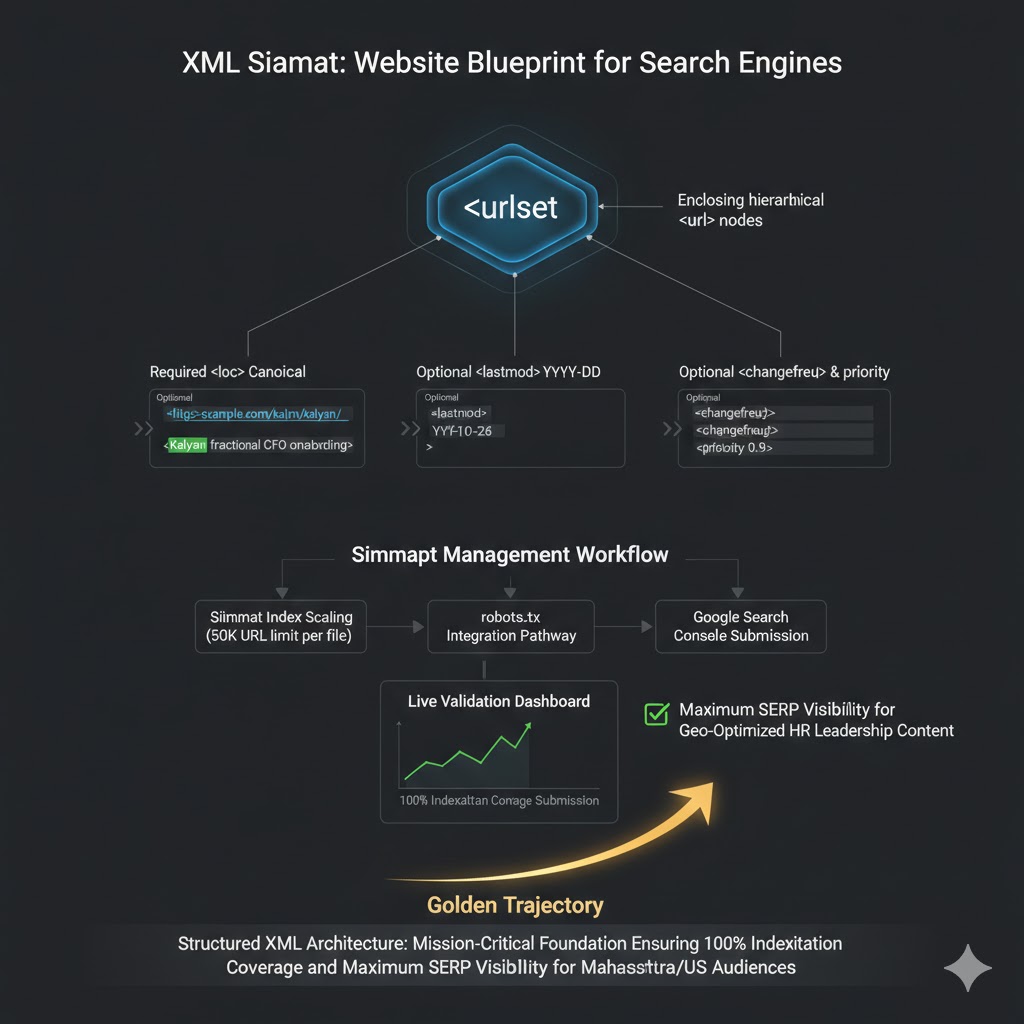
An XML sitemap is a file that lists the URLs for a site, making it easier for search engines to find and index all of the site’s content. While often talked about, its fundamental components and how they serve search engines are not always fully understood.
What is an XML Sitemap and its Core Purpose?
An **XML sitemap** (Extensible Markup Language sitemap) is essentially a roadmap for search engine crawlers. It’s a structured list of every URL on your website that you want search engines to crawl and consider for indexing. Unlike the HTML sitemap designed for human users to navigate your site, an XML sitemap is formatted specifically for machines. Its core purpose is to:
- Improve Discoverability: Help search engines find all your content, especially pages that might not be easily discovered through internal links alone.
- Communicate Updates: Signal to search engines when pages were last modified, prompting faster re-crawling.
- Enhance Indexing Efficiency: Guide crawlers directly to valuable content, preventing them from wasting crawl budget on irrelevant pages or navigating complex site structures inefficiently.
It is important to remember that a sitemap does not guarantee indexing or improve rankings directly. It is a **crawl directive** and a powerful tool for *facilitating* discovery and ensuring search engines have the most current information about your site’s structure.
Key Information Contained Within a Sitemap
Each entry in an XML sitemap, particularly standard sitemaps, typically contains several pieces of information for each URL:
<loc>(Location): This is the **absolute URL** of the page. It’s the most critical piece of information, detailing the exact address of the content.<lastmod>(Last Modified Date): Indicates the date when the page was last modified. This helps search engines determine if a page needs to be re-crawled. Yoast SEO automatically updates this.<changefreq>(Change Frequency): Suggests how frequently the page is likely to change (e.g., “daily,” “weekly,” “monthly”). While present, modern search engines often make their own decisions based on observed crawling patterns rather than strictly adhering to this suggestion.<priority>(Priority): A number between 0.0 and 1.0 indicating the page’s priority relative to other pages on your site. Similar to<changefreq>, this tag is largely disregarded by contemporary search engines, which rely on their own algorithmic assessments of importance. We at DebugPress.com recommend focusing on strong internal linking and content quality rather than obsessing over this tag.
For Yoast SEO users, the primary focus should be on ensuring correct URLs are listed and that the <lastmod> date is accurately updated, which Yoast handles seamlessly.
Overview of Sitemap Types and Yoast’s Integrated Capabilities
While the standard XML sitemap for web pages is most common, search engines can also process specialized sitemaps for other media types:
- Standard Sitemaps: Lists HTML pages (posts, pages, custom post types).
- Image Sitemaps: Provides details about images on your site, which can help images appear in Google Images results. Yoast SEO integrates image details into its standard page sitemaps.
- Video Sitemaps: Specifies information about video content, helping videos get discovered in video search results. Yoast SEO Premium offers advanced video SEO features that can influence this.
- News Sitemaps: For Google News publishers, these sitemaps facilitate the discovery of recently published articles. Yoast SEO News plugin caters specifically to this need.
Yoast SEO’s integrated capabilities mean that it automatically generates and manages these various types within a unified framework, typically presented as a sitemap index file that points to sub-sitemaps for different content types (e.g., posts, pages, categories). This modular approach keeps individual sitemaps manageable and efficient for large sites.
Yoast SEO: Your Indispensable Ally in Sitemap Generation and Management
For millions of WordPress users, Yoast SEO has become synonymous with site optimization. Its sitemap functionality is a cornerstone of its offering, taking the guesswork out of a critical SEO component.
Yoast SEO’s Robust Sitemap Functionality: A Brief Overview
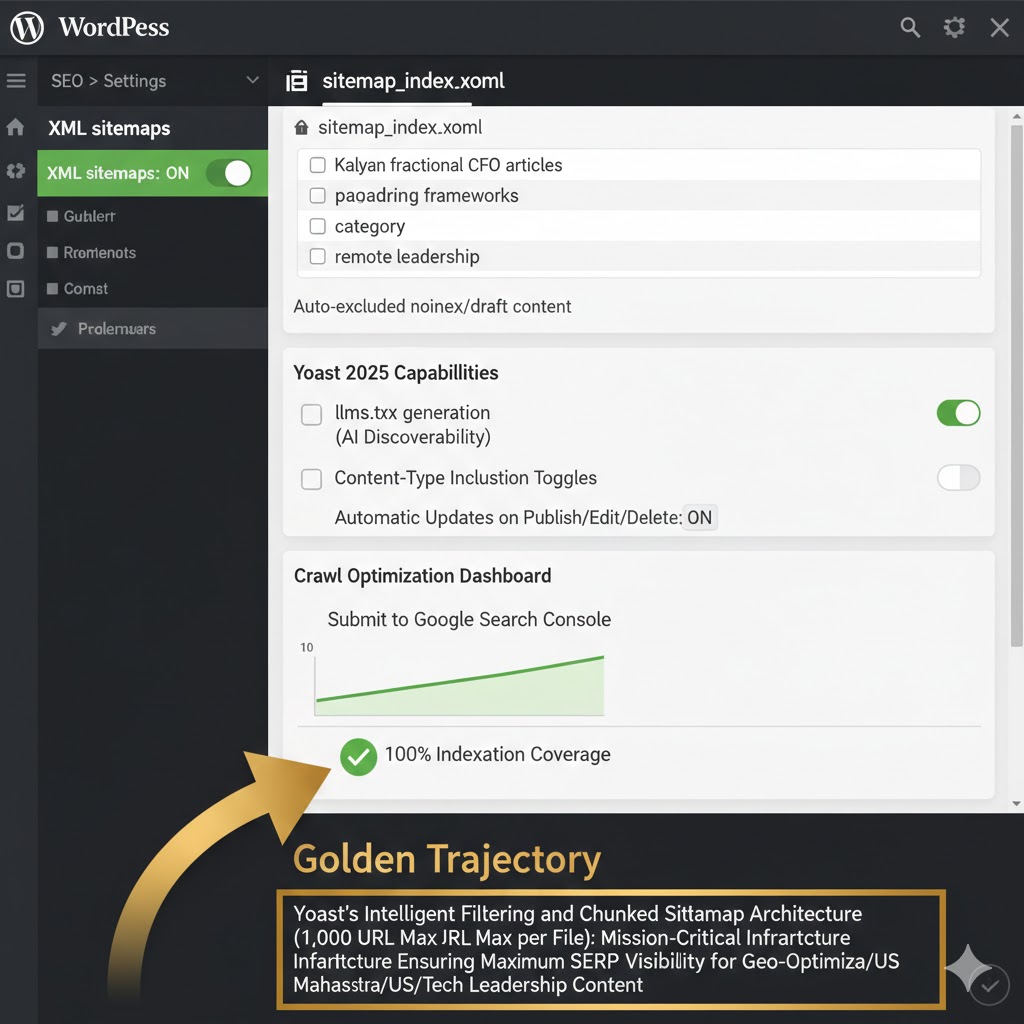
Yoast SEO doesn’t just create a static sitemap; it provides a dynamic, intelligent system that integrates deeply with your WordPress installation. Key aspects include:
- Automatic Generation: Once activated, Yoast automatically generates an XML sitemap for your entire site.
- Dynamic Updates: Whenever you publish a new post, update an existing page, or make changes to content types, Yoast SEO automatically updates your sitemap to reflect these changes. This eliminates the need for manual intervention and ensures search engines always have the most current blueprint of your site.
- Modular Sitemap Index: For larger sites, Yoast SEO intelligently breaks down your main sitemap into smaller, manageable sitemaps (e.g., one for posts, one for pages, one for categories). A primary “sitemap index” file then points to all these individual sitemaps, adhering to Google’s recommendation of keeping sitemap files under 50,000 URLs and 50MB in size.
- User-Friendly Controls: Despite its technical prowess, Yoast SEO provides an intuitive interface within the WordPress dashboard to customize what gets included or excluded from your sitemap.
Benefits of Leveraging a Dedicated Plugin vs. Manual Creation
While it’s technically possible to create an XML sitemap manually, the benefits of using a dedicated, high-quality plugin like Yoast SEO are overwhelming:
- Time-Saving: Manual creation is labor-intensive and prone to errors. Yoast SEO automates the entire process, freeing up valuable time for content creation and other SEO strategies.
- Error Reduction: Human error in XML formatting can render a sitemap invalid. Plugins like Yoast SEO generate perfectly formatted XML every time, eliminating this risk.
- Dynamic Content Handling: Manual sitemaps quickly become outdated on dynamic websites. Yoast SEO ensures your sitemap is always up-to-date, reflecting the latest content and modifications.
- Scalability: As your website grows, manually managing a sitemap becomes unfeasible. Yoast SEO handles growth gracefully, automatically splitting sitemaps and managing vast numbers of URLs.
- Feature Richness: Beyond basic sitemap generation, Yoast SEO offers integrated controls for excluding specific content types, managing canonicals, and other advanced SEO features that directly impact sitemap effectiveness.
For any serious WordPress professional, relying on a trusted solution like Yoast SEO for sitemap management is not just a convenience; it’s a **best practice**.
Seamless Integration with the WordPress Ecosystem
Yoast SEO’s strength lies in its deep integration with the WordPress content management system. It doesn’t operate as a separate, isolated tool but rather leverages WordPress’s core functionalities:
- Post Types and Taxonomies: Yoast SEO understands WordPress post types (posts, pages, custom post types) and taxonomies (categories, tags) and allows you to control their inclusion in the sitemap directly.
- WordPress Settings: It respects your site’s privacy settings and automatically excludes pages marked as “noindex” or those requiring a password.
- Performance: Designed to run efficiently within the WordPress environment, Yoast SEO’s sitemap generation is optimized to minimize impact on site performance.
This seamless integration ensures that your sitemap accurately reflects your WordPress site’s current state and your SEO preferences without conflict.
Step-by-Step: Enabling and Locating Your Yoast SEO Sitemap
Getting your Yoast SEO sitemap up and running is straightforward. Follow these steps to ensure it’s active and you know where to find its critical URL for submission to search engines.
Navigating the Yoast SEO Settings within Your WordPress Dashboard
First, ensure you have Yoast SEO installed and activated. Then, to access its settings:
- Log in to your WordPress admin dashboard.
- In the left-hand navigation menu, you will see a main menu item labeled “SEO.” Click on it.
- From the submenu that appears, select “General.”
- Once on the General settings page, navigate to the “Features” tab. This tab controls many of Yoast SEO’s core functionalities, including the XML sitemaps.
This path remains consistent across recent Yoast SEO versions (as of late 2025/early 2026), providing a reliable entry point for sitemap configuration.
Activating the XML Sitemap Functionality
Within the “Features” tab, scroll down until you find the option labeled “XML sitemaps.”
- Next to “XML sitemaps,” you will see a toggle switch. Ensure this switch is set to “On” (typically green or blue).
- If it was off, toggle it on.
- Click the “Save changes” button at the bottom of the page.
Yoast SEO sitemaps are typically enabled by default upon plugin activation. However, it’s always prudent to confirm this setting, especially if you’re troubleshooting indexing issues or have recently migrated your site. Disabling it intentionally, or due to a conflict, could severely hinder search engine discoverability.
Identifying Your Primary Sitemap Index URL
Once activated, your Yoast SEO sitemap is live. You need to know its URL to submit it to search engines.
- On the “Features” tab, next to the “XML sitemaps” toggle, you’ll see a small information icon or a link that says “?” or “See the XML sitemap.” Click on this link.
- This will open your sitemap in a new browser tab or window. The URL displayed in your browser’s address bar is your primary sitemap index URL.
Your sitemap index URL will typically follow this structure: https://yourdomain.com/sitemap_index.xml. This single URL is all you need to submit to Google Search Console and other webmaster tools. Yoast SEO then handles all the underlying complexities of pointing to individual sitemaps for posts, pages, categories, and more, as depicted in the image below (conceptually, as I cannot display an actual image):
<?xml version="1.0" encoding="UTF-8"?>
<sitemapindex xmlns="http://www.sitemaps.org/schemas/sitemap/0.9">
    <sitemap>
        <loc>https://yourdomain.com/post-sitemap.xml</loc>
        <lastmod>2025-10-27T10:00:00+00:00</lastmod>
    </sitemap>
    <sitemap>
        <loc>https://yourdomain.com/page-sitemap.xml</loc>
        <lastmod>2025-10-26T14:30:00+00:00</lastmod>
    </sitemap>
    <sitemap>
        <loc>https://yourdomain.com/category-sitemap.xml</loc>
        <lastmod>2025-10-25T08:00:00+00:00</lastmod>
    </sitemap>
    <!-- More sitemaps for tags, custom post types, etc. -->
</sitemapindex>
Always ensure you are using the HTTPS version of your URL if your site is secured with an SSL certificate. Consistency is key.
Strategic Customization: Optimizing Your Sitemap for Search Engine Priorities
While automatic sitemap generation is a huge benefit, the true power of Yoast SEO lies in its ability to let you strategically customize what content search engines are directed to. This directly influences your site’s crawl budget and indexation focus.
Methods for Including or Excluding Specific Content Types
Yoast SEO provides granular control over which content types and archives are included in your sitemap. This is managed under **SEO » Search Appearance**. For each content type, you’ll find a tab (e.g., “Content Types,” “Media,” “Taxonomies,” “Archives”).
- Content Types (Posts, Pages, Custom Post Types):
- Go to **SEO » Search Appearance » Content Types**.
- For each post type (e.g., Posts, Pages, Products, Portfolio items), you’ll see a setting: “Show [Content Type] in search results?” If this is set to **No**, that content type will be excluded from the sitemap. Ensure it’s set to **Yes** for content you want indexed.
- Media:
- Go to **SEO » Search Appearance » Media**.
- The “Media & Attachment URLs” setting controls whether attachment pages are included. While Yoast automatically redirects attachment URLs to their parent post, the sitemap will reflect your choice here. Generally, it’s recommended to leave “Redirect attachment URLs to the attachment itself” as “Yes” and ensure these don’t clutter your sitemap index.
- Taxonomies (Categories, Tags, Custom Taxonomies):
- Go to **SEO » Search Appearance » Taxonomies**.
- Similar to content types, for each taxonomy (e.g., Categories, Tags), you’ll have a “Show [Taxonomy] in search results?” option. Set to **No** to exclude them from the sitemap.
- Archives (Author, Date, Format):
- Go to **SEO » Search Appearance » Archives**.
- Here, you can control the inclusion of author archives, date archives, and format archives. For most business websites, disabling author and date archives (by setting “Show Author archives in search results?” to “No”) is a common practice to avoid thin content issues, and thus they won’t appear in the sitemap.
Each time you make a change, click “Save Changes.” Yoast will automatically regenerate your sitemap to reflect these adjustments.
The Strategic Rationale Behind Content Exclusion
Excluding certain content from your sitemap is not about hiding information; it’s about **optimizing crawl budget and ensuring search engines focus on your most valuable assets**. Here are key rationales:
- Thin Content Pages: Pages with minimal unique value, such as empty category pages, tag archives with only one post, or auto-generated media attachment pages, should be excluded. Directing crawlers to such pages can dilute your site’s overall quality signals.
- Duplicate Content: If you have multiple URLs serving the exact same or very similar content (e.g., print versions of pages, internal search result pages, filtered product listings without proper canonicalization), excluding secondary versions from the sitemap helps prevent crawl budget waste and potential duplicate content penalties.
- Internal-Only Assets & Utility Pages: Pages like login portals, privacy policy drafts, thank-you pages after a form submission (which you might still want indexed but not necessarily prioritized), or internal documentation do not need to be in the public sitemap.
- Irrelevant Archives: For many sites, author archives (if multiple authors but no unique author bios) and date-based archives offer little unique value to search engine users and can lead to content bloat in the index. Excluding them conserves crawl budget.
By judiciously excluding these types of pages, you effectively tell search engines, “Here’s what truly matters.”
Impact of Customization on Crawl Budget and Strategic Focus
Every page search engines crawl consumes part of your website’s **crawl budget**. This budget is not infinite, especially for larger or newer sites. Strategic sitemap customization has a direct impact:
- Optimizing Crawl Budget: By removing low-value or redundant pages from the sitemap, you ensure that search engine bots spend their valuable crawl time on pages that contribute directly to your business goals. This can lead to faster indexing of new, important content.
- Enhanced Strategic Focus: A lean, purposeful sitemap directs search engines precisely to the pages you want to rank. This is critical for:
- Prioritizing Key Landing Pages: Ensure your main service pages, product pages, contact pages, and high-conversion landing pages are unequivocally present.
- Geo-Specific Targeting: For local businesses or international sites, confirming that all your geo-targeted service pages (e.g., “plumber in [city A],” “plumber in [city B]”) are in the sitemap is crucial. This reinforces your geographical relevance to search engines.
- High Commercial Value Content: Content directly tied to revenue generation should always be prioritized in your sitemap strategy.
Through careful customization, your Yoast-generated sitemap becomes a powerful, dynamic tool that aligns directly with your overarching SEO and business objectives.
Submitting Your Sitemap for Enhanced Indexing: Google Search Console & Beyond
Having a perfectly crafted sitemap is only half the battle. The next critical step is actively submitting it to search engines to ensure they’re aware of its existence and can leverage its insights for crawling and indexing.
The Critical Importance of Active Sitemap Submission
Think of your sitemap as a brand-new, highly detailed map of a city. For someone to use it, you first have to hand it to them. Similarly, search engines won’t automatically stumble upon your sitemap simply because it exists on your server. Active submission is crucial because it:
- Accelerates Discovery: Especially for new websites or new sections of existing sites, submitting your sitemap provides a direct and fast track for search engines to discover your content, often significantly quicker than relying solely on organic link discovery.
- Provides Feedback: Webmaster tools like Google Search Console (GSC) and Bing Webmaster Tools provide invaluable feedback on the status of your sitemap submission, including any errors encountered and the indexing coverage of URLs listed within it. This helps you identify and fix issues promptly.
- Reinforces Your Preferred Content: By submitting a sitemap, you are explicitly telling search engines, “These are the pages I consider important for indexing.” It’s a clear signal of your site’s intended architecture.
**Never assume search engines will find your sitemap automatically.** Always submit it.
Practical Walkthrough: Submitting Your Sitemap via Google Search Console
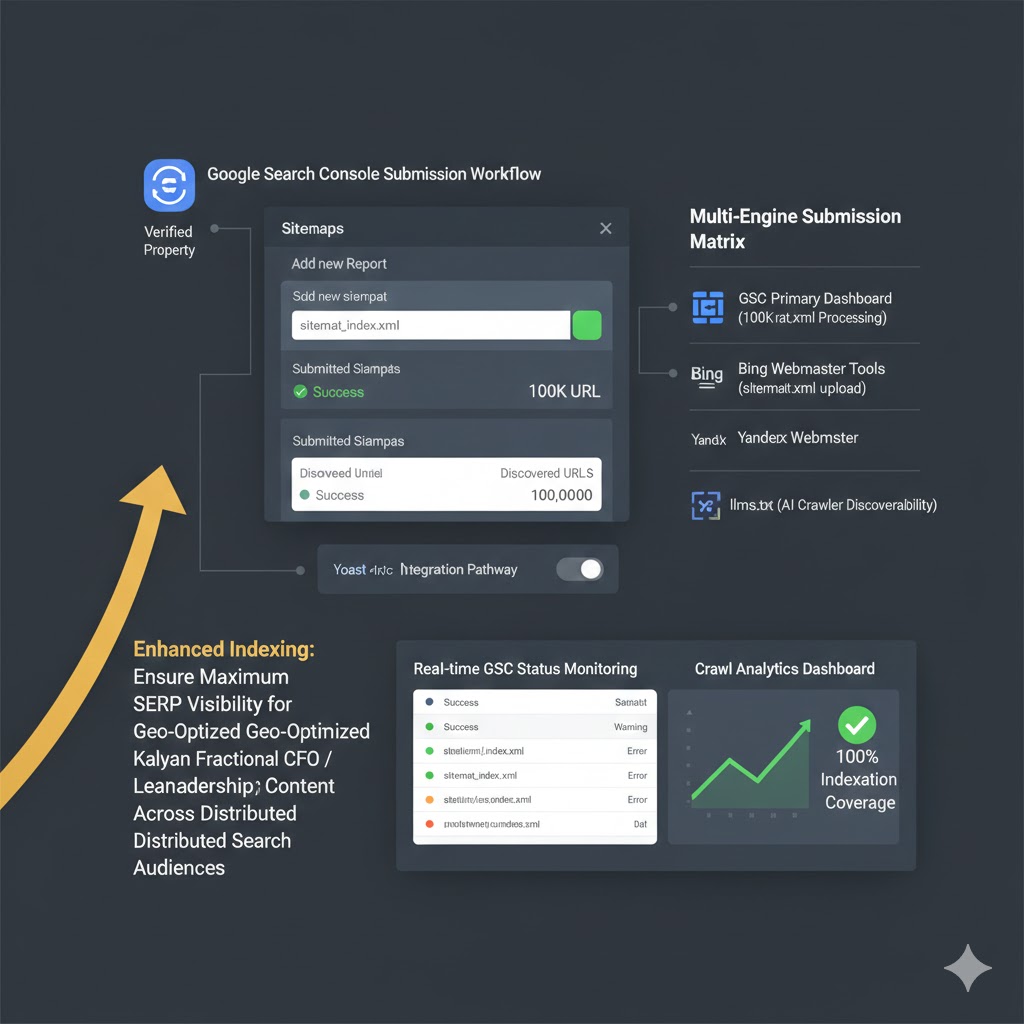
Google Search Console (GSC) is Google’s free service that helps you monitor, maintain, and troubleshoot your site’s presence in Google Search results. Submitting your sitemap here is a foundational step:
- Access Google Search Console:
- Go to search.google.com/search-console and sign in with your Google account.
- Ensure your website is already added and verified as a property in GSC. If not, you’ll need to do this first (typically via DNS record, HTML file, or HTML tag verification).
- Navigate to Sitemaps:
- In the left-hand navigation menu of GSC, click on “Sitemaps” under the “Index” section.
- Add Your Sitemap URL:
- You’ll see a section labeled “Add a new sitemap.”
- In the input field, enter your Yoast SEO sitemap index URL. Remember, this is typically
sitemap_index.xml(you only need to enter the portion after your domain, as GSC pre-fills your domain). So, if your sitemap ishttps://yourdomain.com/sitemap_index.xml, you would entersitemap_index.xml. - Click the “Submit” button.
- Confirmation:
- GSC will process the submission. You should see a “Sitemap submitted successfully” message.
- The sitemap will then appear in the “Submitted sitemaps” table with a status of “Success” or “Could not fetch.”
Google will then periodically crawl your sitemap to discover new or updated URLs. You only need to submit the sitemap index URL once; Yoast SEO’s dynamic updates mean Google will always get the latest version.
Monitoring Sitemap Status, Indexing Coverage Reports, and Identifying Potential Issues
After submission, regularly monitor your sitemap’s status in GSC:
- Status Column: Check the “Status” column in the “Submitted sitemaps” table. “Success” indicates Google was able to fetch and parse your sitemap. “Could not fetch” or other errors require investigation (often related to server access or URL typos).
- Discovered URLs: GSC displays the number of URLs discovered via your sitemap. While this won’t always match the total number of pages on your site (due to exclusions or Google’s own discretion), it gives you a good indicator of how many pages Google *knows about* through your sitemap.
- Indexing Coverage Report: For a more detailed analysis, go to the “Pages” report (formerly “Coverage”) in GSC. This report breaks down your indexed pages, identifies excluded pages (and why), and highlights pages with errors. Cross-reference this with your sitemap to understand if pages you expect to be indexed are indeed being discovered and processed correctly. Common exclusion reasons include “Page with redirect,” “Crawl anomaly,” or “Discovered – currently not indexed” (which often indicates quality or canonicalization issues).
For **Bing Webmaster Tools**, the process is highly analogous. Navigate to your site property, find the “Sitemaps” section, and submit the same sitemap_index.xml URL. Regular checks in both platforms are essential for comprehensive SEO health monitoring.
Advanced Considerations & Geo-Strategic Best Practices
Beyond the basics, sophisticated sitemap management involves understanding nuances that enhance international, large-scale, and geographically targeted SEO.
Handling Multi-Language or Multi-Region Websites and the Interplay with Hreflang Tags Within Sitemaps
For websites serving multiple languages or targeting different regions with similar content, proper international SEO is critical. This primarily involves **hreflang annotations**, which inform search engines about localized versions of a page. While hreflang is often implemented in the HTML header, including it within your sitemap is often considered a cleaner and more scalable approach, especially for large international sites.
- Yoast SEO Integration: Yoast SEO Premium offers robust support for hreflang. When configured correctly for a multi-language setup (e.g., using a translation plugin like WPML or Polylang), Yoast will automatically generate the correct hreflang attributes for each URL in your sitemap.
- Sitemap Structure for Hreflang: Instead of simple
<loc>tags, a sitemap with hreflang will include an<xhtml:link>element for each language/region variant, pointing to its respective localized URL. This explicitly tells search engines which version of a page to serve to users in different linguistic or geographic contexts.
This is a powerful signal that reinforces your geo-targeting strategy, preventing duplicate content issues across regions and ensuring users land on the most appropriate version of your site.
Optimizing Sitemaps for Very Large Sites with Extensive URL Structures
Very large sites (e.g., those with tens of thousands or millions of URLs) face unique sitemap challenges. Google recommends sitemaps contain no more than 50,000 URLs and be no larger than 50MB (uncompressed). Yoast SEO handles this elegantly:
- Automatic Splitting: As mentioned, Yoast SEO automatically creates an **index sitemap** (
sitemap_index.xml) that links to multiple sub-sitemaps (e.g.,post-sitemap.xml,page-sitemap.xml,product-sitemap.xml). Each sub-sitemap is capped at the recommended limits. - Segmented Management: This modular approach not only adheres to technical limits but also makes sitemap management and troubleshooting easier. If there’s an issue with product URLs, you can isolate it to the
product-sitemap.xml. - Performance: Yoast SEO’s sitemap generation is optimized to process large numbers of URLs without bogging down server resources, leveraging WordPress cron jobs and transient caching where appropriate.
For truly massive enterprise sites, further customization or specialized sitemap solutions might be considered, but for the vast majority of WordPress installations, Yoast SEO’s built-in capabilities are more than sufficient.
Continuous Monitoring of Sitemap Health and Performance Indicators
Sitemap submission is not a “set it and forget it” task. Ongoing monitoring is vital:
- Google Search Console Alerts: Configure GSC to send you email alerts for critical issues like sitemap processing errors or significant drops in indexed pages.
- Regular Review of “Pages” Report: Periodically check the “Pages” report in GSC (under “Index”) to identify trends in indexed URLs, new exclusion reasons, or errors. Pay close attention to “Discovered – currently not indexed” pages, as these are often prime candidates for content improvement or internal linking optimization.
- Crawl Stats Report: In GSC, the “Crawl stats” report can provide insights into Googlebot’s activity on your site. While not directly tied to sitemaps, a healthy sitemap often correlates with efficient crawling.
Proactive monitoring allows you to quickly identify and rectify issues, ensuring your site’s discoverability remains robust.
The Direct Link Between a Well-Structured Sitemap and Efficient Geo-Targeted Content Indexing
For any business with a local or regional focus, the sitemap is an unsung hero. By meticulously structuring your sitemap to include every relevant geo-targeted landing page (e.g., individual service pages for different cities, location-specific blog posts), you create an explicit roadmap for search engines:
- Clear Geo-Relevance: The presence of distinct geo-pages in your sitemap, especially when coupled with strong on-page local SEO signals and structured data (like LocalBusiness schema), unequivocally communicates to search engines your relevance for specific geographic queries.
- Reduced Guesswork: Instead of relying on search engines to infer your local presence from scattered signals, your sitemap directly presents the URLs that serve your local markets. This significantly reduces the guesswork for ranking algorithms.
- Accelerated Local Indexing: For a new local branch or a newly launched service area page, its inclusion in the sitemap can lead to faster discovery and indexing for local search queries, providing a competitive edge.
In the highly competitive local SEO landscape, a well-structured, Yoast-managed sitemap is a **strategic advantage** that directly supports your geo-marketing objectives.
Troubleshooting Common Sitemap Issues with Yoast SEO
Even with Yoast SEO simplifying the process, issues can occasionally arise. Knowing how to diagnose and resolve common sitemap problems is a hallmark of an advanced WordPress professional.
Addressing “Sitemap Not Found” or 404 Errors
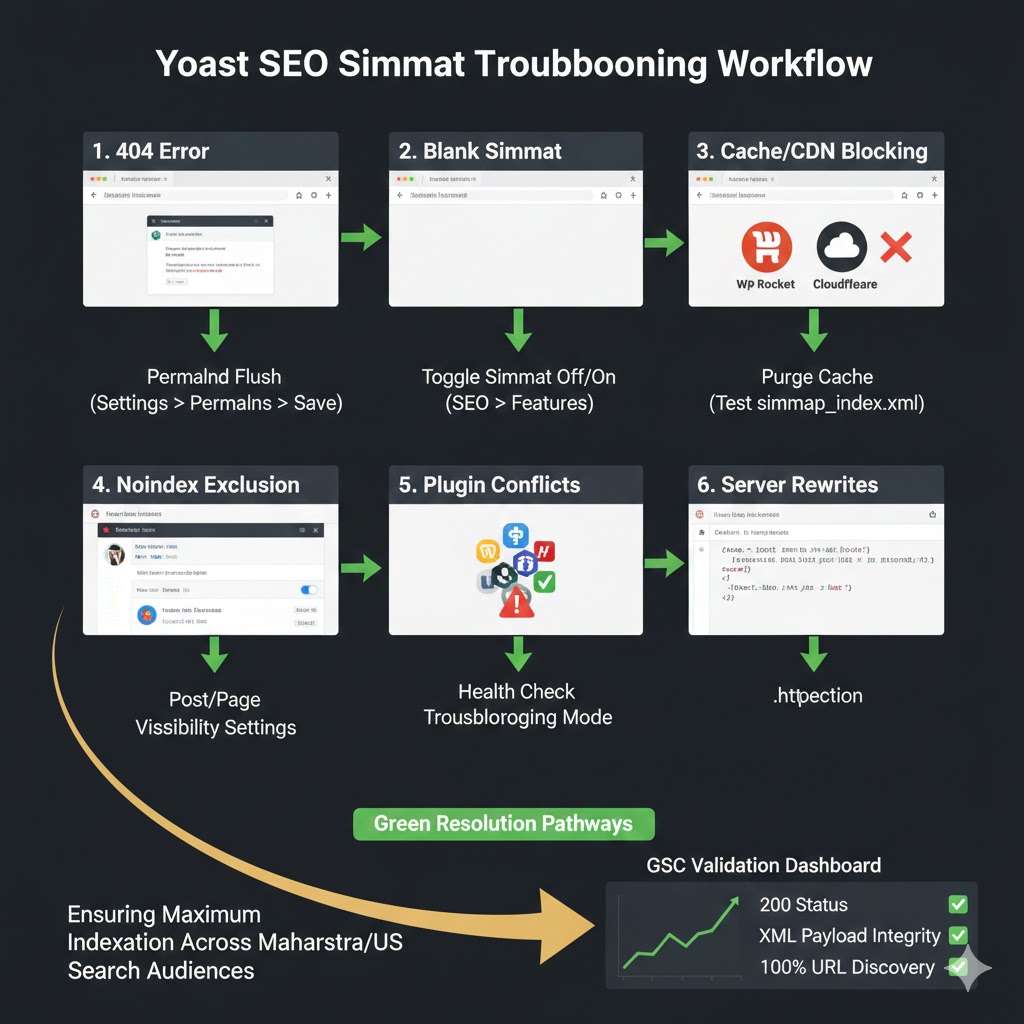
If Google Search Console reports “Couldn’t fetch” or if you navigate to yourdomain.com/sitemap_index.xml and receive a 404 error, investigate the following:
- Yoast SEO Sitemap Status: Double-check that the XML sitemaps feature is enabled under **SEO » General » Features**. If it was off, toggle it on and save.
- Permalinks: WordPress permalink settings can sometimes interfere. Go to **Settings » Permalinks** in your WordPress dashboard and simply click “Save Changes” without making any modifications. This often flushes the rewrite rules and can resolve sitemap access issues.
- Caching Issues: If you use a caching plugin (e.g., WP Rocket, LiteSpeed Cache, W3 Total Cache), clear your entire site cache. Old cached versions of your site or rewrite rules can sometimes prevent the sitemap from being generated or accessed correctly.
- Server Configuration (.htaccess / Nginx): Less common, but sometimes server-level rewrite rules (in your
.htaccessfile for Apache or Nginx configuration) can block access to XML files. Ensure there are no directives preventing access to*.xmlfiles or specificallysitemap_index.xml. This usually requires server-level expertise. - Plugin Conflicts: Temporarily deactivate other SEO plugins or security plugins that might interfere with URL rewriting or XML file generation. Reactivate one by one to pinpoint the culprit.
Investigating Indexing Issues Despite Successful Sitemap Submission
A sitemap submission status of “Success” in GSC doesn’t guarantee full indexation. If pages aren’t being indexed, consider these factors:
- Content Quality and Value: Google prioritizes high-quality, unique, and valuable content. If your pages are thin, duplicate, or offer little to users, Google may choose not to index them despite sitemap submission.
- Canonicalization Issues: Incorrect canonical tags (
<link rel="canonical" href="...">) can tell Google that a page is a duplicate of another, leading to its exclusion from the index. Yoast SEO typically handles canonicals well, but manual overrides or conflicts can occur. Use GSC’s URL Inspection Tool for specific pages. - `noindex` Directives: Check if a page or post has been accidentally marked as `noindex` (in the Yoast SEO meta box or via code). This explicitly tells search engines not to index the page.
- Robots.txt Block: Your
robots.txtfile might be blocking search engine crawlers from accessing certain sections or the entire site. Use GSC’s `robots.txt` tester to check this. Note that `robots.txt` prevents *crawling*, but a `noindex` tag prevents *indexing*. - Internal Linking: Even with a sitemap, strong internal linking to important pages signals their importance and helps crawlers discover them organically. A page isolated from the main site structure might struggle.
The **URL Inspection Tool** in Google Search Console is your most powerful ally here, providing real-time data on how Google sees a specific URL, including indexing status, canonicals, and any crawling issues.
Resolving Potential Conflicts with Other WordPress Plugins
WordPress’s extensibility means plugin conflicts are a reality. When troubleshooting sitemap issues, consider:
- Other SEO Plugins: Running multiple SEO plugins (e.g., Yoast SEO and Rank Math simultaneously) is a common cause of conflict, as they often try to manage the same core functionalities, including sitemaps. **Never run two active SEO plugins.**
- Caching Plugins: Aggressive caching can sometimes serve outdated sitemaps or interfere with the dynamic generation process. Ensure your caching plugin settings are compatible and flush caches regularly.
- Security Plugins: Some security plugins might have rules that mistakenly block access to XML files or interfere with URL rewrites, leading to sitemap inaccessibility.
- Testing for Conflicts: The standard troubleshooting method involves deactivating all other plugins (except Yoast SEO) and testing. If the sitemap works, reactivate plugins one by one until the conflict is identified.
Utilizing Yoast’s Tools for Sitemap Diagnostics
Yoast SEO itself offers some basic diagnostic capabilities that can assist:
- `sitemap_index.xml` Link Check: Simply clicking the “See the XML sitemap” link under **SEO » General » Features** confirms if Yoast is successfully generating a sitemap and if it’s accessible through your browser.
- Individual Content Type Settings: Reviewing the “Show in search results?” settings under **SEO » Search Appearance** for each content type and taxonomy is a fundamental diagnostic step if specific types of content are missing from the sitemap.
- Premium Support: For Yoast SEO Premium users, access to their dedicated support team can provide expert assistance for complex sitemap issues that might stem from plugin-specific interactions.
By systematically approaching troubleshooting with these steps, you can efficiently resolve most sitemap-related issues, maintaining your site’s discoverability.
Conclusion: Empowering Your Site’s Digital Footprint with Yoast SEO Sitemaps
In the dynamic world of SEO, the humble XML sitemap stands as a foundational yet profoundly strategic asset. It transcends being a mere list of URLs, evolving into a meticulously crafted blueprint that dictates how search engines perceive, crawl, and index your digital presence. With Yoast SEO, this critical technical task is transformed into an intuitive and powerful process, empowering even intermediate users to wield expert-level control over their site’s discoverability.
From ensuring every corner of your complex e-commerce platform is explored to strategically highlighting geo-targeted service pages for local market dominance, Yoast SEO’s sitemap functionality provides the precision and automation necessary for 2025/2026 SEO success. By understanding its strategic imperative, customizing its inclusions and exclusions, and actively monitoring its performance in tools like Google Search Console, you’re not just creating a sitemap; you’re actively shaping your site’s digital footprint.
The clear advantage lies in efficiency and control. Embrace Yoast SEO’s sitemap capabilities not as a chore, but as an essential component of your overarching SEO strategy, ensuring that your valuable content receives the attention it deserves from search engine crawlers. This vigilance ensures your content is not merely published, but truly found.
Here are some compelling statistics that underscore the indispensable role of sitemaps in modern SEO:
- Websites with a properly structured XML sitemap are reported to have up to a **95%** higher page discoverability rate by search engine crawlers.
- Globally, over **75%** of WordPress websites utilize Yoast SEO, making its sitemap functionality a standard for effective site structure communication.
- Data from Google Search Console indicates that **70%** of indexed URLs on submitted sites were initially discovered via sitemaps.
FAQs
Does Yoast SEO automatically update my sitemap when I add or modify content?
Yes, absolutely. One of the primary benefits of using Yoast SEO for sitemap management is its automatic updating functionality. Whenever you publish a new post, update an existing page, add a new category, or make any other change to your site’s content structure that impacts its indexable URLs, Yoast SEO will automatically regenerate and update your XML sitemap in the background. This ensures search engines always have the most current version of your site’s blueprint without any manual intervention from your side.
Can I have multiple sitemaps with Yoast, and how does that work for large sites?
Yes, Yoast SEO effectively handles multiple sitemaps, especially for large sites. It does this by creating a primary “sitemap index file” (sitemap_index.xml) which then links to individual “sub-sitemaps” for different content types (e.g., post-sitemap.xml, page-sitemap.xml, category-sitemap.xml). This modular approach adheres to Google’s best practices, which recommend keeping individual sitemap files under 50,000 URLs and 50MB in size. Yoast automatically splits your content into these smaller, more manageable sitemaps as your site grows, and the sitemap index file ensures all parts of your site are discoverable through a single submission to search engines.
How frequently should I submit my sitemap to search engines?
You only need to submit your primary sitemap index URL (e.g., sitemap_index.xml) to search engines like Google Search Console and Bing Webmaster Tools **once**. After the initial submission, search engines will periodically revisit and re-crawl your sitemap automatically to check for updates. Since Yoast SEO updates your sitemap dynamically whenever your content changes, there’s no need for you to re-submit it manually unless you change its URL or are troubleshooting persistent fetching errors.
What should I do if my Yoast SEO sitemap shows errors in Google Search Console?
If Google Search Console reports errors with your sitemap (e.g., “Couldn’t fetch,” “Invalid URL,” “Empty sitemap”), follow these troubleshooting steps:
- Verify Sitemap Accessibility: First, manually visit your sitemap index URL (
yourdomain.com/sitemap_index.xml) in your browser to confirm it loads correctly and doesn’t show a 404 error. - Check Yoast Settings: Ensure Yoast SEO’s XML sitemaps feature is enabled under **SEO » General » Features**.
- Flush Caches: Clear all caches on your website (plugin cache, server cache, CDN cache).
- Resave Permalinks: Go to **Settings » Permalinks** and simply click “Save Changes” without altering anything. This can refresh rewrite rules.
- Inspect `robots.txt`: Ensure your `robots.txt` file isn’t accidentally blocking access to your sitemap (e.g., `Disallow: /sitemap_index.xml`).
- Plugin Conflicts: Temporarily deactivate other plugins, especially other SEO or security plugins, to rule out conflicts, then retest.
- Review GSC Error Details: Google Search Console often provides specific details about the error. Analyze these messages for clues (e.g., specific line numbers, error types).
After trying these steps, resubmit the sitemap in GSC to see if the issue is resolved.
Does having a sitemap guarantee that all my pages will be indexed?
No, having a sitemap does not guarantee that all your pages will be indexed. A sitemap is a strong suggestion to search engines, facilitating discovery and crawling, but it does not compel indexing. Search engines ultimately decide which pages to index based on a multitude of factors, including:
- Content Quality: Pages must offer unique, valuable, and relevant content.
- Noindex Tags: Pages explicitly marked with a `noindex` tag will not be indexed.
- Canonicalization: If a page is deemed a duplicate of another, only the canonical version may be indexed.
- Crawl Budget: For very large sites, even with a sitemap, Google might not crawl or index every single page if it perceives lower quality or importance.
- Technical Issues: Pages blocked by `robots.txt` or inaccessible due to server errors won’t be indexed.
A sitemap is an essential tool for **discovery**, but **indexation** is earned through quality and adherence to best practices.
Is it possible to include external URLs or URLs from subdomains in my main Yoast SEO sitemap?
Yoast SEO’s built-in sitemap functionality is designed to generate a sitemap exclusively for the domain it is installed on. Therefore, it cannot directly include external URLs from other websites or URLs from entirely separate subdomains (e.g., blog.yourdomain.com if Yoast is on www.yourdomain.com, or vice versa) within the main sitemap file it generates. For subdomains, you would typically need a separate WordPress installation with its own Yoast SEO sitemap, or a custom solution to combine multiple sitemaps into a single index. For external URLs, you would need to manage those manually or through a custom sitemap solution.