
How to Set Up Two-Factor Authentication (2FA) in WordPress
App vs. SMS vs. Email: Choosing the Best 2FA Method for You

Dec
Beyond Passwords: The Definitive Guide to Choosing Your 2FA Method (App, SMS, Email, & Hardware Keys)
In an era where digital identities are constantly under siege, the traditional password, even a strong one, is no longer sufficient. Two-Factor Authentication (2FA) has emerged as the essential next layer of defense, turning the tide against automated attacks and credential theft. Yet, the landscape of 2FA methods is diverse, ranging from convenient SMS codes to highly secure hardware keys, leaving many to wonder: which method is truly the best for safeguarding their digital life?
This comprehensive DebugPress guide cuts through the confusion, offering a deep dive into the most prevalent 2FA options available today. We’ll analyze the mechanics, the undeniable advantages, and the critical vulnerabilities of authenticator apps, SMS, email, and even advanced hardware security keys. Our aim is to equip intermediate to advanced WordPress professionals, developers, and site owners with the knowledge to make an informed, strategic choice, ensuring their digital assets remain fortified against the ever-evolving tactics of cyber threats. By understanding the nuances of each method, you’ll be empowered to balance security and convenience effectively, fortifying your online presence for late 2025 and beyond.
The Imperative of 2FA in a Connected World
The digital world we inhabit is intrinsically linked to our personal and professional lives. From banking and communication to hosting critical websites, nearly every facet of modern existence relies on secure online interactions. This pervasive connectivity, while enabling unprecedented convenience, simultaneously exposes us to a heightened risk of cyberattacks. In this environment, relying solely on a password, no matter its complexity, is akin to leaving your front door unlocked in a bustling city.
Why 2FA is Non-Negotiable in 2026
Cybercriminals are no longer relying on brute-force guessing alone. Sophisticated phishing campaigns, credential stuffing attacks, and malware are constantly evolving, making single-factor authentication a glaring vulnerability. Two-Factor Authentication adds a crucial second layer, demanding something you know (your password) and something you have (like your phone or a hardware key), or something you are (biometrics). This multi-layered approach drastically raises the bar for attackers, making most common exploitation techniques economically unfeasible or technically impossible. A study found that 2FA blocks **99.9%** of automated attacks, a statistic that unequivocally underscores its efficacy.
Understanding the Core Concept: Beyond a Single Factor
At its heart, 2FA operates on the principle of requiring two distinct forms of verification before granting access. This ensures that even if one factor is compromised—for instance, if your password is stolen in a data breach—an attacker still cannot gain entry without possession of the second factor. This fundamental design dramatically reduces the attack surface for accounts across all platforms, from social media to critical financial applications and web servers.
The Cost of Complacency: Data Breaches and Your Bottom Line
The financial and reputational fallout from a data breach can be catastrophic. The average cost of a data breach is **$4.45 million**, highlighting the financial imperative of strong security measures. For WordPress professionals, a compromised client site can lead to lost trust, legal repercussions, and significant remediation costs. For individuals, identity theft and financial fraud are ever-present threats. Implementing robust 2FA across all critical accounts is not just a best practice; it is a vital investment in protecting your assets, reputation, and peace of mind against an increasingly hostile digital landscape.
Authenticator Apps: The Unofficial Gold Standard
For many security experts, authenticator apps represent the sweet spot between robust security and practical convenience. These applications, running on your smartphone or dedicated device, generate time-sensitive, unique codes that serve as your second factor. They offer a significant leap in security over more traditional methods, making them a preferred choice for high-value accounts.
Deconstructing TOTP/HOTP: How App-Based Security Works
Authenticator apps primarily utilize two algorithms: Time-based One-Time Passwords (TOTP) and HMAC-based One-Time Passwords (HOTP).
- TOTP (Time-based One-Time Password): This is the most common method. When you set up an authenticator app, a shared secret key is exchanged between the service and your app. Both then use this key, combined with the current time, to generate a six-digit code that typically refreshes every 30-60 seconds. Because both the service and your app are synchronized by time, they can independently verify the code.
- HOTP (HMAC-based One-Time Password): Less common for primary 2FA, HOTP generates codes based on a shared secret key and a moving counter. Each time a code is generated, the counter increments. The service then verifies the code by checking against its own counter.
Crucially, these codes are generated entirely offline, locally on your device, after the initial setup. This makes them inherently more secure against network-based attacks.
The Undeniable Advantages: Immunity to Common Attacks
Authenticator apps offer a formidable defense against several pervasive cyber threats:
- Immunity to SIM Swapping: Since codes are generated on your device and not sent via SMS, attackers cannot intercept them by taking control of your phone number.
- Phishing Resistance: While an attacker might try to phish your password, they cannot phish a TOTP code because it changes too rapidly and is not transmitted over an insecure channel. Even if you mistakenly enter a code on a fake site, by the time they try to use it on the legitimate site, the code will likely have expired.
- SS7 Attack Resistance: These sophisticated attacks target vulnerabilities in the global telecommunications network. Authenticator apps are entirely immune as they don’t rely on telecom infrastructure for code delivery.
- Offline Functionality: Once configured, the app does not need an internet connection to generate codes, making it reliable in various scenarios.
- Device-Bound Security: The secret key is stored securely on your device, often protected by your device’s biometrics or PIN, adding a layer of physical security.
The adoption of authenticator apps for 2FA has increased by over 30% in the last two years among security-conscious users, underscoring their growing recognition as a superior method.
Navigating the Trade-offs: Convenience vs. Robustness
While highly secure, authenticator apps do come with a few considerations:
- Requires a Dedicated App and Device: Users must install a specific app (e.g., Google Authenticator, Authy, Microsoft Authenticator) and have their device readily available.
- Initial Setup Learning Curve: The process of scanning a QR code and ensuring synchronization can be perceived as slightly less convenient than simply typing a phone number for some users.
- Device Loss Requires Careful Recovery: Losing the device with your authenticator app requires a pre-planned recovery strategy, typically involving backup codes or another registered device, to avoid account lockout.
These trade-offs are generally minor when weighed against the significant security benefits, especially for critical accounts.
Popular Choices & Setup Considerations
Several excellent authenticator apps are available, each with slightly different features:
- Google Authenticator: Simple, widely supported, but lacks cloud backup, meaning if you lose your device, your accounts need to be re-linked manually using backup codes.
- Authy: Offers encrypted cloud backup, making device migration or recovery easier. Supports multiple devices and PIN protection for the app itself.
- Microsoft Authenticator: Combines TOTP codes with push notifications for Microsoft accounts, often providing a more seamless login experience, and supports cloud backup.
When setting up, always ensure you save any provided backup codes in a secure, offline location. This is your lifeline if your primary device is lost or damaged.
SMS-Based 2FA: The Perilous Path of Convenience
SMS-based 2FA, where a one-time passcode (OTP) is sent to your registered mobile number, gained widespread popularity due to its sheer convenience and ubiquity. Almost everyone has a mobile phone capable of receiving text messages, making it an accessible option for basic authentication. However, convenience often comes at a cost, and in the realm of 2FA, SMS has revealed itself to be increasingly vulnerable to sophisticated attacks.
The Simplicity Trap: How SMS 2FA Operates
The mechanism behind SMS 2FA is straightforward: when you attempt to log in to a service, after entering your password, the service sends a unique, time-limited numerical code to your registered phone number. You then enter this code into the login prompt to complete the authentication. Its simplicity made it a natural first step for many services to adopt 2FA, providing a basic, yet meaningful, barrier against simple password guessing attempts. For many users, it’s a familiar and seemingly effortless process, requiring no additional apps or complex setup.
Critical Vulnerabilities: SIM Swapping, Phishing, and SS7
While easy to use, SMS 2FA is plagued by several critical vulnerabilities that sophisticated attackers can exploit:
- SIM Swapping (or SIM Jacking): This is perhaps the most prevalent and dangerous threat. Attackers trick your mobile carrier into transferring your phone number to a SIM card they control. Once they control your number, they can receive all your SMS messages, including 2FA codes, effectively bypassing your second factor. The FBI reported a significant increase in SIM swapping incidents, with losses exceeding **$68 million** in 2022.
- Phishing Risk: Sophisticated phishing sites can now mimic legitimate login pages, prompting users to enter both their password and the SMS 2FA code. Unsuspecting users, if they fall for the deception, provide the attacker with all the necessary credentials in real-time.
- SS7 Attacks: This more advanced, though less common, attack exploits vulnerabilities in the Signaling System No. 7 (SS7) global telecommunications protocol. By leveraging these vulnerabilities, attackers can intercept SMS messages (including 2FA codes) or redirect them to another device without needing to perform a SIM swap.
- Delayed or Lost Messages: While not a security vulnerability, practical issues like poor network coverage, carrier delays, or message filtering can prevent you from receiving your codes promptly, leading to frustration and potential account lockout.
These vulnerabilities mean that SMS 2FA, while better than no 2FA, should not be considered a robust defense for high-value accounts.
Industry Shifts and Expert Warnings: Moving Away from SMS
Recognizing these significant security flaws, major tech companies and cybersecurity organizations are actively advising against or phasing out SMS 2FA for critical services. Google, Microsoft, and others have long encouraged users to switch to authenticator apps or hardware keys. Over 70% of organizations surveyed advise against relying solely on SMS for high-value account 2FA due to evolving threat landscapes. This industry consensus underscores the shifting perception of SMS 2FA from an adequate defense to a potentially precarious one.
When (and If) to Consider SMS for Lower-Value Accounts
Given its weaknesses, when is SMS 2FA still acceptable? For accounts with genuinely low security value, where the potential impact of a breach is minimal (e.g., a forum account with no personal data), SMS might provide a sufficient-enough barrier against casual attackers. However, even in these scenarios, it’s crucial to understand the inherent risks. It can also serve as a temporary backup if a more secure method isn’t immediately available, but always with a plan to upgrade. For any account tied to financial information, critical personal data, or professional responsibilities, SMS should be avoided as the primary 2FA method.
Email-Based 2FA: A Last Resort, Not a First Line of Defense
Email-based 2FA is arguably the weakest link in the chain of authentication methods. While it provides an additional factor beyond a password, its inherent vulnerabilities severely compromise its effectiveness as a primary security measure. For DebugPress users, understanding why this method is so precarious is crucial to avoiding critical security oversights.
The Mechanics of Email Verification Codes
Similar to SMS, email-based 2FA involves sending a one-time passcode to a registered email address associated with your account. When attempting to log in, after entering your password, you’d typically be prompted to check your inbox for a verification code. This code, usually a series of digits or letters, must then be entered into the login prompt to gain access. Its primary “pro” is its near-universal accessibility; anyone with internet access can receive an email on virtually any device, without needing a specific app or mobile phone service.
Why Email is a Single Point of Failure
The fundamental flaw of email-based 2FA lies in its dependency on the security of your email account itself. If an attacker manages to compromise your email account (e.g., through phishing, guessing a weak password, or credential stuffing from a previous data breach), they gain access to your second factor. In essence, your email becomes a single point of failure. If your email is compromised, any other account that uses that email for 2FA is also immediately vulnerable. This creates a dangerous cascading effect, undermining the very purpose of 2FA. Phishing remains the top vector for initial access in cyberattacks, making email-based 2FA inherently risky.
Practical Use Cases: Recovery vs. Primary Authentication
Given its significant security drawbacks, email-based 2FA should **never** be your primary authentication method for any account of significant value or sensitivity. It can, however, serve a limited, specific purpose:
- As a Last-Resort Recovery Method: Some services offer email verification as a way to regain access to your account if all other 2FA methods (like authenticator apps or hardware keys) are lost or inaccessible. In this context, it acts as a failsafe rather than a daily security barrier.
- For Extremely Low-Value Accounts: For accounts where the consequence of a breach is negligible (e.g., a newsletter subscription service that holds no personal data), email 2FA might be marginally better than no 2FA, but it’s a weak defense.
For any account that matters—your bank, your social media, your professional tools, or your WordPress installations—you must opt for a stronger, app-based, or hardware-based 2FA solution. Treat email 2FA as the absolute minimum, and strive for much more robust protections.
Beyond the Basics: Hardware Security Keys (FIDO2/WebAuthn)
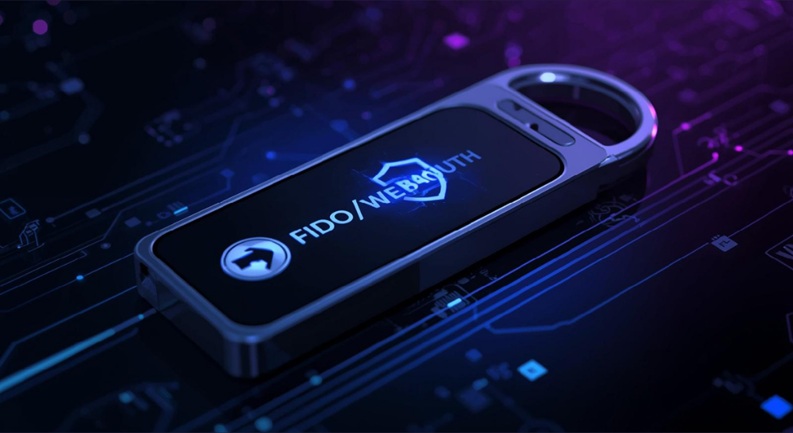
For those seeking the absolute pinnacle of phishing-resistant security, hardware security keys stand alone. These physical devices, often resembling a USB stick, offer an unparalleled level of protection against even the most sophisticated online attacks, making them the gold standard for high-value targets and enterprises.
The Pinnacle of Phishing Resistance: How FIDO2 Works
Hardware security keys leverage open standards like FIDO2 and WebAuthn (Web Authentication API). Unlike codes generated by apps or sent via SMS, these keys perform cryptographic challenges directly with the website or service you’re trying to access. When you log in, the website sends a cryptographic challenge to your key. You then physically interact with the key (e.g., touching it, entering a PIN) to authorize the login. The key uses its unique, uncopyable private key to sign the challenge, proving your identity. Critically, this process is bound to the specific domain (URL) you are attempting to log into. If an attacker presents a phishing site, even if it looks identical to the real one, your hardware key will detect the domain mismatch and refuse to authenticate, effectively neutralizing phishing attempts.
Advantages: Unmatched Security and User Experience
The benefits of hardware security keys are profound:
- Phishing Immunity: As described, they are inherently resistant to phishing because they verify the authenticity of the website’s domain.
- SIM Swapping Immunity: Completely independent of phone numbers or telecom networks.
- Malware Resistance: The cryptographic operations are performed within the secure enclave of the hardware key, isolated from potentially compromised operating systems.
- Exceptional User Experience: Once set up, logging in is often as simple as inserting the key and tapping it, or using a Bluetooth/NFC key. This is often faster and more convenient than typing out a 6-digit code.
- Multi-Factor Beyond 2FA: Some keys integrate a third factor—something you are (biometrics, via fingerprint readers on the key) or something you know (a PIN for the key itself)—making them even more robust.
Implementation and Device Considerations
Popular hardware security keys include:
- YubiKey (Yubico): Widely regarded as the industry leader, offering various models with USB-A, USB-C, Lightning, NFC, and Bluetooth connectivity.
- Google Titan Security Key: Google’s own FIDO2-certified keys, often used in conjunction with Google accounts but compatible with any WebAuthn service.
Setup typically involves registering the key with your online accounts that support FIDO2/WebAuthn (e.g., Google, Microsoft, Facebook, GitHub, Cloudflare, many enterprise solutions). While the initial investment for a key is higher than using a free app, the security benefits far outweigh the cost for critical assets. It’s recommended to purchase at least two keys: one for daily use and one stored securely as a backup.
Why Enterprises are Embracing Hardware Keys
Large enterprises are rapidly deploying hardware security keys to their employees, particularly for privileged accounts. Accounts protected by FIDO2 security keys have virtually eliminated credential-based attacks for large enterprises. This real-world success demonstrates the unparalleled effectiveness of these devices in protecting against the most persistent and sophisticated cyber threats facing organizations and individuals today.
Crafting Your Personal 2FA Strategy: Key Decision Factors
Choosing the “best” 2FA method isn’t a one-size-fits-all decision. The optimal approach depends on a careful assessment of several personal and practical factors. As a DebugPress reader, you’re looking for actionable advice, and that begins with understanding how to weigh your options effectively.
Defining Your Personal Threat Model
Before selecting any 2FA method, ask yourself:
- What are you protecting? (e.g., your personal banking, your company’s production server, a social media profile, an email account used for password resets).
- From whom are you protecting it? (e.g., casual hackers, opportunistic identity thieves, sophisticated state-sponsored attackers, disgruntled former employees).
- What is the potential impact of a compromise? (e.g., financial loss, reputational damage, data exfiltration, service disruption).
For instance, a developer managing critical client websites will have a much higher threat model for their hosting control panel than for their Netflix account. Your banking and primary email accounts should always receive the strongest protection.
Balancing Security, Convenience, and Accessibility
There’s an inherent trade-off in cybersecurity: generally, the more secure a method, the less convenient it might be for daily use (though hardware keys are quickly narrowing this gap).
- Security: How resistant is the method to common and advanced attacks (phishing, SIM swapping, malware)?
- Convenience: How much friction does it add to your login process? Does it require extra steps, apps, or devices?
- Accessibility: Do you always have access to the required device (e.g., phone, hardware key)? What happens if you’re offline or out of battery?
For critical accounts, prioritize security. For less critical ones, a slightly less secure but more convenient option might be acceptable, but always be aware of the inherent risks.
The Importance of Account Value and Data Sensitivity
Not all accounts are created equal. Prioritize your 2FA strategy based on the value and sensitivity of the data they protect:
- High-Value Accounts (Financial, Primary Email, Cloud Providers, Critical Infrastructure): Demand the strongest possible 2FA (hardware keys, authenticator apps).
- Medium-Value Accounts (Social Media, Shopping, Less Critical SaaS): Authenticator apps are a good choice; SMS might be a fallback but with caution.
- Low-Value Accounts (Forums, Newsletters): While 2FA is still beneficial, the strictest methods might be overkill. However, ensure no sensitive data is linked.
Remember that primary email accounts are often the “keys to the kingdom” for password resets, making them incredibly high-value targets regardless of the data they directly contain.
Preparing for the Unexpected: Recovery and Redundancy
Regardless of the 2FA method chosen, planning for device loss or account lockout is paramount.
- Backup Codes: Most services provide one-time recovery codes when you set up 2FA. Print these out and store them in a secure, offline location (e.g., a locked safe).
- Multiple Devices/Methods: If a service allows, enroll an authenticator app on a secondary device or register a backup hardware key. This provides redundancy.
- Trusted Recovery Contacts: Some services offer options to designate trusted contacts who can help verify your identity during a recovery process.
- Secure Documentation: Keep a record of your registered 2FA methods for each service, along with any relevant recovery information, in a securely encrypted note or password manager.
A robust 2FA strategy includes not just the method itself, but a comprehensive plan for recovery should your primary method become unavailable.
DebugPress Recommendations: Fortifying Your Digital Frontier
As industry experts at DebugPress, our commitment is to provide clear, actionable guidance. When it comes to Two-Factor Authentication, there is a definitive hierarchy of security that, when followed, will significantly elevate your digital defenses against nearly all common threat vectors.
The Hierarchy of 2FA Methods: A Prioritization Guide
We strongly recommend prioritizing your 2FA implementation in the following order:
- Hardware Security Keys (FIDO2/WebAuthn): This is the absolute strongest defense against phishing and other sophisticated attacks. For your most critical accounts—think primary email, financial institutions, cloud hosting providers, and any administrative access to production systems—hardware keys are non-negotiable. Invest in at least two: one for daily use and one securely stored as a backup.
- Authenticator Apps (TOTP/HOTP): For accounts that don’t support hardware keys, or for those where the convenience of a hardware key is overkill, authenticator apps (like Authy, Microsoft Authenticator, or Google Authenticator) are the next best option. They offer excellent protection against SIM swapping and most phishing attacks. Ensure you’ve backed up your app’s secret keys or generated recovery codes.
- SMS-Based 2FA: This should be considered a last resort, and ideally avoided for high-value accounts entirely. If a service offers no other option, it’s better than nothing. However, understand its significant vulnerabilities to SIM swapping and sophisticated phishing. Always push for an upgrade if the service introduces more secure methods.
- Email-Based 2FA: This method should virtually never be used as a primary 2FA factor. Its use should be restricted to very low-value accounts, or as a very last-ditch recovery option where no other secure method is available. If your email account is compromised, your 2FA is immediately bypassed.
Implementing a Multi-Layered Security Approach
Wherever possible, configure multiple 2FA methods for your critical accounts. For example, use a hardware security key as your primary method, with an authenticator app as a secondary backup. Always generate and securely store recovery codes. This redundancy ensures that you maintain access even if one method or device is lost or inaccessible. A multi-layered approach doesn’t just mean 2FA; it means having a hierarchy within your 2FA choices and robust recovery options.
Regular Audits and Adapting to the Evolving Threat Landscape
Digital security is not a static state; it’s an ongoing process.
- Regularly Review Your 2FA Settings: Periodically audit your online accounts. Confirm that 2FA is enabled, and that you’re using the strongest available method for each.
- Update Recovery Options: Ensure your backup codes are still securely stored and your recovery email/phone numbers are current and secure.
- Stay Informed: Keep abreast of the latest cybersecurity threats and best practices. As new vulnerabilities emerge, adapt your security posture accordingly.
The proactive approach championed by DebugPress emphasizes continuous vigilance. By adopting the strongest available 2FA methods, planning for contingencies, and staying informed, you transform your digital presence from a potential target into a resilient fortress.
Frequently Asked Questions (FAQs)
Q: Can I use multiple 2FA methods for a single account?
A: Yes, many services allow you to enroll multiple 2FA methods (e.g., authenticator app as primary, SMS as backup, and recovery codes). This is highly recommended for critical accounts to provide redundancy and ensure you can always regain access.
Q: What if I lose my phone with the authenticator app?
A: It’s crucial to have backup codes or a secure recovery method (like a secondary device or paper backup) set up *before* you lose your primary device. Without these, recovering access could be difficult or impossible, potentially leading to account lockout. Always save your backup codes in a very secure, offline location.
Q: Is hardware 2FA (like a YubiKey) better than an app?
A: Yes, hardware security keys are generally considered the most secure form of 2FA, offering superior protection against phishing and malware by cryptographically verifying the authenticity of the website you’re logging into. For critical accounts, they are the gold standard.
Q: Are all authenticator apps equally secure?
A: While the core TOTP/HOTP algorithms are standard and cryptographically sound, app security can vary based on additional features (e.g., encrypted cloud backup, PIN protection, biometric locks) and the app developer’s overall security practices. Reputable apps like Authy, Google Authenticator, and Microsoft Authenticator are generally considered secure.
Q: Should I disable SMS 2FA entirely if my service offers an app?
A: For high-value accounts, it’s generally recommended to prioritize app-based 2FA or hardware keys. You might keep SMS as a *backup* option if the service allows, but always understand its limitations and risks, especially concerning SIM swapping. Ideally, remove SMS 2FA as a primary option wherever more secure alternatives exist.