The Complete Guide to Backing Up Your WordPress Website
A Review of the Best WordPress Backup Plugins (UpdraftPlus, Duplicator, etc.)
Jan
A Strategic Overview of Top WordPress Backup Plugins: Securing Your Digital Frontier
In the relentlessly expanding digital landscape of late 2025 and early 2026, where a website serves as the bedrock of business operations, brand identity, and customer engagement, the concept of data security has transitioned from a best practice to an absolute imperative. For the vast ecosystem powered by WordPress, the omnipresent threat of data loss—whether from malicious cyberattacks, unforeseen server failures, or simple human error—demands a proactive and impregnable defense strategy. This comprehensive guide from DebugPress.com delves into the critical role of WordPress backup plugins, offering a strategic overview of the industry’s leading defenders. We will conduct a thorough geopolitical assessment of their features, pinpointing their strengths, weaknesses, and optimal deployment scenarios, ultimately empowering you to forge an unbreachable digital frontier for your WordPress assets.
The Geopolitics of Data Security: Why WordPress Backups are Non-Negotiable
The digital realm is a theater of constant flux, where new threats emerge with disquieting regularity. For WordPress professionals, understanding this evolving landscape is the first step towards robust defense. Backups are not merely a contingency; they are the cornerstone of digital resilience.
The Digital Threat Landscape: Vectors of Vulnerability
Your WordPress site, regardless of its size, is a constant target. The primary vectors of attack and vulnerability include sophisticated malware incursions designed to compromise data integrity, relentless hacking attempts leveraging known and zero-day vulnerabilities, the inherent instability and potential for failure within server infrastructure, and, perhaps most insidiously, critical human error. A single misconfiguration or accidental deletion can lead to catastrophic data loss. Staying vigilant against these pervasive threats is paramount for any site administrator or developer.
The Strategic Imperative: Data Integrity and Business Continuity
In the modern economy, data is currency. Maintaining the integrity of your WordPress site’s content, user data, and transactional records is not just about avoiding loss; it’s about preserving trust and ensuring uninterrupted business operations. A compromised or inaccessible website can halt sales, disrupt services, and severely damage brand reputation. Proactive backup strategies are therefore a strategic imperative, directly impacting your organization’s ability to maintain continuity and sustain growth in a competitive digital marketplace.
Assessing the Strategic Casualty Report: Costs of Downtime
The financial and reputational costs of downtime and data loss are often underestimated until disaster strikes. Beyond immediate revenue loss, there are expenses associated with recovery efforts, potential legal repercussions for data breaches, and the long-term erosion of customer confidence. For an e-commerce platform, every minute of downtime can translate into thousands of dollars in lost sales and opportunities. A comprehensive understanding of this “strategic casualty report” underscores the value proposition of a robust backup solution.
The Pervasive Threat: Global Website Vulnerability
The statistics paint a stark picture: Over **75%** of websites globally experience some form of data loss or compromise annually, highlighting the pervasive threat landscape that necessitates proactive and continuous defense. This isn’t a rare occurrence; it’s a common operational challenge that demands a well-defined, actionable backup strategy. Ignoring this reality is to operate without a safety net in a high-wire act.
Strategic Profile: UpdraftPlus – The Global Dominator in Automated Defense
UpdraftPlus has cemented its reputation as one of the most popular and comprehensive backup solutions for WordPress, serving millions of sites worldwide. It’s a workhorse for automated, large-scale defense, offering unparalleled reliability.

Core Defensive Capabilities: Features at a Glance
UpdraftPlus excels with its core features: **scheduled backups** that can be set for full site backups, specific files, or just the database, providing granular control. It boasts **extensive cloud storage integrations**, supporting industry giants like AWS S3, Google Drive, Dropbox, Rackspace Cloud, FTP, and even email. For optimal resource efficiency and storage management, its premium version offers crucial **incremental backups**, ensuring only changed files are backed up after an initial full backup.
Strategic Advantages: Reliability and Ease of Mass Deployment
The primary strategic advantages of UpdraftPlus lie in its broad compatibility across various hosting environments and its remarkably **user-friendly interface**, making it suitable for mass deployment even for those with limited technical expertise. Its robust recovery options, including a seamless **one-click restoration** process, minimize downtime and simplify disaster recovery operations. This reliability makes it a top choice for sites where consistent, automated backups are non-negotiable.
Tactical Limitations: Free Version & Resource Considerations
While powerful, the free version of UpdraftPlus comes with certain tactical disadvantages, primarily limitations on advanced cloud options (e.g., specific S3 buckets) and dedicated support. Furthermore, on low-spec shared hosting environments, a full site backup can be resource-intensive, potentially impacting site performance during backup processes if not scheduled judiciously. Understanding these limitations is key to optimizing its deployment.
Optimal Deployment Scenarios: Mission-Critical Operations
UpdraftPlus is optimally deployed in scenarios involving **large-scale WordPress deployments**, **e-commerce platforms**, and **mission-critical sites** that demand frequent, automated, and diversified off-site backups. Its ability to integrate with multiple cloud providers ensures adherence to the 3-2-1 backup rule, providing layers of redundancy essential for sites where every minute of uptime counts.
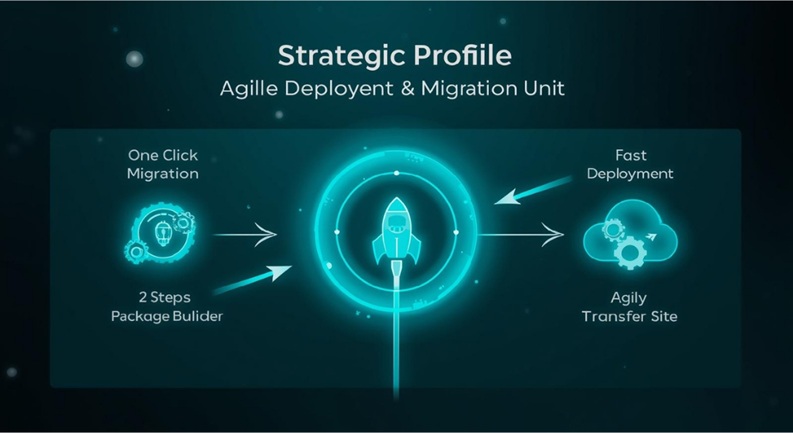
Strategic Profile: Duplicator – The Agile Deployment & Migration Unit
Duplicator shines not just as a backup plugin, but as a formidable tool for site migration and cloning, making it indispensable for developers and agencies.
Core Operational Capabilities: Migration and Cloning
Duplicator’s core features revolve around its **comprehensive site migration and cloning capabilities**. It allows you to create a “package” of your entire WordPress site—including the database, plugins, themes, and all content—into a single, portable archive. This package, combined with an installer script, facilitates seamless site transfers from one server to another, or from a local development environment to a live production site. It also offers manual backup functionality, perfect for snapshots before major changes.
Strategic Advantages: Developer Workflows and Rapid Recovery
This plugin is a strategic asset for **streamlining development workflows**, enabling quick staging to production deployments, and facilitating rapid site recovery from a pre-defined, known-good state. Its ability to create self-contained site packages simplifies the process of moving WordPress sites, saving countless hours for agencies managing multiple client projects or developers iterating rapidly on new features. This agility is its defining characteristic.
Tactical Limitations: Automation and Learning Curve
Compared to more automated solutions, Duplicator’s free version places less emphasis on automated, scheduled backups, requiring more manual intervention for routine defense. It also presents a **steeper learning curve for novices** due to its focus on packaging and migration processes, which involve understanding server paths and database connections. While powerful, it requires a higher degree of technical comfort to leverage its full potential efficiently.
Optimal Deployment Scenarios: Development, Agency, and Redeployment Operations
Duplicator is optimally deployed by **developers, agencies managing multiple client sites**, and operations undergoing frequent migrations, redeployments, or requiring the ability to create self-contained site packages for distribution or archival. It’s the go-to tool for pre-deployment staging, disaster recovery via a known-good package, and efficient cross-server site transfers, making it a critical part of a developer’s toolkit.
Strategic Profile: WPvivid – The Integrated Command & Control Center
WPvivid has rapidly gained traction by offering a unified, user-friendly platform that integrates backup, migration, and staging functionalities, positioning itself as a comprehensive site management solution.
Core Integrated Features: Backup, Migration, and Staging
WPvivid distinguishes itself with its **unified platform for backup, migration, and staging environment creation**. Users can perform one-click restores, schedule automatic backups to a variety of popular cloud storage options (Google Drive, Dropbox, Microsoft OneDrive, Amazon S3, DigitalOcean Spaces, FTP/SFTP), and effortlessly migrate sites. The integrated staging environment feature allows for testing new themes, plugins, or core updates in isolation before pushing them live, drastically reducing risk.
Strategic Advantages: Unified Platform and Simplified Staging
The primary strategic advantage of WPvivid is its **all-in-one solution, significantly reducing plugin sprawl** by consolidating critical site management tasks into a single interface. The simplified staging functionality is a major win for developers and site owners alike, enabling rigorous testing without affecting the live site. Its clean, modern interface makes complex operations more accessible, offering a streamlined command and control center for your WordPress site’s integrity.
Tactical Limitations: Market Maturity and Premium Unlock
As a relatively newer entrant to the crowded WordPress backup market, WPvivid, while feature-rich, may be perceived as having less community-tested longevity compared to older, more established rivals. While its free version is robust, many of its most powerful capabilities, such as advanced incremental backups and priority support, are locked behind its premium features, requiring an investment to unlock its full potential as a true command center.
Optimal Deployment Scenarios: Comprehensive Site Management and Disaster Recovery
WPvivid is optimally deployed by **businesses seeking a unified platform for comprehensive site management and disaster recovery**, particularly those who value the convenience of integrated staging capabilities. It’s also an excellent choice for **developers needing integrated staging and backup functionality** to manage client sites efficiently, ensuring a robust safety net for every development cycle and operational update.
Strategic Profile: BackWPup – The Deep-Cover Operational Specialist
BackWPup caters to advanced users and enterprises requiring highly configurable backup solutions, distinguishing itself through its extensive destination options and granular control over backup processes.

Core Specialized Functions: Diverse Destinations and Optimization
BackWPup’s core features include support for an impressive array of **multiple backup destinations** such as FTP, Amazon S3, Microsoft Azure, Rackspace Cloud, Dropbox, Google Drive, and even email. It provides specialized **database optimization and repair functions**, allowing for proactive maintenance of your site’s most critical component. Backups can be generated in various file formats (zip, tar, tar.gz, bz2), catering to specific archival and recovery needs.
Strategic Advantages: Configurable Strategies and Backend Integrity
The strategic advantages of BackWPup lie in its **highly configurable nature**, which allows for diverse and even obscure storage strategies, making it suitable for organizations with stringent data sovereignty or compliance requirements. Its extensive support for a wide array of cloud services and its robust capabilities for ensuring **backend database integrity** make it an invaluable tool for specialized tasks and complex enterprise environments demanding fine-grained control.
Tactical Limitations: Interface Complexity and Scheduling Dependencies
BackWPup’s power comes with a trade-off: its interface can be less intuitive and more complex than its competitors, potentially overwhelming for beginners. Furthermore, while it offers scheduled backups, some setups might rely on external cron jobs for consistent execution, adding a layer of technical complexity. Its steep learning curve for those unfamiliar with advanced server configurations can be a significant tactical disadvantage.
Optimal Deployment Scenarios: Advanced Users and Enterprise Data Compliance
BackWPup is optimally deployed by **advanced users, large enterprises with specific data storage compliance needs, and sites with complex database structures** requiring fine-grained control over backup processes. It’s the choice for those who need to manage backups with surgical precision, integrate with niche cloud providers, or perform specific database maintenance tasks as part of their robust data defense posture.
The Evolving Threat Landscape & Auxiliary Defensive Measures
While the top four plugins offer formidable defense, the intelligent administrator understands that a multi-layered approach is the most resilient. The threat landscape is constantly evolving, demanding continuous adaptation and the deployment of auxiliary defensive measures.
Beyond the Core Four: Other Noteworthy Defenders
The backup ecosystem extends beyond our primary focus. **BlogVault**, for instance, offers a robust SaaS-based defense mechanism, performing off-site backups directly to its own servers, providing an independent layer of security and easier staging. **Solid Backups** (formerly iThemes BackupBuddy) from iThemes provides an integrated security suite, combining backups with other critical security features, appealing to users seeking a consolidated solution. Exploring these options can provide specialized functionality or additional redundancy.
The Web Host as a Secondary Line of Defense
A often-overlooked yet critical auxiliary defense is your **web host’s backup service**. Many reputable hosting providers offer daily or weekly backups as part of their service. While these should never be your sole backup strategy (as they are typically controlled by the host and may have recovery limitations), they serve as a crucial secondary line of defense and provide an essential layer of redundancy. Always understand your host’s backup policies, retention periods, and recovery processes.
WordPress’s Global Footprint: A Prime Target
WordPress powers approximately **43%** of all websites globally, making it an unparalleled platform in terms of reach and versatility. However, this ubiquity also makes it a prime target for cyber reconnaissance and malicious actors. The sheer volume of WordPress installations means that vulnerabilities, when discovered, can be exploited on a massive scale. This reality underscores the absolute necessity for robust, proactive, and diversified defense mechanisms, moving beyond mere reactive measures.
Layering Defenses: A Holistic Approach to Security
A truly resilient data defense posture involves more than just a single plugin. It’s about a holistic, layered approach combining plugin-based backups, host-based backups, and even manual archival for critical data. This multi-tiered strategy ensures that even if one layer of defense is breached or fails, others are in place to preserve data integrity and business continuity.
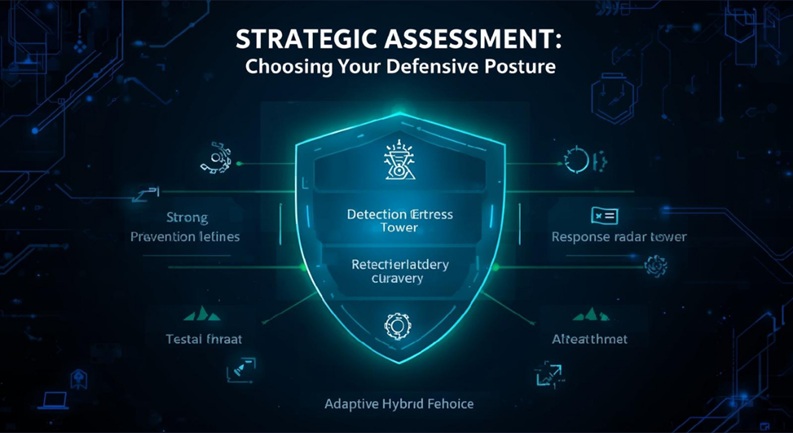
Strategic Assessment: Choosing Your Defensive Posture
Selecting the optimal WordPress backup plugin is akin to choosing the right military doctrine for your digital frontier. It requires a nuanced assessment based on your specific operational needs, technical capabilities, and risk profile.
Key Strategic Vectors for Plugin Selection
When evaluating backup plugins, consider these critical strategic vectors: **Cost vs. Value** (assessing free vs. premium features), the **Comprehensive Feature Set** (including backup types like full, incremental, and selective; diverse storage options; and intuitive restore capabilities), **Ease of Use** (the user experience for site administrators), **Recovery Speed and Reliability** (how quickly and dependably you can restore your site), and the **Available Support Infrastructure** (documentation, community forums, or dedicated premium support).
Scenario-Based Recommendations for Optimal Fit
- Small Business/Blogger: Prioritize ease of use, automated off-site storage to platforms like Google Drive, and cost-effectiveness. Solutions like UpdraftPlus (free version) or WPvivid offer excellent starting points.
- E-commerce/Mission-Critical Sites: Demand advanced features such as incremental backups, highly frequent scheduling (e.g., hourly), rapid restore capabilities, and dedicated, priority support. Premium versions of UpdraftPlus, WPvivid, or a SaaS solution like BlogVault are ideal.
- Developers/Agencies: Value robust migration tools, integrated staging environments, and highly flexible configuration options for managing multiple client sites efficiently. Duplicator and WPvivid excel in these areas, with BackWPup providing deep configuration for niche requirements.
The Impact of Automation on Downtime Reduction
The strategic deployment of automated WordPress backup solutions can dramatically mitigate risk. Automated systems can reduce critical website downtime by up to **90%** compared to manual or infrequent recovery efforts, directly impacting business continuity and operational efficiency. This statistic underscores the value of investing in a solution that offers reliable, scheduled backups.
Balancing Cost, Features, and Support in Your Decision
Your ultimate decision should strike a balance between your budget, the breadth of features required, and the level of support you anticipate needing. Free versions can be excellent for personal blogs, but critical business sites necessitate the advanced features, reliability, and dedicated support typically found in premium offerings. Always consider the total cost of ownership, including the potential costs of downtime if your chosen solution proves inadequate.
Deployment & Best Practices for Resilient Data Infrastructure
Implementing a backup solution is only half the battle. True digital resilience comes from adhering to best practices in deployment, maintenance, and, critically, testing.

Non-Negotiable: Automated Scheduling
Establishing consistent and frequent backup routines is a **non-negotiable operational procedure**. Relying on manual backups introduces human error and inconsistency. Configure your chosen plugin to perform automated backups at intervals appropriate for your site’s activity (e.g., daily for active blogs, hourly for e-commerce stores). This ensures that even in the face of unexpected events, your data loss window is minimized to the barest essential.
Fortifying Your Position: Diversified Off-site Storage (3-2-1 Rule)
To avoid single points of failure, it’s crucial to implement **diversified off-site storage**. Adhere to the widely accepted **3-2-1 backup rule**: keep at least three copies of your data, store two copies on different types of media, and keep one copy off-site. Distributing backups across multiple cloud providers (e.g., Google Drive and AWS S3) or even physical locations ensures that a localized failure or service disruption does not compromise all your backup archives. This layered approach is fundamental for ultimate resilience.
The Critical Test: Validating Recovery Capabilities
One of the most significant vulnerabilities in many backup strategies is the failure to test recovery processes. Regularly **validating backup integrity and practicing restoration drills** on a staging environment is critical to ensure that your recovery capabilities are operational and efficient. This proactive testing identifies potential issues before a crisis, confirming that your data can indeed be restored reliably and swiftly when needed. This is a step frequently overlooked but of paramount importance.
Multi-Tiered Defense: Plugin, Host, and Manual Backups
For ultimate resilience, consider a **multi-tiered defense strategy**. This involves combining robust plugin-based backups, leveraging your web host’s secondary backup services (where available), and even implementing occasional manual backups of critical files or the database. This redundancy ensures that you have multiple avenues for recovery, providing an unbreakable defense against a wide array of digital contingencies and ensuring maximum operational uptime.
The Peril of Untested Backups: A Key Vulnerability
Despite the known importance, only **20%** of website owners regularly test their backup recovery process, leaving a significant vulnerability in their overall defense strategy. An untested backup is an unverified backup; you cannot assume it works until you’ve proven it does. Prioritizing regular recovery drills transforms your theoretical defense into a hardened, battle-ready operational capability, ensuring readiness for any digital contingency.
1. Data Breaches and Their Consequences
The article highlights that while backup plugins are essential for security, they can become significant vectors for data breaches if not managed correctly. Below are specific examples and the resulting consequences:
- Exposed Backup Directories:
Many plugins store backup files in predictable directories (e.g.,/wp-content/uploads/backups/). If these directories lack proper.htaccessprotection or “Index Forbidden” rules, attackers can browse and download entire site archives.Consequence: Full site cloning, exposure of the
wp-config.phpfile (containing database credentials), and leakage of customer PII (Personally Identifiable Information). - Insecure Cloud Storage Tokens:
Plugins like UpdraftPlus use OAuth tokens to connect to Google Drive or Dropbox. If a site is compromised via a different vulnerability, these tokens can be stolen.Consequence: Attackers gain read/write access to the user’s entire cloud storage account, not just the website backups, leading to a broader personal data breach.
- The “Duplicator” Remote Code Execution (RCE):
Older versions of Duplicator left installer files (installer.php) on the server after a migration.Consequence: Malicious actors could re-run the script to inject a new admin user or overwrite the existing database, resulting in a total site takeover and the injection of ransomware.
2. Technical Details: How These Plugins Work
The article explores the underlying architecture that allows these plugins to handle large-scale data operations within the limitations of shared hosting environments.
UpdraftPlus: The Chunked Processing Engine
UpdraftPlus is designed to circumvent PHP execution time limits through a recursive background processing method:
- File Splitting: It splits the website into distinct entities: Plugins, Themes, Uploads, and Others. Each is zipped independently.
- Chunking: To avoid hitting server memory limits, it zips files in “chunks.” If a zip operation takes too long, the plugin records the last file processed, terminates the script, and triggers a new PHP request via
WP-Cronto resume. - Remote Streaming: It uses the
CURLlibrary to stream data directly to remote APIs (S3, Dropbox) in multi-part uploads, ensuring that large files don’t need to be stored entirely in the server’s RAM.
Duplicator: The Snapshot and Deployment Model
Unlike UpdraftPlus, which focuses on scheduled automation, Duplicator operates on a Package/Installer logic:
- Archive Generation: It uses the
ZipArchiveorPclZipPHP classes to bundle the entire WordPress root directory and a SQL dump into a single.dafor.zipfile. - Database Serialization: It performs a “Search and Replace” on the SQL dump during the creation phase to handle PHP serialized data, ensuring that URLs and file paths remain intact when the site is moved to a new domain.
- The Installer Script: The
installer.phpfile is a standalone script that functions independently of the WordPress core. It extracts the archive, connects to a new MySQL database usingPDOormysqli, and recreates the environment from the ground up.
Frequently Asked Questions (FAQs)
How frequently should I execute my backup strategy for optimal security and minimal data loss?
The optimal frequency for your backup strategy is directly proportional to the rate of change on your WordPress site. For a static brochure site, weekly or bi-weekly might suffice. For an active blog with daily posts, a daily backup is recommended. For e-commerce stores or dynamic membership sites with frequent transactions and user interactions, hourly or even real-time incremental backups are essential to minimize potential data loss. Always prioritize minimizing the RPO (Recovery Point Objective).
What are the most secure off-site storage options for my backup archives, considering geopolitical data sovereignty and compliance?
For maximum security and to address geopolitical data sovereignty and compliance (e.g., GDPR, CCPA), reputable cloud storage providers like Amazon S3, Google Cloud Storage, and Microsoft Azure are generally considered top-tier. When selecting, verify their regional data center options to ensure your data resides in compliant jurisdictions. Furthermore, always encrypt your backups before uploading them to any cloud service, adding an extra layer of defense against unauthorized access.
Can deploying multiple backup plugins simultaneously create operational conflicts or resource contention on my WordPress site?
Yes, deploying multiple backup plugins simultaneously can indeed create operational conflicts and significant resource contention. Each plugin might attempt to access the database or file system at the same time, leading to slowdowns, incomplete backups, or even site crashes. It can also lead to increased server load and storage duplication. It is generally advisable to choose one primary, robust backup solution and rely on its capabilities, supplementing only with host-level backups as a secondary, independent redundancy.
What is the strategic importance of testing backup recovery, and what tactical steps are involved in performing an effective restoration drill?
The strategic importance of testing backup recovery cannot be overstated: it verifies the integrity of your backups and your ability to restore your site efficiently, turning a theoretical safety net into a proven operational capability. Tactical steps involve creating a staging environment (ideally on a separate server), restoring your latest backup to this environment, thoroughly checking all site functionalities (pages, posts, plugins, themes, database integrity), and then documenting the process and any issues encountered. This drill ensures readiness for a real-world disaster.
From a strategic resource management perspective, how does a ‘full site’ backup differ from an ‘incremental’ backup, and when should each be employed?
A ‘full site’ backup captures every file and database entry, offering a complete snapshot but is resource-intensive and creates large archives. It’s essential for initial backups and periodic full system checks. An ‘incremental’ backup, by contrast, only saves changes made since the last backup (full or incremental), making it resource-efficient and fast, resulting in smaller archives. Incremental backups are ideal for frequent, automated defense, minimizing the recovery point objective, while full backups provide a reliable baseline.
Are free backup plugins sufficient for critical operational sites, or do premium versions offer indispensable strategic advantages?
While free backup plugins are excellent for personal blogs or smaller, less critical sites, premium versions typically offer indispensable strategic advantages for critical operational sites. These include features like incremental backups, priority support, advanced cloud storage integrations, site migration tools, dedicated staging environments, and more robust scheduling options. For e-commerce, enterprise, or mission-critical sites, the investment in a premium solution provides enhanced reliability, faster recovery, and peace of mind that justifies the cost.