The Complete Guide to Backing Up Your WordPress Website
Browser Caching vs. Page Caching: What’s the Difference and Why You Need Both
Dec
Browser Caching vs. Page Caching: The Definitive Guide to Both for Peak Performance
1. Introduction: The Unseen Speed Boosters Essential for Modern Web
The universal demand for instant gratification has fundamentally reshaped user expectations online. A slow-loading website is no longer merely an inconvenience; it’s a barrier that actively drives visitors away. To combat this, web architects and developers have long relied on **caching**—a process of storing frequently accessed data in a temporary location for faster retrieval. However, not all caching is created equal, nor does it serve the same purpose. We’re here to demystify the two most critical types: client-side (browser) caching and server-side (page) caching, explaining how they work in perfect harmony to deliver an optimal web experience.
1.1. The Relentless Pursuit of Web Speed
From eCommerce giants to personal blogs, every online entity grapples with the imperative of speed. Users expect immediate responses, and search engines like Google heavily penalize sites that fail to deliver. This constant pressure necessitates a deep understanding of performance optimization techniques, with caching leading the charge.
1.2. Caching: The Core Web Performance Strategy
At its essence, caching reduces redundancy. Instead of recalculating or re-fetching resources every single time they’re needed, caching stores a copy. When a request for that resource comes again, the cached version is served, dramatically cutting down processing time and data transfer. But where this copy is stored and what kind of data it holds are the distinctions we’ll explore.
1.3. Setting the Stage: Two Distinct Types Working in Tandem
While both browser and page caching aim to accelerate your website, they operate at different layers of the web stack and tackle different performance bottlenecks. Understanding their individual strengths and combined impact is key to architecting a truly high-performing website in late 2025.
2. Understanding Browser Caching: The Client’s Memory and Efficiency Guardian
Imagine a returning visitor to your website. Instead of downloading all your logos, stylesheets, and JavaScript files from scratch, their browser already has copies saved from their last visit. This is the power of **browser caching**, also known as **client-side caching**. It’s about empowering the user’s device to take on some of the load, making subsequent visits incredibly swift.

2.1. What is Client-Side Caching?
Browser caching involves storing static assets of your website—such as **images**, **CSS files**, **JavaScript files**, and **fonts**—directly on the user’s local device (their browser’s cache directory). This means that on repeat visits, the browser doesn’t need to send requests to your server for these files; it can retrieve them almost instantaneously from its own local storage.
2.2. How Browser Caching Works: HTTP Headers in Action
The magic behind browser caching is orchestrated by **HTTP headers** sent from your server. When a browser first requests a resource, your web server responds with the file and specific instructions encoded in these headers:
- `Cache-Control` Header: This is the most powerful header, specifying directives like
max-age(how long the asset can be cached in seconds),public(cacheable by any cache),private(cacheable only by the user’s browser), andno-cacheorno-store(to prevent caching). - `Expires` Header: An older, but still functional, header that specifies a date/time after which the response should be considered stale. `Cache-Control` generally takes precedence if both are present.
- `ETag` (Entity Tag): A unique identifier (like a fingerprint) for a specific version of a resource. If the browser has a cached version, it sends the `ETag` back to the server. If the server’s version matches, it responds with a `304 Not Modified` status, saving bandwidth.
- `Last-Modified` Header: Similar to `ETag`, this header indicates when the resource was last changed. The browser can send an `If-Modified-Since` header on subsequent requests to check if the server’s version is newer.
By configuring these headers, you explicitly tell browsers what to cache and for how long, optimizing the efficiency of repeat engagements.
2.3. Undeniable Benefits of Browser Caching
Implementing effective browser caching yields a multitude of advantages:
- Faster Loading Times for Returning Visitors: This is the most immediate and impactful benefit. Pages load noticeably quicker for users who revisit your site, enhancing their experience significantly.
- Reduced Bandwidth Usage: Your server spends less data transferring static assets to repeat visitors, potentially lowering hosting costs and freeing up server resources.
- Improved User Experience for Repeat Engagement: A faster site encourages users to stay longer, explore more pages, and return more frequently.
- Lower Server Load: Fewer requests for static assets mean your server can dedicate more resources to processing dynamic content.
[STAT] Websites load **2-3x faster** for returning visitors with effective browser caching enabled. This dramatic improvement underscores its critical role.
2.4. Practical Considerations and the “Outdated Content” Dilemma
While powerful, browser caching isn’t without its challenges. The primary concern is the potential for users to see **outdated content** if you update a cached asset (e.g., a CSS file) but their browser serves an old version from its local cache. This is where **cache busting** becomes indispensable. Techniques include:
- File Versioning: Appending a version number or timestamp to your file names (e.g., `style.css?v=1.2` or `script.js?20251026`). When the file changes, you update the version number, forcing the browser to fetch the “new” file.
- Fingerprinting/Hashing: Generating a unique hash based on the file’s content and including it in the filename (e.g., `style.2f7b4e.css`). Any change to the file automatically generates a new hash, ensuring a fresh download.
Proper cache busting ensures that while assets are cached aggressively, updates are always delivered promptly to your audience.
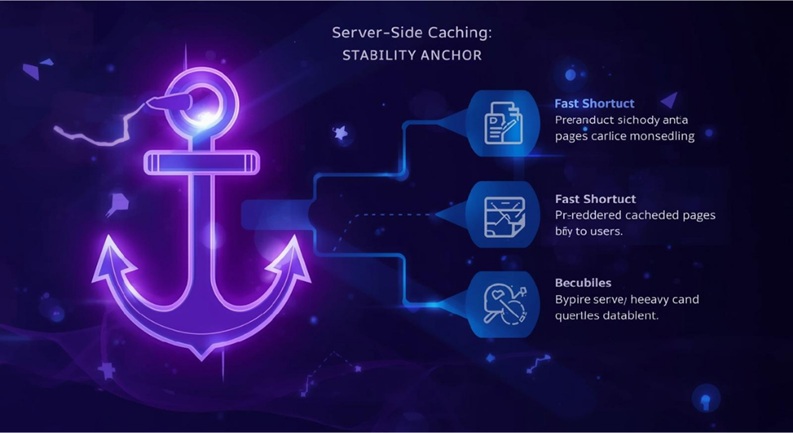
3. Understanding Page Caching (Server-Side Caching): The Server’s Shortcut and Stability Anchor
While browser caching tackles the client-side, **page caching** operates at the server level, fundamentally transforming how your server processes requests. Instead of dynamically generating every page from scratch for every user, page caching stores a fully prepared version, ready to be served instantly. This is particularly vital for dynamic content management systems like WordPress.
3.1. Defining Server-Side Caching
**Page caching** (or server-side caching) is the process of storing a pre-generated, ready-to-serve version of a web page or specific data (like database query results) directly on the web server itself. When a user requests a page, the server first checks its cache. If a cached version exists and is valid, it’s served immediately, bypassing intensive processes like database queries, PHP execution, and HTML rendering.
3.2. Mechanisms of Page Caching: From Plugins to Proxies
Page caching can be implemented at various layers of your server stack, each offering different levels of control and performance benefits:
- Application-Level Caching (e.g., WordPress Caching Plugins): Plugins like WP Rocket, LiteSpeed Cache, or W3 Total Cache are popular for WordPress. They intercept requests and serve cached HTML versions of pages, often integrating with database and object caching as well.
- Server-Level Caching: More advanced configurations directly within your web server software:
- Nginx FastCGI Cache: Nginx can cache the output of PHP-FPM processes, effectively storing static HTML versions of dynamic pages.
- Varnish Cache: A powerful HTTP reverse proxy that sits in front of your web server (Apache, Nginx). Varnish is purpose-built for caching and can handle high traffic volumes by serving cached pages extremely rapidly.
- Database Caching: Caching the results of frequently run database queries, reducing the load on your database server.
- Object Caching: Caching results of computationally expensive operations or API calls, useful for dynamic elements that don’t change with every page load.
- CDN Edge Servers: Content Delivery Networks (CDNs) not only cache static assets but can also cache entire HTML pages (if configured) on their global network of edge servers. This moves your content closer to your users, further reducing latency.
3.3. The Transformative Advantages for Server Performance
The impact of effective page caching on your server is profound:
- Dramatically Reduces Server Processing Time: By serving static HTML, the server avoids costly PHP interpretation, database lookups, and HTML assembly for each request.
- Faster *Initial* Page Load for *All* Users: Unlike browser caching, page caching benefits every user, regardless of whether they’ve visited before, ensuring a consistently fast first impression.
- Improves Site Scalability and Stability Under Traffic: A cached site can handle significantly more concurrent users without bogging down, making it resilient during traffic spikes.
- Reduces Database Load: Fewer queries to the database mean your database server can perform more efficiently and reliably.
[STAT] Page caching can reduce server response time by **up to 90%** for dynamic content, particularly on platforms like WordPress. This is a game-changer for high-traffic sites.
3.4. Navigating Cache Invalidation Challenges
The biggest challenge with page caching is ensuring **cache invalidation**—that is, clearing or updating the cached version of a page when its content changes. Without proper invalidation, users might see outdated information. Robust strategies include:
- Manual Cache Purging: Most caching plugins offer a “clear cache” button.
- Automatic Cache Purging on Updates: When a post or page is updated, published, or commented on, the relevant cached pages should automatically be cleared or rebuilt.
- Time-Based Expiration: Setting a specific time-to-live (TTL) for cached content after which it expires and is re-generated.
- Smart Invalidation Rules: For complex sites, carefully defined rules can invalidate only specific parts of the cache when related content changes.
Effective cache invalidation is crucial for maintaining content freshness while reaping the performance benefits.
4. Key Differences Summarized: Client vs. Server – A Clear Distinction
To fully grasp their combined power, it’s essential to crystalize the core differences between browser caching and page caching. While both are critical for speed, they operate on distinct principles and target different bottlenecks.
4.1. Location: Where the Cache Resides
- Browser Caching: On the **user’s local device** (their web browser).
- Page Caching: On the **web server**, a dedicated caching server (like Varnish), or a CDN edge server.
4.2. Scope of Impact: Individual vs. Universal
- Browser Caching: Benefits an **individual user** on subsequent visits.
- Page Caching: Benefits **all users** (initial and subsequent visits) by reducing server load.
4.3. Assets Under Management: What Gets Stored
- Browser Caching: Primarily **static assets** (images, CSS, JavaScript, fonts, videos).
- Page Caching: **Fully rendered HTML pages**, database query results, API responses, or other dynamic content output.
4.4. Speed Influence: Initial vs. Subsequent Interactions
- Browser Caching: Dramatically speeds up **subsequent visits** for the same user.
- Page Caching: Crucially improves **initial page load times** for everyone.
4.5. Core Objective: Bandwidth vs. Server Load
- Browser Caching: Primary goal is to **reduce client-side requests** and conserve bandwidth.
- Page Caching: Primary goal is to **reduce server processing load** and database queries.
5. Why You Need Both: A Synergistic Approach to Ultimate Speed
The power of browser caching and page caching is not in their individual merits alone, but in their harmonious integration. They are not mutually exclusive; rather, they are two sides of the same performance coin, each addressing critical aspects of the user journey and server health. A truly optimized website leverages both for an end-to-end speed advantage.

5.1. The Harmony of Dual Caching: End-to-End Optimization
Consider the complete user journey. When a new visitor arrives at your site, **page caching** ensures they receive a lightning-fast initial page load, as the server serves a pre-rendered HTML file. This makes a stellar first impression. As that user navigates to other pages on your site or returns later, **browser caching** takes over, ensuring that static elements load instantaneously from their local device, significantly improving their repeat experience. Without both, your optimization strategy is incomplete.
5.2. Optimized User Experience: From First Impression to Repeat Visits
This dual approach translates directly into a superior user experience. A rapid initial load captivates new visitors, while accelerated subsequent loads retain them. This holistic performance minimizes frustration, encourages deeper engagement, and directly contributes to lower **bounce rates** and higher **time on site**.
5.3. Unlocking SEO Advantages and Higher Conversions
Beyond user satisfaction, the combined power of caching has tangible business benefits:
- Improved Search Engine Rankings: Google explicitly states that page speed is a ranking factor. A faster site, achieved through comprehensive caching, is favored in search results.
- Higher Conversion Rates: Every second counts. Faster sites lead to more completed purchases, form submissions, and sign-ups.
- Reduced Bounce Rates: Users are less likely to abandon a fast-loading site.
[STAT] A 1-second delay in page load time can lead to a **7% reduction in conversions** and an 11% drop in page views. This statistic alone should underscore the urgency of implementing robust caching.
Google explicitly states that page speed is a ranking factor, emphasizing the importance of both client-side and server-side optimizations. Neglecting either is akin to leaving performance on the table.
6. Implementing Caching Strategies Effectively: Actionable Steps for WordPress Professionals
Understanding the theory is one thing; successful implementation is another. For WordPress professionals, developers, and site owners, deploying robust caching requires specific configurations and tools.
6.1. Mastering Browser Caching Configuration
For most WordPress sites, browser caching is primarily configured at the server level:
- Via `.htaccess` (Apache): Add directives to your `.htaccess` file (located in your site’s root directory) to set `Cache-Control` and `Expires` headers for various file types.
<IfModule mod_expires.c> ExpiresActive On ExpiresByType image/jpg "access 1 year" ExpiresByType image/jpeg "access 1 year" ExpiresByType image/gif "access 1 year" ExpiresByType image/png "access 1 year" ExpiresByType image/svg+xml "access 1 year" ExpiresByType text/css "access 1 month" ExpiresByType application/javascript "access 1 month" ExpiresByType application/x-javascript "access 1 month" ExpiresByType font/ttf "access 1 year" ExpiresByType font/woff "access 1 year" ExpiresByType font/woff2 "access 1 year" ExpiresByType application/vnd.ms-fontobject "access 1 year" </IfModule> <IfModule mod_headers.c> <filesMatch ".(css|js|gif|png|jpg|jpeg|svg|webp|ico|pdf|flv|swf|woff|woff2|ttf|eot)$"> Header set Cache-Control "max-age=2592000, public" </filesMatch> </IfModule> - Via Server Configuration (Nginx): For Nginx users, similar directives are placed in your `nginx.conf` or site-specific configuration files.
location ~* .(js|css|png|jpg|jpeg|gif|ico|svg|webp|woff|woff2|ttf|eot)$ { expires 30d; add_header Cache-Control "public, no-transform"; } - Implement Cache Busting Techniques: As discussed, ensure your build process or plugins automatically version static assets (e.g., `style.css?v=1.0.1`) to guarantee fresh content after updates. Many modern WordPress optimization plugins handle this automatically.
6.2. Deploying Robust Page Caching Solutions
For server-side caching, the approach depends on your hosting environment and technical expertise:
- For CMS Platforms (e.g., WordPress):
- Dedicated Caching Plugins: Invest in premium plugins like **WP Rocket**, **LiteSpeed Cache** (if you’re on LiteSpeed servers), or **W3 Total Cache**. These plugins provide comprehensive page, database, and object caching capabilities with user-friendly interfaces.
- Configuration: Follow the plugin’s best practice guides. Pay close attention to cache invalidation rules, minification, and GZIP compression settings.
- Server-Level Caching:
- Varnish Cache: If your hosting provider supports Varnish, it’s an incredibly powerful solution for high-traffic sites. Requires careful configuration (VCL rules) to ensure proper cache invalidation for dynamic content.
- Nginx FastCGI Cache: For Nginx servers, implement `fastcgi_cache` directives. This often requires working with your system administrator or hosting support.
- Leverage Content Delivery Networks (CDNs): Services like Cloudflare, Sucuri, KeyCDN, or StackPath can cache both static assets and, often, full HTML pages at their global network of edge servers. A CDN significantly reduces latency for users worldwide. Configure your CDN to respect your `Cache-Control` headers and set appropriate page caching rules.
Over 60% of top-ranking websites utilize some form of server-side page caching to enhance performance, underscoring its widespread adoption and effectiveness.
6.3. The Imperative of Monitoring and Testing
Implementation is only half the battle. You must regularly monitor and test your caching performance:
- Tools: Use tools like **Google PageSpeed Insights**, **GTmetrix**, **WebPageTest**, and **Pingdom Tools**. These will show you your FCP (First Contentful Paint), LCP (Largest Contentful Paint), TBT (Total Blocking Time), and overall load times, along with suggestions for improving caching.
- Check HTTP Headers: Use browser developer tools (Network tab) to inspect HTTP response headers for your assets. Verify that `Cache-Control` and `Expires` headers are correctly set and that cached resources return a `200 (from cache)` or `304 Not Modified` status.
- Simulate User Journeys: Test as both a first-time visitor (clearing your browser cache first) and a returning visitor to observe the speed differences.
- A/B Testing: If making significant changes, consider A/B testing performance impacts.
7. Conclusion: The Double-Edged Sword of Performance – Wielding Both for Dominance
In the high-stakes arena of web performance, settling for partial optimization is no longer an option. The distinction between browser caching and page caching is clear, yet their combined effect is profoundly synergistic. Browser caching streamlines the experience for returning visitors by saving static assets locally, drastically reducing client-side requests. Page caching, conversely, fortifies your server, enabling it to deliver dynamic content with unprecedented speed and stability for all users by serving pre-rendered pages.

Neither method alone is sufficient for optimal web performance in the current digital climate. A truly high-performing, resilient, and user-friendly website in late 2025 demands a comprehensive caching strategy that skillfully integrates both client-side and server-side mechanisms. By meticulously configuring HTTP headers, deploying robust caching plugins or server-level solutions, and leveraging CDNs, you not only improve your technical metrics but also cultivate a superior user experience, boost your SEO rankings, and ultimately, drive higher conversion rates.
Your ongoing commitment to monitoring, testing, and fine-tuning these caching layers is the definitive, future-looking advice we impart. The web is dynamic, and so too must be your approach to performance optimization. Embrace both browser and page caching not as choices, but as complementary necessities, and watch your website soar.
FAQs: Demystifying Common Caching Queries
Q: What is “cache busting” and why is it important?
A: Cache busting is a technique used to force web browsers and caching servers to fetch the newest version of a file, even if they have an older, cached version. It’s crucial because without it, users might continue to see outdated CSS, JavaScript, or images after you’ve updated them. Common methods involve appending a version query string (e.g., `style.css?v=2.0`) or using unique file hashes (e.g., `style.2f7b4e.css`) to the file name whenever the content changes.
Q: Can caching cause my website to display old content?
A: Yes, improper caching or a lack of effective cache invalidation strategies can lead to your website displaying old or stale content. This is a common issue if cached pages or assets are not cleared or updated when the underlying content changes. Implementing robust cache invalidation (automatic clearing upon content update, versioning static files) is essential to prevent this.
Q: Is a Content Delivery Network (CDN) a type of caching?
A: Yes, a Content Delivery Network (CDN) heavily relies on caching, primarily acting as an advanced form of server-side caching distributed globally. CDNs cache your static assets (and often entire HTML pages) on a network of “edge” servers located around the world. When a user requests your site, the CDN serves content from the closest edge server, drastically reducing latency and improving speed, especially for geographically dispersed audiences.
Q: How do I know if my website’s caching is working?
A: You can verify your caching is working using several methods:
- Browser Developer Tools: Open your browser’s developer tools (F12), go to the “Network” tab, and refresh your page. Look at the “Size” column for static assets; if it says “from cache” or “304 Not Modified,” browser caching is active. For HTML, if the “Time” is very low (e.g., a few milliseconds), page caching is likely serving it.
- Online Speed Test Tools: Use tools like Google PageSpeed Insights, GTmetrix, or WebPageTest. They will often report on browser caching effectiveness and overall server response times, indicating page caching.
- HTTP Header Checkers: Specialized online tools allow you to check the HTTP headers of your URLs, confirming `Cache-Control` and `Expires` directives are set correctly.
Q: Should I use multiple caching plugins on my WordPress site?
A: **No, absolutely not.** Using multiple caching plugins (e.g., two different page caching plugins) on a WordPress site will almost certainly lead to conflicts, unexpected behavior, and potentially break your site. Each plugin attempts to manage the caching process differently, creating interference. Choose one comprehensive, highly-rated caching plugin (like WP Rocket or LiteSpeed Cache) and configure it thoroughly.
Q: How often should I clear my website’s cache?
A: You should clear your website’s cache whenever you make significant changes to your site’s content (e.g., update a post, publish a new page, change a theme setting, or update a plugin). Many robust caching plugins handle this automatically for content changes. For minor CSS/JS tweaks, implement cache busting instead. Clearing the cache too frequently defeats its purpose, so rely on smart invalidation and only clear manually when necessary to see an immediate change or troubleshoot an issue.