Optimizing Your Site for Local SEO (Google My Business Integration)
A Step-by-Step Guide to Setting Up and Optimizing Your Google Business Profile
Dec
Mastering Your Google Business Profile: An Expert’s Guide to Local SEO Dominance
This comprehensive guide from DebugPress is engineered for the intermediate to advanced user, offering a clear, actionable roadmap from the foundational setup of a Google Business Profile to advanced, continuous optimization techniques. We’ll delve into the ‘why’ behind each step, ensuring you grasp not just the mechanics but the strategic imperative. Effective GBP management translates directly into increased website traffic, a surge in customer inquiries, and a measurable boost in footfall to physical locations. Crucially, continuous engagement and meticulous updates are the keystones to maintaining a competitive edge in local search results and future-proofing your business’s local online presence.
The Imperative of a Google Business Profile in Today’s Local SEO Landscape
In an era where convenience reigns supreme, consumers instinctively turn to Google to fulfill immediate local needs. The Google Business Profile is the linchpin of this local discovery process, serving as the central hub for critical business information, reviews, and direct engagement opportunities. For any business operating with a local component, neglecting GBP is akin to operating without a storefront on a busy main street.
GBP as Your Digital Storefront: On Google Search and Maps
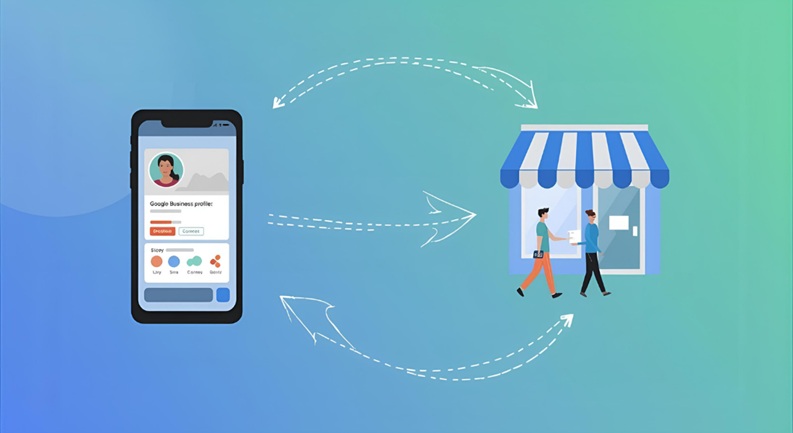
Imagine your business appearing prominently at the top of Google Search results for relevant local queries, or as a striking pin on Google Maps. This is the power of a well-maintained GBP. It provides a visual, interactive portal into your business, showcasing everything from your operating hours to customer reviews and photos. It’s often the first, and sometimes only, impression a potential customer will have before making a decision.
Understanding GBP’s Role in Customer Discovery and Decision-Making
Customers don’t just find businesses; they evaluate them. Your GBP acts as a rich data source, offering a holistic view of your operations. It influences purchase decisions by providing critical information like proximity, service offerings, reputation (via reviews), and direct contact options. Without a strong GBP, businesses risk being invisible in this crucial phase of the customer journey, leaving valuable market share to competitors who prioritize their local presence.
Bridging Online Visibility with Offline Engagement
The primary goal of local SEO is to convert online interest into real-world action. Your Google Business Profile is expertly designed for this purpose, offering one-click directions, direct calls, website visits, and even appointment bookings. It seamlessly bridges the digital and physical worlds, driving tangible business outcomes like foot traffic and service inquiries that are vital for local economic health.
Step 1: Claiming or Creating Your Google Business Profile
The journey to local search dominance begins with the fundamental act of claiming or creating your Google Business Profile. This initial step is critical and sets the stage for all subsequent optimization efforts. Precision and consistency here are paramount to avoid future complications and ensure Google accurately represents your business.
Navigating to Google Business Profile Manager and Initiating Setup
To begin, access the Google Business Profile Manager. You’ll need a Google account to proceed. Here, you can search for your business by name and address. If an existing listing appears, you’ll claim it. If not, you’ll initiate the creation of a new listing. Always prioritize searching first to prevent duplicate profiles, which can dilute your SEO efforts and confuse customers.
Searching for Your Business or Creating a New Listing
Upon searching, if your business is found, it may have been auto-generated by Google (e.g., from public records). In this case, select “Own this business?” or “Manage now” to begin the claiming process. If your business is entirely new to Google’s ecosystem, you’ll choose “Add your business to Google” and meticulously input your primary business information. This includes your exact business name, type (online retail, local store, service-area business), and physical location or service areas.
Ensuring Business Name Consistency Across All Platforms (NAP Consistency)
One of the most foundational principles of local SEO is **NAP (Name, Address, Phone Number) consistency**. Your business name, address, and phone number on your Google Business Profile must precisely match how they appear on your website, social media profiles, and all other online directories (citations). Inconsistencies, even minor ones, can confuse Google’s algorithms and hinder your local search rankings. This principle extends to capitalization, abbreviations, and punctuation. Implement a strict rule: if your business name is “DebugPress.com Agency LLC,” it should be precisely that everywhere, not “Debug Press Agency” or “DebugPress Agency LLC.”
Step 2: Verifying Your Business to Establish Credibility
Verification is not merely a formality; it is the definitive step that activates your Google Business Profile, unlocks its full suite of features, and—critically—establishes your credibility with Google and potential customers. Without verification, your profile remains largely dormant, unable to fully capitalize on its local search potential.
The Importance of Verification for Profile Activation and Trust
Google’s verification process is designed to ensure that only legitimate business owners or authorized representatives can manage a business’s online presence. This process combats spam, prevents fraudulent listings, and builds consumer trust. A verified profile signals authenticity and professionalism. **Verified businesses are twice as likely to be considered reputable by consumers. (Source: Google)** This statistic underscores the profound impact verification has on your perceived trustworthiness and, consequently, on customer engagement and conversion rates.
Understanding Various Verification Methods: Mail, Phone, Email, Instant, Video
Google offers several verification methods, though availability can vary by business type and region. It’s crucial to understand these to choose the most efficient path:
- Mail (Postcard): The most common method. Google sends a physical postcard with a verification code to your registered business address. This can take 5-14 business days.
- Phone: Available for some businesses, Google calls or texts a verification code to the phone number associated with the business.
- Email: Similar to phone verification, a code is sent to an official email address linked to the business’s domain.
- Instant Verification: If your website is already verified with Google Search Console, you might be eligible for instant verification.
- Video Verification: A newer method where you record a short video demonstrating you are at the business location and have management authority. This might involve showing your storefront, business equipment, and proof of ownership.
Tips for a Smooth Verification Process
To expedite verification and avoid common pitfalls:
- Ensure Accurate NAP: Double-check that the address, phone, and email provided during setup are 100% accurate and accessible, especially for postcard delivery.
- Be Patient (for postcards): Postcard delivery times can vary. Do not request multiple postcards, as this can invalidate previous codes and reset the waiting period.
- Check Spam/Junk (for email/phone): Ensure verification emails or texts aren’t caught in spam filters.
- Be Prepared (for video): If opting for video verification, have your business premises, signage, and any requested documentation ready. Clearly show proof that you run the business from the specified location.
- Follow Instructions Precisely: Each method has specific steps. Deviating from them can lead to delays or rejection.
Step 3: Populating Your Profile with Core, Accurate Information
Once verified, the next critical phase involves meticulously populating your Google Business Profile with comprehensive and utterly accurate information. This data forms the backbone of your profile, dictating how Google categorizes your business and how customers interact with it. Accuracy here is non-negotiable for superior local SEO performance.
Business Name, Address, Phone (NAP): The Foundational Elements
Reiterating from Step 1, the **Name, Address, and Phone number (NAP)** are the absolute bedrock of your GBP. Any discrepancy, even a minor one, can detrimentally affect your local search rankings. Ensure the business name is your legal, registered name. The address must be your precise physical location (or primary service area for service-area businesses). The phone number should be a direct line to your business, not a personal mobile or a general inquiries number for a larger corporation.
- Business Name: Exactly as it appears on your signage, legal documents, and official branding. Do not add superfluous keywords.
- Address: Your exact street address, suite number, city, state, and zip code. For service-area businesses without a public storefront, list your primary operating address but ensure your address isn’t publicly displayed if you serve customers at their location.
- Phone: Your main business phone number, preferably local.
Categories: Selecting Primary and Secondary Categories for Discoverability
Categories are arguably one of the most vital elements for discoverability. Google uses your selected categories to understand what your business does and display it for relevant searches. You must choose a **primary category** that most accurately describes your core business function. For instance, “Restaurant” is a primary category, not “Best Italian Food Near Me.”
- Primary Category: This is the single most important category. Choose the one that defines your main business service or product. Be specific.
- Additional Categories: You can add up to nine additional categories. Use these to describe other services or products you offer. For example, a primary category of “Digital Marketing Agency” might have secondary categories like “SEO Consultant,” “Web Designer,” or “Social Media Marketing Service.” Always choose categories from Google’s predefined list; do not create custom ones.
Hours of Operation: Regular, Special, and Holiday Hours
Providing accurate hours of operation is critical for customer experience and trust. Specify your regular daily hours, including closed days. Furthermore, actively update **special hours** for holidays, temporary closures, or extended hours for special events. This prevents customer frustration (e.g., driving to a closed business) and negative reviews. Google prominently displays these hours, especially during holiday periods, so proactive updates are essential.
Website & Appointment Links: Directing Traffic to Your Primary Digital Assets
Your GBP should serve as a launchpad to your other digital properties. Include a direct link to your primary business website. If your business utilizes an online booking system, a dedicated **appointment link** can significantly streamline conversions. This might be a link to a specific service page, a contact form, or a third-party booking platform. Ensure these links are current, functional, and lead directly to the intended action.
Service Area: Defining Your Operational Radius (for Service-Area Businesses)
If your business provides services at customer locations rather than at a physical storefront (e.g., plumbers, electricians, mobile pet groomers), defining your **service area** is crucial. You can specify cities, counties, or even specific postal codes where you operate. This ensures your business appears in searches within those defined geographies. For businesses with a physical storefront that also offers services off-site, you can list both your physical address and define a service area.
Step 4: Enhancing Your Profile with Rich Content and Features
Beyond the core information, a truly impactful Google Business Profile is enriched with compelling content and leverages various features designed to attract, inform, and convert customers. This is where your profile truly comes alive, showcasing your unique value proposition and engaging visuals.
Business Description: Crafting a Compelling, Keyword-Rich Overview
Your business description is a concise narrative (up to 750 characters) that summarizes what your business does, its unique selling propositions (USPs), and what sets it apart. While it doesn’t directly impact ranking as much as other factors, it plays a crucial role in customer decision-making. Integrate relevant keywords naturally, but prioritize readability and compelling language over keyword stuffing. Focus on what customers need to know and the problems you solve, e.g., “DebugPress.com is a leading WordPress development agency specializing in robust, scalable solutions for e-commerce and enterprise clients, offering expert theme development, plugin customization, and advanced performance optimization.”
Products & Services: Detailing Your Offerings with Descriptions and Pricing
The Products and Services sections allow you to meticulously detail what you offer. This is invaluable for discoverability and provides customers with a clear understanding of your offerings without leaving Google. For each product or service:
- Name: A clear, concise title.
- Category: Assign it to a specific category.
- Description: Elaborate on its features, benefits, and target audience. Include relevant keywords.
- Price (Optional): Transparent pricing can build trust, but if prices vary, consider stating “Starting from” or “Request a quote.”
- Photo: A high-quality image of the product or service.
- Call to Action: A link to a specific product/service page on your website.
Photos & Videos: Uploading High-Quality Images of Your Exterior, Interior, Team, and Products
Visual content is immensely powerful. High-quality photos and videos humanize your business and provide a tangible sense of what customers can expect. **Businesses with photos on their listings receive 42% more requests for directions and 35% more clicks through to their websites than businesses that don’t. (Source: Google)**
- Exterior Photos: Help customers recognize your storefront.
- Interior Photos: Showcase your ambiance, cleanliness, and facilities.
- Product Photos: High-resolution images that highlight your offerings.
- Team Photos: Introduce your staff to build rapport.
- Videos: Short, engaging videos (up to 30 seconds) can offer a dynamic view of your operations or products.
Ensure all images are well-lit, professional, and optimized for web (e.g., reasonable file size for faster loading). Consider geo-tagging photos for added local SEO benefit.
Attributes: Highlighting Unique Selling Points (e.g., “Wheelchair Accessible,” “Free Wi-Fi”)
Attributes are specific labels that provide customers with quick, valuable information about your business. These can range from accessibility features (e.g., “wheelchair accessible restroom”), amenities (“free Wi-Fi,” “outdoor seating”), service options (“online appointments,” “curbside pickup”), to demographic ownership (“women-owned,” “LGBTQ+ friendly”). Actively review and select all relevant attributes, as they can significantly influence customer choices, especially for those with specific needs or preferences.
Q&A Section: Proactively Answering Common Customer Questions
The Q&A section on your GBP allows anyone to ask questions about your business, and anyone (including you or other customers) can answer. This section is a golden opportunity to proactively address common queries, manage perceptions, and integrate more keywords. Monitor this section regularly. As the business owner, you should always be the first to answer, ensuring accuracy and providing definitive responses. You can also seed this section with frequently asked questions and their answers, guiding customer inquiries and reinforcing your expertise.
Step 5: Optimizing for Local Search Visibility
While a complete and engaging profile is foundational, true local SEO dominance requires strategic optimization. This involves a nuanced understanding of how Google’s local search algorithm operates and leveraging various features to maximize your business’s visibility within your target geographic area.
Advanced Keyword Integration Strategies
Simply stuffing keywords into your description is an outdated and ineffective tactic. Modern keyword integration for GBP involves a strategic, natural approach across multiple elements:

- Business Name (where applicable and legal): If your brand name naturally includes a keyword (e.g., “Smith’s Plumbing Services”), this is highly beneficial. Avoid adding keywords to your business name if they are not part of your legal business entity, as this violates Google’s guidelines and can lead to suspension.
- Business Description: Integrate primary and secondary keywords naturally within the narrative.
- Products & Services Descriptions: Detail your offerings using specific keywords customers would search for (e.g., “emergency drain cleaning,” “WordPress speed optimization”).
- Google Posts: Each post is an opportunity to use relevant keywords related to promotions, events, or updates.
- Q&A Section: When answering questions, naturally weave in keywords.
Focus on intent-based keywords—what would a customer type into Google when looking for your specific service or product locally?
Geo-Tagging Photos: A Subtle but Effective Local SEO Tactic
Geo-tagging involves embedding geographic information (latitude and longitude) into the metadata of your photos. While Google’s algorithms are sophisticated, explicitly telling them where a photo was taken can reinforce your business’s location. When uploading photos to your GBP, ideally, they should already be geo-tagged (e.g., taken on a smartphone at your business location). For professional photos, you can use online tools or desktop software to manually add geo-tags. This subtle tactic contributes to the overall ‘relevance’ factor in local search. Ensure the geo-tag corresponds to your actual business location or service area.
Utilizing Google Posts: Announcing News, Offers, Events, and Product Updates
Google Posts are an incredibly powerful and often underutilized feature for increasing engagement and visibility. Think of them as mini-blog posts or social media updates directly on your GBP, appearing prominently in your knowledge panel and potentially in local search results. Use posts to:
- Announce News: Share company updates, new hires, or achievements.
- Promote Offers: Highlight sales, discounts, or special promotions with clear calls to action.
- Detail Events: Publicize upcoming workshops, webinars, or local happenings.
- Showcase Products: Feature new products or bestsellers with descriptions and links.
- COVID-19 Updates: Inform customers about changes in operations due to health mandates.
Posts typically expire after seven days, so consistent, fresh content is key. Include relevant keywords, high-quality images, and a clear call-to-action button (e.g., “Learn More,” “Call Now,” “Order Online”).
Understanding Local Search Algorithm Nuances
Google’s local search algorithm prioritizes three core factors: **Relevance, Distance, and Prominence.**
- Relevance: How well your GBP matches a user’s search query (informed by categories, description, services, and posts).
- Distance: How close your business is to the searcher’s location or the location specified in the query (e.g., “plumber near downtown”).
- Prominence: How well-known your business is. This is influenced by factors outside of GBP, such as the number and quality of reviews, the strength of your website’s SEO, mentions across the web (citations), and your overall online authority.
Optimizing your GBP directly impacts relevance and can indirectly influence prominence. By meticulously managing your profile, you’re directly influencing these ranking signals. **”Near me” searches have grown by over 500% in recent years, highlighting the importance of local optimization. (Source: Google Trends)** This trend underscores the critical need for businesses to appear prominently in geo-specific queries.
Step 6: Engaging with Customers Through Reviews and Messaging
Your Google Business Profile isn’t just a static directory listing; it’s a dynamic platform for customer interaction. Actively engaging with customers, particularly through reviews and direct messaging, builds trust, enhances your reputation, and significantly contributes to your local search ranking. This interaction demonstrates that your business is responsive and values customer feedback.
Encouraging Customer Reviews: Strategies for Soliciting Genuine Feedback
Reviews are paramount for local SEO and consumer trust. **88% of consumers trust online reviews as much as personal recommendations. (Source: BrightLocal)** The more positive, genuine reviews you have, the higher your prominence. Strategies for encouraging reviews include:
- Direct Ask: Politely ask satisfied customers in person, via email, or on your website.
- Create a Short Link: Use Google’s official “share review form” link to make it easy for customers to leave a review.
- QR Codes: Display QR codes at your physical location that lead directly to your review form.
- Email Signatures: Include a link in your email signature.
- Follow-up Emails: Send automated or manual follow-up emails after a service or purchase.
Crucial Rule: Never offer incentives (discounts, freebies) for positive reviews, and never write fake reviews. This violates Google’s policies and can result in penalties or removal of reviews.
Responding to All Reviews: Best Practices for Positive and Negative Feedback
Responding to every review—positive, negative, or neutral—is a best practice that shows you value customer feedback and are engaged. This also provides an opportunity to interject relevant keywords naturally.
- For Positive Reviews: Thank the customer by name, express gratitude, and perhaps mention the specific product or service they enjoyed. This reinforces their positive experience.
- For Negative Reviews: Respond promptly, professionally, and empathetically. Apologize for their experience, take responsibility where appropriate, and offer to resolve the issue offline. Do not get defensive or engage in arguments. Your public response demonstrates your commitment to customer satisfaction to future potential customers.
- For Neutral Reviews: Acknowledge their feedback and see if there’s anything you can do to improve their experience.
Always maintain a polite, professional, and courteous tone. Your responses are public and reflect on your brand.
Enabling Messaging: Allowing Customers to Contact You Directly via GBP
Google Business Profile’s messaging feature allows customers to text your business directly from your listing. This offers a convenient, immediate communication channel for customers, especially those on mobile devices. Enabling messaging signals responsiveness and modern customer service. Ensure you have a system in place to monitor and respond to messages promptly (ideally within a few hours). You can set up notifications through the GBP mobile app. If you cannot commit to timely responses, it may be better to disable messaging to avoid frustrating customers.
Step 7: Leveraging Insights for Continuous Improvement
A static Google Business Profile is a missed opportunity. To truly maintain a competitive edge and ensure your local SEO strategy remains effective, you must regularly analyze your profile’s performance through GBP Insights. This data-driven approach allows for informed decisions and iterative optimization.
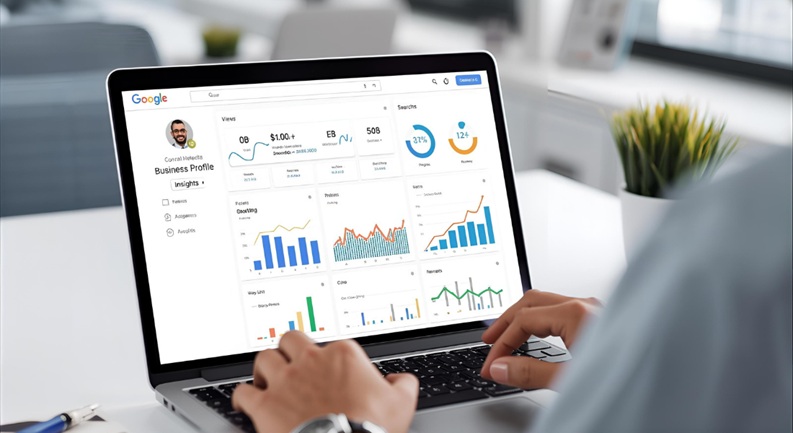
Understanding GBP’s Performance Analytics: How Customers Find You, What Actions They Take
The “Insights” tab within your Google Business Profile Manager provides invaluable analytics. This data illuminates the journey of customers interacting with your profile:
- How Customers Search for Your Business: Differentiates between “Direct” searches (customers searching for your business name directly) and “Discovery” searches (customers searching for a category, product, or service that leads them to your business). This helps you understand brand awareness versus organic discoverability.
- Where Customers View Your Business on Google: Shows whether customers found you on Search or Maps.
- Customer Actions: Tracks specific actions taken on your profile:
- Website Visits: Clicks to your website.
- Phone Calls: Clicks to call your business directly.
- Direction Requests: Requests for directions to your physical location.
- Messages: Direct messages sent to your business.
- Photo Views: Compares your photos’ performance against competitors’.
This data reveals the effectiveness of your profile in attracting and converting leads. **Businesses that actively manage their GBP see an average 20% increase in calls and 15% increase in website clicks. (Source: Google Internal Data)**
Identifying Popular Search Queries and Content
Within Insights, you can see the specific search queries customers used to find your business. This is a goldmine for keyword research and content strategy. Identify terms that generate high impressions and actions. These keywords should be reinforced in your GBP description, services, products, and Google Posts. Similarly, monitor which of your Google Posts or photos receive the most views or engagement, indicating which content resonates most with your audience. This data directly informs your content calendar.
Using Data to Refine Your Optimization Strategy
The ultimate purpose of insights is to create a feedback loop for continuous improvement. If you notice a high number of discovery searches for a particular service, ensure that service is fully detailed in your profile, with compelling images and potentially a dedicated Google Post. If direction requests are low, consider improving your exterior photos or ensuring your address is hyper-accurate. A low call volume might indicate a need for a more prominent call-to-action in your posts or a clearer phone number. This iterative process of analysis, adjustment, and re-evaluation is key to sustained local SEO success.
Step 8: Maintaining and Updating Your Profile Regularly
The Google Business Profile is not a “set it and forget it” tool. The local business landscape, consumer behavior, and Google’s algorithms are constantly evolving. Proactive and consistent maintenance is critical for keeping your profile fresh, accurate, and competitive. This final step underscores the ongoing commitment required to maximize your GBP’s impact.
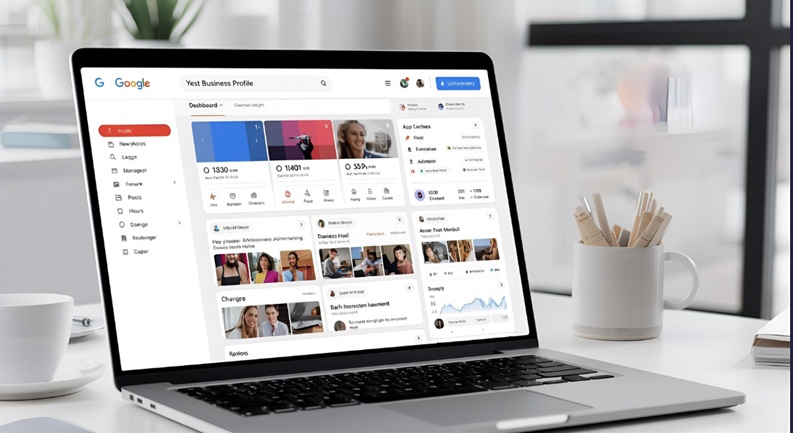
The Imperative of Proactive Profile Management: Keeping Information Current
Outdated information can severely damage your business’s reputation and lead to lost customers. Imagine a customer driving to your location only to find altered hours or that a featured product is no longer available. Regular checks and updates are non-negotiable:
- Update Hours: Immediately modify regular hours, special hours for holidays, or temporary closures due to unforeseen circumstances.
- Refresh Photos: Periodically add new, high-quality photos. Show seasonal changes, new product lines, or team members.
- Review Services/Products: Ensure your offerings are current. Remove discontinued services or add new ones as they become available.
- Business Description: Update if your business model or core offerings significantly change.
- Website/Links: Verify that all website and appointment links are functional and lead to the correct pages.
Monitoring for Fraudulent Edits or Spam
Google allows users (including competitors) to suggest edits to business profiles. While this is often helpful for keeping information accurate, it can also be abused. It is imperative to regularly log into your GBP dashboard and review any “Pending Edits” or “Updates from Google.” Always verify these suggestions. Decline any inaccurate or malicious edits. Furthermore, monitor your Q&A section and reviews for spam or inappropriate content and flag them for Google’s review. Vigilance here protects your brand’s integrity and ensures the information presented to customers is always accurate and reliable.
Leveraging API for Large-Scale Management (for Advanced Users/Agencies)
For advanced users, agencies, or businesses managing multiple locations, the Google Business Profile API offers a powerful solution for scaled management. The API allows programmatic access to your business data, enabling automated updates, insights retrieval, and review management. This can significantly streamline operations for portfolios of businesses, ensuring consistency and efficiency across numerous profiles. While this requires technical expertise, it’s a valuable tool for those operating at scale.
Conclusion: Your Google Business Profile as a Strategic Local Asset
The Google Business Profile is undeniably a strategic asset for any local business navigating the complexities of the digital age. It is far more than a mere directory listing; it is your dynamic digital ambassador, engaging with potential customers at the precise moment they are searching for solutions you provide. From the initial act of claiming and meticulously populating your profile with accurate information, through enriching it with compelling visuals and content, to the ongoing commitment of optimizing for visibility, engaging with reviews, and analyzing performance—every step contributes to a robust local online presence.
The payoff for consistent effort in GBP setup and optimization is substantial: enhanced discoverability, increased customer inquiries, higher website traffic, and a tangible boost in physical footfall. Neglecting this crucial platform leaves your business vulnerable to competitors who understand its power. For WordPress professionals, mastering GBP is an essential skill, allowing you to deliver unparalleled value to clients and future-proof their local online presence against ever-evolving search trends. Treat your Google Business Profile not as a chore, but as the cornerstone of your local SEO strategy, and watch your business thrive.
FAQs: Definitive Answers for Your Google Business Profile Queries
Is Google Business Profile free to use?
Yes, Google Business Profile is completely free to create and manage. There are no fees associated with listing your business or using its core features.
How long does the verification process typically take?
The duration varies by method. Postcard verification can take 5-14 business days. Phone or email verification is often instant or within a few minutes. Video verification can be completed quickly but may require a short review period by Google.
Can I manage multiple business locations from one GBP account?
Yes, you can manage multiple business locations from a single Google account using the Google Business Profile Manager dashboard. For a large number of locations, you can also use bulk upload tools or the GBP API.
What if my business doesn’t have a physical storefront?
If you operate a service-area business (e.g., plumber, electrician) and serve customers at their location but don’t have a public-facing storefront, you can still create a GBP. Simply list your primary business address but select the option to hide your address from the public. Instead, you’ll define the service areas you cover.
How often should I update my Google Business Profile?
You should aim to update your GBP regularly. At minimum, check it monthly for accuracy and respond to reviews. For optimal engagement, publish Google Posts weekly or bi-weekly, and add new photos at least quarterly, or whenever significant changes occur (new products, services, hours, etc.).
What’s the best way to handle a negative review?
Respond promptly, professionally, and publicly. Apologize for their experience, express empathy, and offer to resolve the issue offline (e.g., “Please call us directly at
so we can make this right.”). Avoid getting defensive or debating in public. Your professional response reflects positively on your business to future customers.Will creating a GBP automatically make my business appear first in search results?
No, simply creating a GBP does not guarantee top rankings. It is a critical component, but ranking depends on continuous optimization, review management, consistent NAP information across the web, website SEO, and overall business prominence and relevance to the search query. It’s a foundational piece, not a magic bullet.