When Do You Need a Custom WordPress Plugin?
7 Signs Your Business Has Outgrown Existing WordPress Plugins
Jan
The Growth Chokepoint: 7 Undeniable Signs Your Business Demands a WordPress Plugin Upgrade
At DebugPress.com, we regularly consult with businesses grappling with the complexities of scaling their digital infrastructure. A common, yet often overlooked, challenge is the point at which an existing WordPress plugin strategy simply can no longer keep pace. This isn’t merely about minor inconveniences; it’s about fundamental architectural limitations that threaten performance, security, competitive advantage, and ultimately, your bottom line. Recognizing these critical warning signs early is paramount for any business aiming for sustained growth and resilience.
Key Takeaways: Navigating Your Digital Evolution
- Strategic Recognition: Identifying early warning signs is crucial for maintaining operational efficiency and competitive advantage. Proactive assessment prevents reactive crises.
- Impact on Growth: Outdated or inadequate plugin infrastructure directly impedes scalability, user experience, and market responsiveness, costing revenue and brand trust.
- Security Imperative: Overreliance on unsuitable plugins significantly elevates security risks and compliance challenges, making your entire digital presence vulnerable.
- Resource Reallocation: Proactively addressing these signs allows for strategic reallocation of resources towards more robust, future-proof solutions, optimizing your IT spend.
- Future-Proofing: Acknowledging these limitations is the first step towards a more sustainable and high-performing digital ecosystem, ensuring long-term viability and innovation.
This authoritative guide will delve into seven undeniable signs that your business has outgrown its existing WordPress plugins, offering actionable insights for intermediate to advanced WordPress professionals and business leaders. Understanding these indicators is not just about troubleshooting; it’s about strategic foresight and making informed decisions to future-proof your digital presence.
1. Crippling Performance Degradation and Slow Load Times
Your website, once nimble, now crawls. Pages take longer to load, user experience suffers, and conversion rates plummet. This isn’t just a nuisance; it’s a strategic liability impacting customer acquisition and retention. Overburdened by inefficient plugin code, excessive database queries, or simply too many functionalities attempting to run simultaneously, your site’s speed becomes a critical bottleneck.
The Silent Killer: Why Speed Matters for SEO and UX
In an age where user patience is at an all-time low, website speed directly correlates with engagement, SEO rankings, and conversion rates. Search engines like Google prioritize fast-loading sites, while users abandon slow ones in droves. A sluggish site signals inefficiency and often leads to a perception of an unprofessional or unreliable business.
Common Plugin-Related Performance Bottlenecks
Performance degradation is frequently rooted in plugins that:
- Execute excessive and unoptimized database queries on every page load.
- Load redundant or oversized CSS/JavaScript files across the entire site.
- Lack proper caching mechanisms for their generated content.
- Introduce conflicts with other plugins or the core WordPress system.
- Are poorly coded, leading to high CPU and memory usage on your server.
This cumulative effect can transform a responsive site into an unresponsive one, frustrating users and driving them to competitors.
Identifying the Culprits: Diagnostic Tools and Strategies
To pinpoint the source of slowdowns, leverage professional diagnostic tools:
- PageSpeed Insights & GTmetrix: Provide comprehensive reports on load times, identifying render-blocking resources and overall performance scores.
- Query Monitor: A powerful WordPress plugin for developers, revealing database queries, hooks, HTTP API calls, and PHP errors in real-time, helping to identify resource-hungry plugins.
- Server Logs & APM Tools: Analyze server-side performance, CPU usage, and memory consumption to spot plugins causing resource spikes.
- Profiling Tools: Advanced PHP profiling (e.g., using Xdebug) can trace execution paths and pinpoint exact functions slowing down requests.
Regular auditing with these tools is crucial for proactive maintenance and identifying plugins that contribute disproportionately to performance issues.
Beyond Caching: Architectural Solutions for Speed
While robust caching (object caching, page caching, CDN integration) is fundamental, it often only masks deeper architectural problems. When plugins are fundamentally inefficient, the solution goes beyond caching. It involves considering:
- Consolidating Functionality: Replacing multiple single-purpose plugins with one robust, optimized solution.
- Custom Development: For highly specific, performance-critical features, custom code often outperforms generic plugins.
- Headless WordPress: Decoupling the front-end from the WordPress back-end, allowing a modern, fast JavaScript framework to deliver content, circumventing many plugin-related front-end performance issues.
- Optimized Hosting Infrastructure: Upgrading to dedicated resources, managed WordPress hosting, or cloud-based solutions designed for high performance.
Ignoring these signs leads to direct financial losses. **STAT: Studies show a 1-second delay in page response can result in a 7% reduction in conversions, and 40% of users abandon a website that takes longer than 3 seconds to load.**
2. Pervasive Security Vulnerabilities and Data Breaches
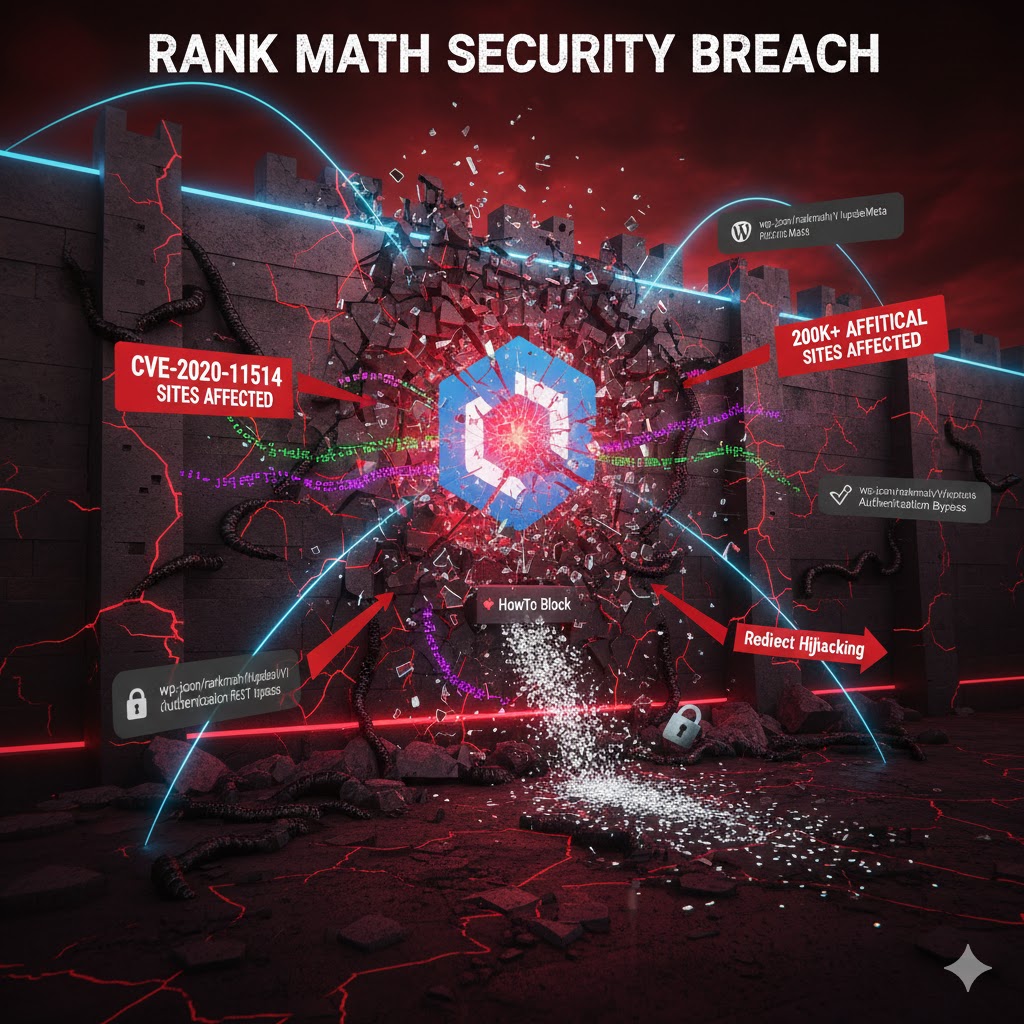
Existing plugins, especially those not regularly updated or from unverified sources, become glaring security gaps. As your business grows, so does the value of your data and the attention of malicious actors. A single outdated plugin can compromise your entire system, leading to data breaches, reputational damage, and significant financial penalties. Your security posture is only as strong as your weakest link.
The Plugin Attack Vector: Understanding the Risk
Plugins extend WordPress functionality, but each one introduces new code, new potential vulnerabilities, and new entry points for attackers. Common attack vectors include:
- Cross-Site Scripting (XSS): Allowing malicious scripts to be injected into web pages viewed by other users.
- SQL Injection: Manipulating database queries to gain unauthorized access or extract sensitive data.
- Remote Code Execution (RCE): Enabling attackers to run arbitrary code on your server.
- Authentication Bypass: Exploiting flaws to gain administrative access without credentials.
These vulnerabilities often arise from poor coding practices, lack of input sanitization, or unhandled exceptions within plugin code.
The Cost of Complacency: Reputational and Financial Impacts
A data breach is not just a technical setback; it’s a catastrophic business event. Beyond immediate recovery costs, businesses face:
- Reputational Damage: Loss of customer trust, negative media coverage, and brand erosion.
- Financial Penalties: Fines from regulatory bodies (e.g., GDPR, CCPA) and legal costs from lawsuits.
- Business Interruption: Downtime, service disruptions, and lost revenue during recovery.
- Customer Churn: Users migrating to competitors due to security concerns.
The long-term impact on brand value and customer loyalty can be far more damaging than the immediate financial hit.
Proactive Security: Beyond Simple Updates
While keeping plugins updated is fundamental, a truly proactive security strategy involves more:
- Vetting Plugin Sources: Prioritizing plugins from trusted developers, official WordPress repositories, or reputable premium marketplaces with a strong track record of security patches.
- Regular Security Audits: Employing professional security firms or automated tools (e.g., Sucuri, Wordfence) to regularly scan for vulnerabilities.
- Least Privilege Principle: Ensuring plugins only have access to the resources they absolutely need.
- Web Application Firewalls (WAF): Implementing a WAF (like Cloudflare or Sucuri) to filter malicious traffic before it reaches your site.
- Code Reviews: For critical or custom plugins, perform diligent code reviews to identify potential security flaws.
This comprehensive approach minimizes the attack surface.
Building a Resilient Security Posture
When current plugins consistently introduce vulnerabilities, it’s time for a strategic re-evaluation. This might involve:
- Replacing Insecure Plugins: Migrating functionality to more secure, actively maintained alternatives.
- Custom Secure Development: Building critical features from scratch with security-first principles, minimizing third-party dependencies.
- Implementing Strong Access Controls: Enforcing multi-factor authentication (MFA) and robust user roles.
- Regular Backups: Implementing an off-site, immutable backup strategy to facilitate rapid recovery in case of compromise.
Your security posture is only as strong as your weakest link, and frequently, that link is an outdated or poorly chosen plugin. **STAT: Over 50% of WordPress security vulnerabilities are attributed to plugins, with out-of-date versions being a primary exploit vector.**
3. Persistent Feature Limitations and Inefficient Workarounds
Your business needs are evolving faster than your plugins can adapt. You find yourself resorting to complex, inelegant workarounds, manual data entry, or using multiple plugins to achieve a single core function. This Frankenstein approach creates operational inefficiencies, increases training overhead, and prevents your team from executing advanced strategies or integrating critical new services.

The “Frankenstein” Tech Stack: Costs of Inefficiency
When core business processes are cobbled together from disparate, non-integrated plugins, the resulting “Frankenstein” tech stack is fragile and inefficient. Teams waste valuable time:
- Manually transferring data between systems.
- Troubleshooting compatibility issues between plugins.
- Duplicating efforts across different tools.
- Training new staff on convoluted, multi-step processes.
This operational overhead directly impacts productivity and innovation. Businesses spend an average of 15% more time on manual tasks due to inadequate software solutions, directly impacting productivity and innovation.
When Workarounds Become the Workflow
A tell-tale sign of outgrowing plugins is when “workarounds” become the default, rather than exceptions. If your team is constantly exporting CSVs from one plugin to import into another, using external spreadsheets to manage data that *should* be in your CRM plugin, or manually patching functionalities with custom code snippets, your plugin infrastructure is actively hindering, not helping.
These workarounds are often temporary fixes that introduce new points of failure, increase complexity, and are difficult to maintain or scale.
The Innovation Gap: Why Standard Plugins Fall Short
Standard plugins are designed for broad applicability. As your business grows and specializes, your needs become unique. Generic plugins often lack:
- Deep Customization: Inability to tailor functionality to specific workflows or branding.
- Advanced Integrations: Limited API access or compatibility with niche third-party services crucial for your industry.
- Scalable Data Models: Inability to handle complex data structures or high volumes of transactions efficiently.
- Future-Proof Architectures: Reliance on outdated codebases that make future enhancements difficult.
This innovation gap prevents you from leveraging cutting-edge strategies or adapting quickly to market changes.
Strategic Integration vs. Feature Creep
The solution isn’t necessarily more plugins (which can lead to feature creep), but rather strategic integration or consolidation. Consider:
- Integrated Suites: Migrating to comprehensive solutions (e.g., enterprise-level CRM, ERP systems) that offer broader functionality within a single platform.
- Custom API Development: Building specific integrations between WordPress and other core business systems using REST APIs or GraphQL.
- Modular Plugin Development: Investing in custom plugins built with modularity in mind, allowing for easy expansion and integration with other services.
- Re-evaluating Core Business Processes: Sometimes, the problem isn’t just the plugin, but the process itself, which may need streamlining before choosing new tools.
The goal is to move from a patchwork of limited tools to a cohesive, integrated digital ecosystem that empowers your team, rather than restricts it.
4. Escalating Maintenance Costs and Plugin Conflicts
What started as a cost-effective solution has become a significant drain on resources. You’re constantly battling plugin conflicts, compatibility issues after updates, or paying for specialized support to troubleshoot an increasingly complex web of interdependent solutions. The time and money spent on maintenance far outweigh the benefits, indicating a need for a more consolidated and robust architecture.

The Hidden Costs of a Fragmented Stack
The direct and indirect costs associated with a fragmented plugin architecture can quickly eclipse perceived savings:
- Developer Time: Hours spent troubleshooting, debugging conflicts, and applying manual fixes.
- Downtime: Revenue loss and reputational damage from site outages due to update failures.
- Support Subscriptions: Paying for individual plugin support plans that may not cover complex inter-plugin issues.
- Opportunity Cost: Resources diverted from innovation and core business activities to mere maintenance.
Organizations with highly fragmented tech stacks report spending up to 25% more on IT maintenance compared to those with integrated solutions.
Decoding Plugin Conflicts: Common Scenarios
Plugin conflicts are a hallmark of an outgrown system. They typically arise from:
- JavaScript Collisions: Two plugins trying to load different versions of the same library or using the same global variable names.
- CSS Overrides: Styling rules from one plugin inadvertently impacting another’s design, leading to broken layouts.
- Function Name Collisions: Plugins using identical function or class names, causing fatal PHP errors.
- Incompatible Hooks/Filters: Plugins attempting to modify WordPress behavior in conflicting ways.
- Database Schema Issues: Plugins making changes to the database that interfere with other plugin’s operations.
Diagnosing these often requires methodical deactivation and reactivation, or the use of developer tools to isolate the problematic code.
The Maintenance Treadmill: Diminishing Returns
When maintenance becomes a treadmill – constant effort merely to keep things running, with little to no forward progress or improvement – it’s a clear signal. You’re pouring resources into reactive fixes rather than proactive development. This state indicates diminishing returns on your plugin investments, signifying a fundamental misalignment between your current tools and your strategic objectives.
The overhead associated with managing numerous individual plugin licenses, renewals, and compatibility checks further exacerbates this issue.
Towards a Consolidated, Efficient Architecture
Addressing escalating maintenance costs requires a shift towards architectural consolidation:
- Strategic Plugin Audit: Identify redundant, underutilized, or problematic plugins. Eliminate what isn’t essential.
- Prioritize Integrated Suites: Opt for multi-functional plugins from a single, reputable developer that are designed to work together seamlessly.
- Custom Code for Core Functions: Replace highly problematic or critical plugin features with custom-developed solutions that you have full control over.
- Managed WordPress Hosting: Leverage hosts that offer automated updates, staging environments, and expert support to mitigate update-related conflicts.
- Standardize Development Practices: If working with multiple developers, ensure consistent coding standards to reduce the likelihood of introducing new conflicts.
The goal is to reduce the number of moving parts, decrease interdependencies, and simplify the overall maintenance burden, freeing up resources for innovation.
5. Inability to Scale Operations or Handle Increased Traffic
Your business is growing, but your current plugin architecture can’t keep up. Increased website traffic leads to crashes, slow database responses, or failed transactions. Your e-commerce store can’t handle peak sales events, or your content platform struggles with a surge of new users. This directly translates to lost revenue opportunities and a damaged brand image at critical growth junctures.

The Growth Bottleneck: When Plugins Can’t Keep Up
Scalability refers to a system’s ability to handle an increasing amount of work. Many plugins, especially those not designed for enterprise-level usage, hit their limits when traffic or data volume surges. This can manifest as:
- Database Overload: Plugins executing inefficient queries under high load, causing database servers to slow or crash.
- Resource Exhaustion: Plugins consuming excessive CPU or RAM, leading to server crashes or “white screens of death.”
- Locking Mechanisms: Poorly implemented transaction or session management in plugins leading to deadlocks or unresponsive front-ends.
- Caching Inadequacies: Plugins not respecting or properly integrating with server-level caching, leading to dynamic content generation on every request.
The consequence is a system that buckles under the weight of its own success.
High Traffic Demands: Beyond Shared Hosting
While hosting infrastructure plays a vital role, even premium hosting cannot fully compensate for inherently unscalable plugins. For high-traffic scenarios, beyond standard managed hosting, businesses often need:
- Containerized Deployments: Using Docker or Kubernetes for resilient, scalable, and isolated environments.
- Load Balancing: Distributing traffic across multiple servers.
- Database Replication/Sharding: Distributing database load across multiple instances.
- Object Storage for Media: Storing media files on services like Amazon S3 to offload the main server.
- Decoupled Architectures: Moving to a headless WordPress setup where the front-end can scale independently of the back-end.
Crucially, the plugins themselves must be compatible with such advanced setups, or they become the single point of failure.
Impact on Revenue and Brand Reputation
The inability to scale during peak periods (e.g., Black Friday sales, major marketing campaigns) has direct and severe consequences:
- Lost Sales: Customers abandon carts or cannot complete transactions.
- Damaged Brand Image: A perception of unreliability, incompetence, and inability to meet demand.
- Reduced Customer Loyalty: Frustrated users are unlikely to return.
- Negative SEO Impact: Downtime and slow performance can hurt search engine rankings.
This is not just a technical problem; it’s a direct threat to your business’s financial health and long-term viability. 60% of small to medium businesses report experiencing website performance issues when attempting to scale operations with existing technology infrastructure.
Architecting for Future Growth and Peak Performance
To overcome scalability limitations, a strategic pivot is required:
- Performance-Focused Plugin Selection: Prioritize plugins explicitly designed for high-traffic environments, often those with enterprise versions or proven track records.
- Database Optimization: Regularly clean and optimize your database, and consider custom plugins that minimize data queries.
- Modular and Lightweight Features: Break down complex functionalities into smaller, independently scalable modules.
- Load Testing: Regularly simulate high traffic using tools like Loader.io or JMeter to identify bottlenecks *before* they impact live users.
- Cloud-Native Solutions: Explore migrating critical functionalities to cloud services (e.g., AWS Lambda, Google Cloud Functions) for serverless scalability where appropriate.
A proactive approach to scalability ensures that success doesn’t become your undoing.
6. Gaps in Compliance, Data Privacy, and Regulatory Adherence
As your business expands globally or into new sectors, compliance with regulations like GDPR, CCPA, HIPAA, or industry-specific standards becomes paramount. Many standard plugins lack the sophisticated controls, audit trails, or data handling capabilities required for stringent regulatory environments. This poses a significant strategic risk, exposing your business to hefty fines and legal repercussions.
Navigating the Regulatory Minefield: GDPR, CCPA, HIPAA
Modern businesses operate in an increasingly regulated data environment. Navigating global data privacy laws like the General Data Protection Regulation (GDPR) in Europe, the California Consumer Privacy Act (CCPA) in the US, or the Health Insurance Portability and Accountability Act (HIPAA) for healthcare data, requires meticulous attention to how personal data is collected, stored, processed, and protected. Each regulation carries specific requirements for:
- Data Consent: Explicit user permission for data collection.
- Data Access & Portability: Users’ right to access and transfer their data.
- Data Erasure (Right to Be Forgotten): Users’ right to have their data deleted.
- Data Breach Notification: Strict protocols for informing affected parties and authorities.
- Data Minimization: Collecting only necessary data.
Plugins that collect user data (forms, analytics, e-commerce, user registration) must fully support these requirements.
Plugin Limitations in Data Governance
Generic plugins often fall short in complex compliance scenarios because they lack:
- Granular Consent Management: The ability to manage consent for different data types and purposes.
- Robust Audit Trails: Comprehensive logging of data access, modifications, and user actions.
- Secure Data Encryption: Advanced encryption for data at rest and in transit, beyond basic SSL.
- Data Anonymization/Pseudonymization: Tools to mask or de-identify personal data.
- API for Data Subject Requests: Easy mechanisms for users or administrators to manage data access, export, or deletion requests programmatically.
- Industry-Specific Certifications: Compliance with standards like PCI DSS for payments or SOC 2 for service organizations.
Reliance on such limited plugins creates a compliance gap that can be difficult and costly to remediate later.
The Strategic Risk of Non-Compliance
The consequences of non-compliance are severe, posing a significant strategic risk:
- Hefty Fines: GDPR fines can reach up to €20 million or 4% of annual global turnover, whichever is higher.
- Legal Action: Lawsuits from affected individuals or regulatory bodies.
- Reputational Damage: Public loss of trust and negative brand perception.
- Operational Disruption: Remediation efforts can divert significant resources and halt business operations.
- Loss of Business Opportunities: Inability to operate in certain markets or with partners requiring strict compliance.
The average cost of a data breach is $4.45 million, with non-compliance fines potentially adding millions more, underscoring the strategic imperative of robust data governance.
Building a Compliant Digital Ecosystem
To ensure robust compliance, businesses must strategically re-evaluate their plugin stack:
- Compliance-First Plugin Selection: Prioritize plugins specifically designed with GDPR, CCPA, or HIPAA compliance in mind, offering detailed configuration and documentation.
- Data Mapping & Audit: Understand precisely what data each plugin collects, where it’s stored, and how it’s processed.
- Custom Compliance Solutions: For highly sensitive data or unique regulatory requirements, consider custom development of data handling modules, rather than relying on generic plugins.
- Privacy by Design: Integrate privacy considerations into the initial design and development of any new features or plugin integrations.
- Legal Consultation: Engage legal experts specializing in data privacy to review your data handling practices and plugin configurations.
- Automated Data Governance Tools: Implement tools that can automatically scan, classify, and manage data across your WordPress site for compliance purposes.
Proactive compliance is not just about avoiding fines; it’s about building trust and demonstrating responsible data stewardship to your customers and partners.
7. Stagnation in Innovation and Loss of Competitive Edge
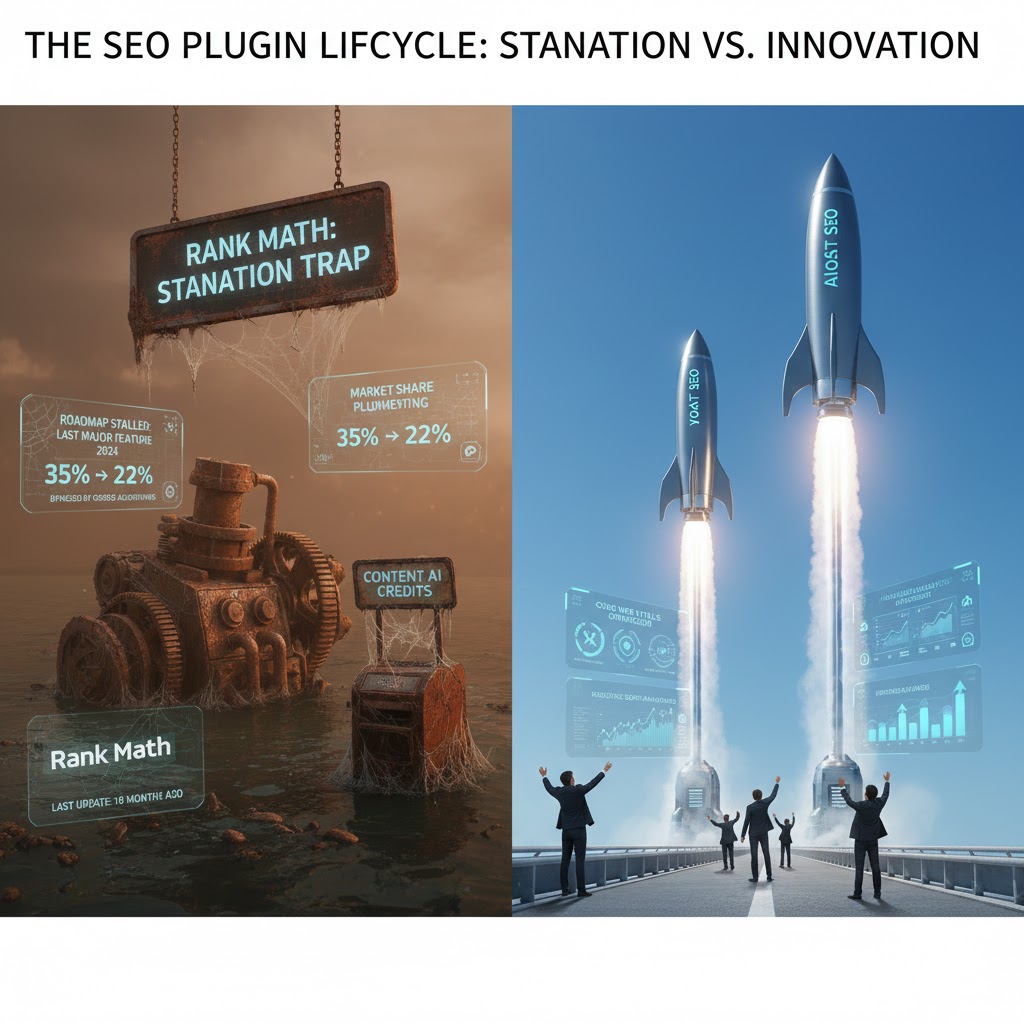
Your competitors are leveraging cutting-edge features, AI integrations, or superior customer experiences, while your business is held back by your current plugin limitations. The inability to quickly adopt new technologies, integrate with advanced marketing tools, or offer personalized experiences means you’re falling behind. This isn’t just about features; it’s about agility and your strategic position in the market.
The Innovation Imperative: Staying Ahead in a Dynamic Market
In today’s fast-paced digital economy, stagnation is equivalent to decline. Businesses must continually innovate to meet evolving customer expectations, capitalize on new technologies, and differentiate themselves from competitors. A rigid, outdated plugin architecture can become a significant barrier to this imperative, making it difficult to:
- Implement personalized user experiences based on AI.
- Integrate with advanced marketing automation platforms.
- Adopt new payment gateways or e-commerce functionalities.
- Leverage headless or API-first content delivery.
- Quickly pivot or launch new digital products/services.
When your infrastructure can’t support these strategic moves, you risk being left behind.
When Core Functionality Becomes a Constraint
Often, plugins that once provided core functionality become the very shackles preventing further innovation. For instance:
- An outdated e-commerce plugin might lack modern subscription models or advanced shipping integrations.
- A legacy CRM plugin might not integrate with newer marketing automation tools or provide rich customer segmentation.
- An old form builder might not support complex conditional logic or integrate with real-time data validation services.
These limitations force a choice: either stick with what’s familiar and fall behind, or undergo a significant strategic upgrade.
Embracing Emerging Technologies: AI, Personalization, APIs
The future of digital business is increasingly driven by emerging technologies. A modern WordPress architecture, often leveraging a headless setup with robust APIs, allows you to:
- Integrate AI: Connect to AI services for chatbots, personalized content recommendations, sentiment analysis, or automated customer support.
- Hyper-Personalization: Deliver highly tailored experiences using dynamic content based on user behavior and data.
- API-First Development: Use WordPress purely as a content backend, exposing data via its REST API or GraphQL to power mobile apps, IoT devices, or other digital touchpoints.
- Microservices Architecture: Break down monolithic applications into smaller, independent services that can be developed, deployed, and scaled independently.
These capabilities are often beyond the scope of traditional, monolithic plugin architectures.
Reclaiming Agility: The Path to Competitive Advantage
To reclaim agility and gain a competitive edge, businesses must:
- Strategic Tech Stack Audit: Evaluate current plugins against future business goals and emerging technology trends.
- Invest in Modern Architectures: Explore headless WordPress, custom development using modern frameworks, and API-driven integrations.
- Prioritize Developer Experience: Provide developers with the tools and freedom to build innovative solutions, rather than constantly battling plugin limitations.
- Foster a Culture of Innovation: Encourage experimentation and allocate resources for exploring new technologies.
- Benchmark Against Competitors: Regularly assess what leading competitors are doing and identify where your current tech stack falls short.
Companies that prioritize innovation and strategic technology adoption are **3x more likely to experience revenue growth above 10%** compared to their peers. Your plugin strategy is not just a technical detail; it’s a strategic driver of your business’s future.
FAQs: Strategic Answers for Your WordPress Plugin Evolution
Q1: What does “outgrown” existing WordPress plugins truly mean from a strategic perspective?
A1: From a strategic viewpoint, “outgrown” means your current plugin infrastructure is no longer aligned with your business’s growth trajectory, operational needs, or competitive ambitions. It’s a point where the existing tools actively hinder rather than facilitate progress, creating strategic liabilities in performance, security, cost, and market responsiveness. It signifies a bottleneck that limits scalability, innovation, and profitability, compelling a re-evaluation of your core digital capabilities.
Q2: If we identify these signs, what are the immediate strategic next steps?
A2: The immediate strategic steps involve a comprehensive audit of your current tech stack, prioritizing the most critical areas (e.g., security, core performance, compliance). Formulate a roadmap that evaluates potential alternative solutions – whether that’s optimizing existing plugins, consolidating functionalities, migrating to more robust WordPress solutions (like a headless setup or enterprise-grade plugins), or considering entirely different platforms. This requires executive buy-in, a clear understanding of the ROI for each proposed change, and a phased implementation plan to minimize disruption.
Q3: Is it always about replacing plugins, or can we optimize them?
A3: It’s not always about outright replacement. Strategic optimization can involve consolidating functionalities, removing redundant plugins, investing in premium versions with better support/features, or employing performance enhancements like caching, CDN, and database optimization. However, there comes a point where the fundamental architecture, inherent limitations, or security posture of individual plugins necessitate a more significant strategic shift towards integrated, scalable solutions. A thorough cost-benefit analysis will dictate whether optimization or replacement is the more viable long-term strategy.
Q4: How do we choose new, scalable solutions that won’t be outgrown quickly?
A4: Choosing new solutions requires strategic foresight. Focus on platforms and plugins known for their scalability, active development, robust security, comprehensive documentation, and strong community/developer support. Prioritize modularity, API-first approaches for easier integration with other business systems, and solutions that align with your long-term business roadmap, not just immediate needs. Consider factors like total cost of ownership (TCO), potential for vendor lock-in, and the solution’s track record for continuous innovation and compatibility with future WordPress core updates (e.g., Gutenberg-first approaches).
Q5: What are the strategic risks of *not* addressing these signs when they appear?
A5: The strategic risks of inaction are substantial:
- Lost Market Share: Competitors will outpace you in speed, features, and customer experience.
- Reputational Damage: Persistent performance issues, security breaches, or poor user experience erode customer trust and brand loyalty.
- Increased Costs: The “band-aid” approach leads to higher maintenance, recovery from incidents, and opportunity costs.
- Operational Inefficiency: Teams are bogged down by tech issues instead of focusing on core business activities and innovation.
- Regulatory Fines: Non-compliance risks significant financial penalties and legal battles in an increasingly regulated data landscape.
- Stifled Innovation: Inability to adapt to new market demands or embrace emerging technologies, leading to a loss of competitive advantage.
These risks culminate in a significant threat to your business’s sustainability and growth trajectory.
Conclusion: Building a Future-Proof Digital Foundation
Recognizing that your business has outgrown its existing WordPress plugins is not a sign of failure, but rather a crucial milestone in your digital evolution. It signifies growth and the need for a more sophisticated, resilient, and strategically aligned digital infrastructure. From crippling performance issues and pervasive security vulnerabilities to stifled innovation and escalating maintenance costs, each sign serves as a vital indicator that a fundamental shift is required.
At DebugPress.com, we advocate for a proactive, strategic approach to plugin management. By understanding the deep implications of these warning signs and taking decisive action, businesses can transition from a reactive, problem-solving mindset to a proactive, growth-enabling strategy. Invest in an architecture that not only meets today’s demands but is also inherently scalable, secure, and adaptable for the challenges and opportunities of tomorrow. Your digital ecosystem should be an accelerator of business growth, not a choke point.
Definitive Future-Looking Advice: Embrace a “strategic minimalism” approach to your WordPress plugins: prioritize robust, integrated solutions that are actively maintained and designed for scalability, and be prepared to invest in custom development or headless architectures when off-the-shelf options become a limitation to your core business objectives, rather than an enabler.